編輯:關於Android編程
AsyncHttpClient client = new AsyncHttpClient();
                client.get("http://www.baidu.com", new AsyncHttpResponseHandler() {

                    @Override
                    public void onSuccess(String response) {
                        System.out.println(response);
                        textView.setText(response);
                    }

                    @Override
                    public void onStart() {
                        super.onStart();
                        System.out.println("onStart");
                    }

                    @Override
                    public void onFinish() {
                        super.onFinish();
                        System.out.println("onFinish");
                    }

                }
通過Get請求指定的URL並通過回調函數處理請求結果,同時,請求方式還支持POST和PUT,請求的同時還支持參數傳遞,下面看看如何通過JSON字符串作為參數訪問服務器:
try {
                    JSONObject jsonObject = new JSONObject();
                    jsonObject.put("username", "ryantang");
                    StringEntity stringEntity = new StringEntity(jsonObject.toString());
                    client.post(MainActivity.this, "http://api.com/login", stringEntity, "application/json", new JsonHttpResponseHandler(){

                        @Override
                        public void onSuccess(JSONObject jsonObject) {
                            super.onSuccess(jsonObject);

                        }

                    });
                } catch (JSONException e) {
                    e.printStackTrace();
                } catch (UnsupportedEncodingException e) {
                    e.printStackTrace();
} public class HttpUtil {
private static AsyncHttpClient client = new AsyncHttpClient(); // 實例話對象
static {
client.setTimeout(10000); // 設置鏈接超時,如果不設置,默認為10s
}
// 用一個完整url獲取一個string對象
public static void get(String urlString, AsyncHttpResponseHandler res)
{
client.get(urlString, res);
}
// url裡面帶參數
public static void get(String urlString, RequestParams params,
AsyncHttpResponseHandler res){
client.get(urlString, params, res);
}
// 不帶參數,獲取json對象或者數組
public static void get(String urlString, JsonHttpResponseHandler res) {
client.get(urlString, res);
}
// 帶參數,獲取json對象或者數組
public static void get(String urlString, RequestParams params,
JsonHttpResponseHandler res) {
client.get(urlString, params, res);
}
// 下載數據使用,會返回byte數據
public static void get(String uString, BinaryHttpResponseHandler bHandler) {
client.get(uString, bHandler);
}
public static AsyncHttpClient getClient(){
return client;
}
} public void downloadClick(View view) {
String url = "http://f.hiphotos.baidu.com/album/w%3D2048/sign=38c43ff7902397ddd6799f046dbab3b7/9c16fdfaaf51f3dee973bf7495eef01f3b2979d8.jpg";
HttpUtil.get(url, new BinaryHttpResponseHandler() {
@Override
public void onSuccess(byte[] arg0) {
super.onSuccess(arg0);
File file = Environment.getExternalStorageDirectory();
File file2 = new File(file, "cat");
file2.mkdir();
file2 = new File(file2, "cat.jpg");
try {
FileOutputStream oStream = new FileOutputStream(file2);
oStream.write(arg0);
oStream.flush();
oStream.close();
textView.setText("可愛的貓咪已經保存在sdcard裡面");
} catch (Exception e) {
e.printStackTrace();
Log.i("hck", e.toString());
}
}
});
}上傳:
public void uploadClick(View view){
    	String path="http://10.0.2.2:8080/jsontest/servlet/UploadServlet";
    	File myFile = new File("/sdcard/cat/cat.jpg");
    	RequestParams params = new RequestParams();
    	try {
    	    params.put("filename", myFile);

    	    AsyncHttpClient client = new AsyncHttpClient();
    	    client.post(path, params, new AsyncHttpResponseHandler(){

				@Override
				public void onSuccess(int statusCode, String content) {
					// TODO Auto-generated method stub
					super.onSuccess(statusCode, content);
					Toast.makeText(MainActivity.this, "上傳成功!", Toast.LENGTH_LONG).show();
				}


    	    });

    	} catch(FileNotFoundException e) {

    	}
} Android Design Support Library
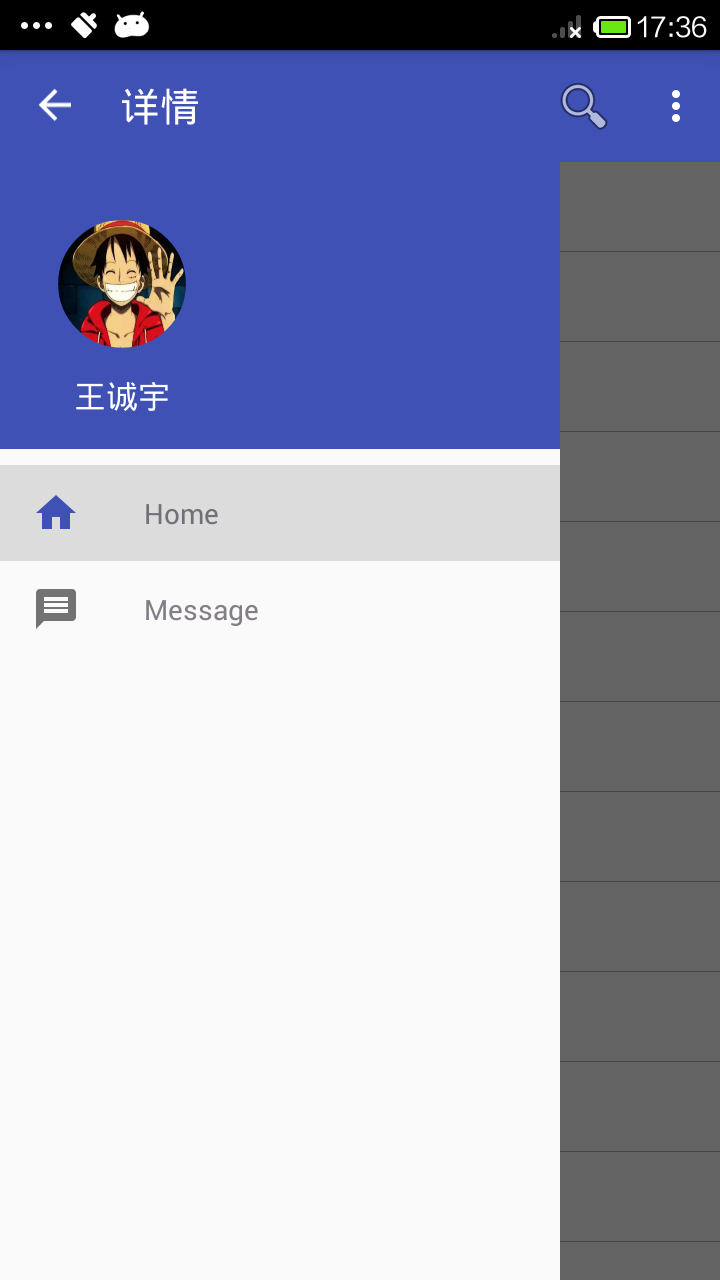
1.Navigation View對於應用程序,它代表著一個標准的導航菜單。菜單內容可以由菜單資源文件填充。NavigationView通常放在一個DrawerLayou
 Android之DOM解析XML
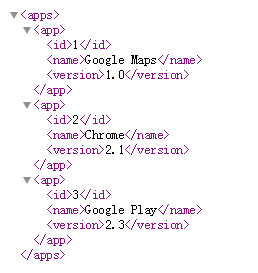
DOM方式解析XML是先把XML文檔都讀到內存中,然後再用DOM API來訪問樹形結構,並獲取數據的。如果XML文件很大的時候,處理效率就會變的很低。用DOM解析的具體思
 安卓Android-X86 4.4休眠、關機常見問題解決
Q:安卓Android-x86 4.4 VMware虛擬機休眠後怎麼喚醒?按一下右Alt鍵旁邊的菜單鍵就可以喚醒系統了。Q:安卓Android-x86 4.
 Android仿騰訊QQ實現滑動刪除 附源碼下載
看了很多大神們的文章,感覺受益良多,也非常欣賞大家的分享態度,所以決定開始寫Blog,給大家分享自己的心得。先看看效果圖:本來准備在ListView的每個Item的布局上