編輯:關於Android編程
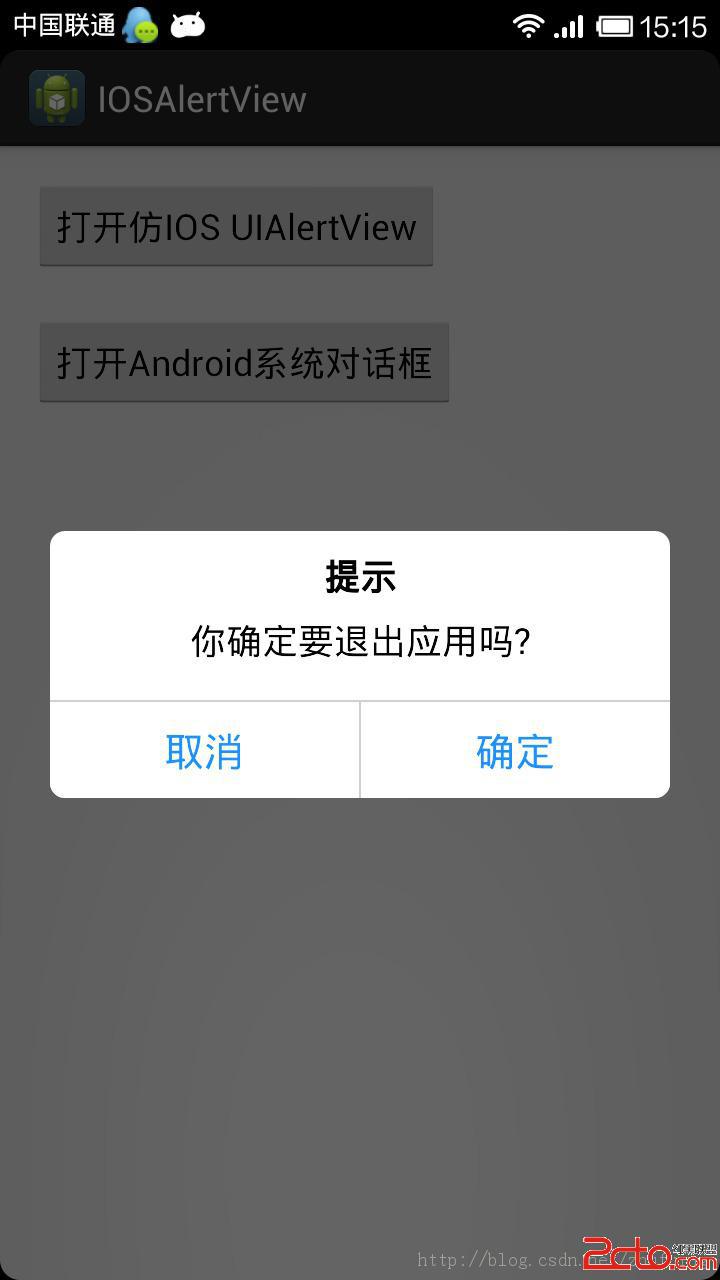
package com.example.iosalertview;

import android.app.Activity;
import android.app.AlertDialog;
import android.os.Bundle;
import android.view.View;
import android.view.View.OnClickListener;
import android.widget.Button;

import com.example.iosalertview.CustomDialog.Builder;

public class MainActivity extends Activity implements OnClickListener{
	private Button ios_dialog_btn,android_dialog_btn;

	@Override
	protected void onCreate(Bundle savedInstanceState) {
		super.onCreate(savedInstanceState);
		setContentView(R.layout.activity_main);

		ios_dialog_btn = (Button) findViewById(R.id.ios_dialog_btn);
		android_dialog_btn = (Button) findViewById(R.id.android_dialog_btn);

		ios_dialog_btn.setOnClickListener(this);
		android_dialog_btn.setOnClickListener(this);

	}

	@Override
	public void onClick(View v) {
		switch (v.getId()) {
		case R.id.ios_dialog_btn:
			CustomDialog.Builder builder = new Builder(MainActivity.this);
			builder.setTitle(R.string.prompt);
			builder.setMessage(R.string.exit_app);
			builder.setPositiveButton(R.string.confirm, null);
			builder.setNegativeButton(R.string.cancel, null);
			builder.create().show();
			break;
		case R.id.android_dialog_btn:
			AlertDialog.Builder mbuilder = new AlertDialog.Builder(MainActivity.this);
			mbuilder.setTitle(R.string.prompt);
			mbuilder.setMessage(R.string.exit_app);
			mbuilder.setPositiveButton(R.string.confirm, null);
			mbuilder.setNegativeButton(R.string.cancel, null);
			mbuilder.create().show();
			break;

		default:
			break;
		}
	}

}
package com.example.iosalertview;

import android.app.Dialog;
import android.content.Context;
import android.content.DialogInterface;
import android.view.LayoutInflater;
import android.view.View;
import android.view.ViewGroup.LayoutParams;
import android.widget.Button;
import android.widget.LinearLayout;
import android.widget.TextView;

public class CustomDialog extends Dialog {

	public CustomDialog(Context context) {
		super(context);
	}

	public CustomDialog(Context context, int theme) {
		super(context, theme);
	}

	public static class Builder {
		private Context context; //上下文對象
		private String title; //對話框標題
		private String message; //對話框內容
		private String confirm_btnText; //按鈕名稱“確定”
		private String cancel_btnText; //按鈕名稱“取消”
		private View contentView; //對話框中間加載的其他布局界面
		/*按鈕堅挺事件*/
		private DialogInterface.OnClickListener confirm_btnClickListener;
		private DialogInterface.OnClickListener cancel_btnClickListener;

		public Builder(Context context) {
			this.context = context;
		}

		/*設置對話框信息*/
		public Builder setMessage(String message) {
			this.message = message;
			return this;
		}

		/**
		 * Set the Dialog message from resource
		 *
		 * @param title
		 * @return
		 */
		public Builder setMessage(int message) {
			this.message = (String) context.getText(message);
			return this;
		}

		/**
		 * Set the Dialog title from resource
		 *
		 * @param title
		 * @return
		 */
		public Builder setTitle(int title) {
			this.title = (String) context.getText(title);
			return this;
		}

		/**
		 * Set the Dialog title from String
		 *
		 * @param title
		 * @return
		 */
		public Builder setTitle(String title) {
			this.title = title;
			return this;
		}

		/**
		 * 設置對話框界面
		 * @param v View
		 * @return
		 */
		public Builder setContentView(View v) {
			this.contentView = v;
			return this;
		}

		/**
		 * Set the positive button resource and it's listener
		 *
		 * @param confirm_btnText
		 * @return
		 */
		public Builder setPositiveButton(int confirm_btnText,
				DialogInterface.OnClickListener listener) {
			this.confirm_btnText = (String) context
					.getText(confirm_btnText);
			this.confirm_btnClickListener = listener;
			return this;
		}

		/**
		 * Set the positive button and it's listener
		 *
		 * @param confirm_btnText
		 * @return
		 */
		public Builder setPositiveButton(String confirm_btnText,
				DialogInterface.OnClickListener listener) {
			this.confirm_btnText = confirm_btnText;
			this.confirm_btnClickListener = listener;
			return this;
		}

		/**
		 * Set the negative button resource and it's listener
		 *
		 * @param confirm_btnText
		 * @return
		 */
		public Builder setNegativeButton(int cancel_btnText,
				DialogInterface.OnClickListener listener) {
			this.cancel_btnText = (String) context
					.getText(cancel_btnText);
			this.cancel_btnClickListener = listener;
			return this;
		}

		/**
		 * Set the negative button and it's listener
		 *
		 * @param confirm_btnText
		 * @return
		 */
		public Builder setNegativeButton(String cancel_btnText,
				DialogInterface.OnClickListener listener) {
			this.cancel_btnText = cancel_btnText;
			this.cancel_btnClickListener = listener;
			return this;
		}

		public CustomDialog create() {
			LayoutInflater inflater = (LayoutInflater) context
					.getSystemService(Context.LAYOUT_INFLATER_SERVICE);
			// instantiate the dialog with the custom Theme
			final CustomDialog dialog = new CustomDialog(context, R.style.mystyle);
			View layout = inflater.inflate(R.layout.customdialog, null);
			dialog.addContentView(layout, new LayoutParams(
					LayoutParams.MATCH_PARENT, LayoutParams.WRAP_CONTENT));
			// set the dialog title
			((TextView) layout.findViewById(R.id.title)).setText(title);
			((TextView) layout.findViewById(R.id.title)).getPaint().setFakeBoldText(true);;
			// set the confirm button
			if (confirm_btnText != null) {
				((Button) layout.findViewById(R.id.confirm_btn))
						.setText(confirm_btnText);
				if (confirm_btnClickListener != null) {
					((Button) layout.findViewById(R.id.confirm_btn))
							.setOnClickListener(new View.OnClickListener() {
								public void onClick(View v) {
									confirm_btnClickListener.onClick(dialog,
											DialogInterface.BUTTON_POSITIVE);
								}
							});
				}
			} else {
				// if no confirm button just set the visibility to GONE
				layout.findViewById(R.id.confirm_btn).setVisibility(
						View.GONE);
			}
			// set the cancel button
			if (cancel_btnText != null) {
				((Button) layout.findViewById(R.id.cancel_btn))
						.setText(cancel_btnText);
				if (cancel_btnClickListener != null) {
					((Button) layout.findViewById(R.id.cancel_btn))
							.setOnClickListener(new View.OnClickListener() {
								public void onClick(View v) {
									cancel_btnClickListener.onClick(dialog,
											DialogInterface.BUTTON_NEGATIVE);
								}
							});
				}
			} else {
				// if no confirm button just set the visibility to GONE
				layout.findViewById(R.id.cancel_btn).setVisibility(
						View.GONE);
			}
			// set the content message
			if (message != null) {
				((TextView) layout.findViewById(R.id.message)).setText(message);
			} else if (contentView != null) {
				// if no message set
				// add the contentView to the dialog body
				((LinearLayout) layout.findViewById(R.id.message))
						.removeAllViews();
				((LinearLayout) layout.findViewById(R.id.message)).addView(
						contentView, new LayoutParams(
								LayoutParams.WRAP_CONTENT,
								LayoutParams.WRAP_CONTENT));
			}
			dialog.setContentView(layout);
			return dialog;
		}

	}
}
http://www.apkbus.com/forum.php?mod=viewthread&tid=160284
 Android apk打包過程
概述android打包過程,下面這張圖取自Android開發權威指南,非常清晰。整個過程使用的工具有 名稱 功能介紹 在操作系統中的路徑 aapt An
 android編程之ip2id程序實例
本文實例講述了android編程之ip2id程序。分享給大家供大家參考。具體分析如下:一、說明:公司一個項目中需要給一系列網絡設備分配id號,id是根據ip算出來的,算法
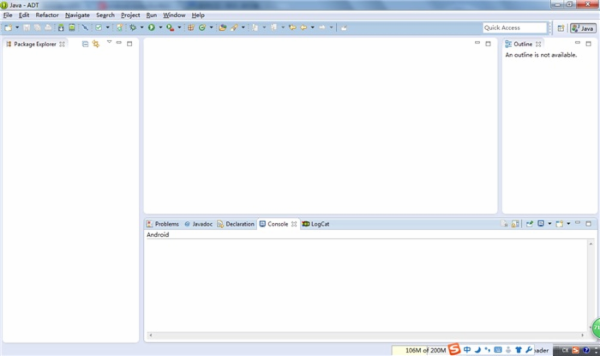 Android學習筆記(一)環境安裝及第一個hello world
開發環境安裝JDK和JRE下載安裝文件並安裝:jdk-8u11-windows-i586.exejre-8u11-windows-i586.exe使用google提供的a
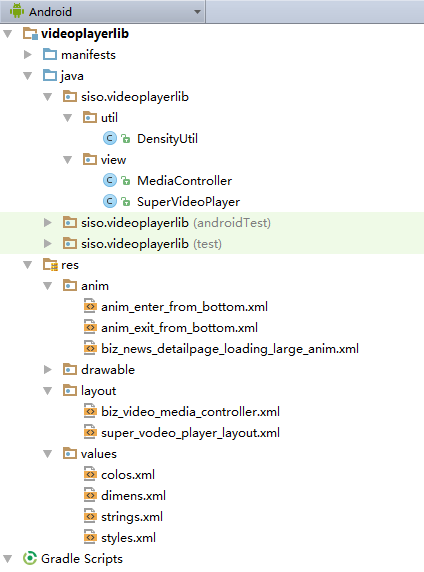 安卓Andriod使用入門(十九)【網絡視頻播放器】
MainActivity.java代碼:package siso.supervideoplayer;import android.content.pm.ActivityI