編輯:關於Android編程
    package net.canking.shottest;

    import java.io.File;
    import java.io.FileNotFoundException;
    import java.io.FileOutputStream;
    import java.io.IOException;

    import android.app.Activity;
    import android.graphics.Bitmap;
    import android.graphics.Rect;
    import android.view.View;

    public class ScreenShot {

        private static Bitmap takeScreenShot(Activity activity) {
            // View是你需要截圖的View
            View view = activity.getWindow().getDecorView();
            view.setDrawingCacheEnabled(true);
            view.buildDrawingCache();
            Bitmap b1 = view.getDrawingCache();

            // 獲取狀態欄高度
            Rect frame = new Rect();
            activity.getWindow().getDecorView().getWindowVisibleDisplayFrame(frame);
            int statusBarHeight = frame.top;

            // 獲取屏幕長和高
            int width = activity.getWindowManager().getDefaultDisplay().getWidth();
            int height = activity.getWindowManager().getDefaultDisplay()
                    .getHeight();
            // 去掉標題欄
            Bitmap b = Bitmap.createBitmap(b1, 0, statusBarHeight, width, height
                    - statusBarHeight);
            view.destroyDrawingCache();
            return b;
        }

        private static void savePic(Bitmap b, File filePath) {
            FileOutputStream fos = null;
            try {
                fos = new FileOutputStream(filePath);
                if (null != fos) {
                    b.compress(Bitmap.CompressFormat.PNG, 100, fos);
                    fos.flush();
                    fos.close();
                }
            } catch (FileNotFoundException e) {
                // e.printStackTrace();
            } catch (IOException e) {
                // e.printStackTrace();
            }
        }

        public static void shoot(Activity a, File filePath) {
            if (filePath == null) {
                return;
            }
            if (!filePath.getParentFile().exists()) {
                filePath.getParentFile().mkdirs();
            }
            ScreenShot.savePic(ScreenShot.takeScreenShot(a), filePath);
        }
}  魅族pro6與mx6有什麼區別 魅族MX6配置詳細介紹
魅族MX6正式發布上線開賣了,很多買家都在猶豫買魅族pro6還是魅族MX6?那魅族pro6與mx6有什麼區別呢?魅族MX6配置怎麼樣呢?有什麼機身尺寸呢?正
 Android實現的ListView分組布局改進示例
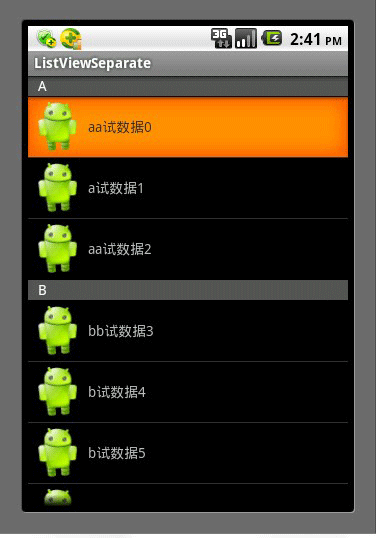
本文實例講述了Android實現的ListView分組布局改進方法。分享給大家供大家參考,具體如下:由於是在網上轉載的一篇文章,在這裡就不多說廢話了,首先看一下最終的效果
 Android快速分析apk工具aapt的使用教程
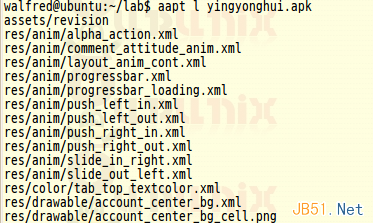
前面walfred已經介紹了使用apktool對apk進行逆向編譯,通過apktool我們的確可以反編譯已經序列化後的AndroidManifest.xml和資源文件等等
 Android仿天天動聽歌曲自動滾動view
最近項目中要做一個類似天天動聽歌曲自動滾動行數的效果。首先自己想了下Android要滾動的那就是scroller類或者scrollto、scrollby結合了,或者vie