編輯:關於Android編程
訪問網絡最主要的也就是 http協議了。
http協議很簡單,但是很重要。
直接上代碼了,裡面都是1個代碼塊 代碼塊的,用哪一部分直接拷出去用就好了。
1.訪問網絡用 get 和 post 自己組拼提交參數 ,httpclient 方式提交
2.上傳 和 下載
3.比如訪問服務器後 返回來的 xml 和 json 的簡單解析方法
String path = "http://192.168.13.1";
String username ="ll";
String pwd="123";
/** get 組拼 */
public void httpGet()
throws Exception {
String param1 = URLEncoder.encode(username);
String param2 = URLEncoder.encode(pwd);
URL url = new URL(path + "?name=" + param1 + "&password=" + param2);
HttpURLConnection conn = (HttpURLConnection) url.openConnection();
conn.setRequestMethod("GET");
conn.setReadTimeout(5000);
// 數據並沒有發送給服務器
// 獲取服務器返回的流信息
InputStream in = conn.getInputStream();
byte[] result = StreamTool.getBytes(in);
//return new String(result);
}
/** post 組拼 */
public void httpPost() throws Exception {
URL url = new URL(path);
String param1 = URLEncoder.encode(username);
String param2 = URLEncoder.encode(pwd);
//開始連接
HttpURLConnection conn = (HttpURLConnection) url.openConnection();
String data = "username=" + param1 + "&password=" + param2;
//設置方式 post
conn.setRequestMethod("POST");
//timeout 5000
conn.setConnectTimeout(5000);
// 設置 http協議可以向服務器寫數據
conn.setDoOutput(true);
// 設置http協議的消息頭
conn.setRequestProperty("Content-Type","application/x-www-form-urlencoded");
conn.setRequestProperty("Content-Length", String.valueOf(data.length()));
// 把我們准備好的data數據寫給服務器
OutputStream os = conn.getOutputStream();
os.write(data.getBytes());
// httpurlconnection 底層實現 outputstream 是一個緩沖輸出流
// 只要我們獲取任何一個服務器返回的信息 , 數據就會被提交給服務器 , 得到服務器返回的流信息
int code = conn.getResponseCode();
if (code == 200) {
InputStream is = conn.getInputStream();
byte[] result = StreamTool.getBytes(is);
String ss= new String(result);
}
}
/** httpclient get */
public void httpClentGet () throws Exception{
//獲取到一個浏覽器的實例
HttpClient client = new DefaultHttpClient();
//准備請求的地址
String param1 = URLEncoder.encode(username);
String param2 = URLEncoder.encode(pwd);
HttpGet httpGet = new HttpGet(path + "?name=" + param1 + "&password=" + param2);
//敲回車 發請求
HttpResponse ressponse = client.execute(httpGet);
int code = ressponse.getStatusLine().getStatusCode();
if( code == 200){
InputStream is =ressponse.getEntity().getContent();
//byte[] result = StreamTool.getBytes(is);
}
}
// 不需要的時候關閉 httpclient client.getConnectionManager().shutdown();
/** httpclient post **/
public void httpClentPost() throws Exception{
//1. 獲取到一個浏覽器的實例
HttpClient client = new DefaultHttpClient();
HttpPost httppost = new HttpPost(path);
// 鍵值對 BasicNameValuePair
List parameters = new ArrayList();
parameters.add(new BasicNameValuePair("username", username));
parameters.add(new BasicNameValuePair("pwd", pwd));
UrlEncodedFormEntity entity = new UrlEncodedFormEntity(parameters, "utf-8");
//3.設置post請求的數據實體
httppost.setEntity(entity);
//4. 發送數據給服務器
HttpResponse ressponse = client.execute(httppost);
int code = ressponse.getStatusLine().getStatusCode();
if(code == 200){
InputStream is =ressponse.getEntity().getContent();
byte[] result = StreamTool.getBytes(is);
//return new String(result);
}
}
/*** 下載一個東西 ***/
public void getFileData(Context context){
try {
HttpClient client = new DefaultHttpClient();
HttpGet httpGet = new HttpGet(path);
//執行
HttpResponse ressponse = client.execute(httpGet);
int code = ressponse.getStatusLine().getStatusCode();
if(code == HttpStatus.SC_OK){
InputStream in =ressponse.getEntity().getContent();
//圖片
// Bitmap bitmap = BitmapFactory.decodeStream(in);
// in.close();
//文件什麼的比如讀取了是要寫在本地的
//小文件直接讀取 大文件讀取一點寫一點
//byte[] result = StreamTool.getBytes(in);
//
//這裡可以得到文件的類型 如image/jpg /zip /tiff 等等 但是發現並不是十分有效,有時明明後綴是.rar但是取到的是null,這點特別說明
System.out.println(ressponse.getEntity().getContentType());
//可以判斷是否是文件數據流
System.out.println(ressponse.getEntity().isStreaming());
//設置本地保存的文件
//File storeFile = new File("c:/0431la.zip");
String path="sdcard/aa.txt";
FileOutputStream output = context.openFileOutput(path, context.MODE_PRIVATE);
//得到網絡資源並寫入文件
InputStream input = ressponse.getEntity().getContent();
byte b[] = new byte[1024];
int j = 0;
while( (j = input.read(b))!=-1){
output.write(b,0,j);
}
output.flush();
output.close();
}
} catch (Exception e) {
// TODO: handle exception
}
}
/**
* 提交數據給服務器 帶一個文件
* @param filepath 文件在手機上的路徑
*/
public void PostData(String filepath) throws Exception{
// 實例化上傳數據的 數組 part [] username pwd
Part[] parts = {
new StringPart("username", username),
new StringPart("pwd", pwd),
new FilePart("file", new File(filepath))
};
PostMethod file_Post = new PostMethod(path);
// 多種類型的數據實體
file_Post.setRequestEntity(new MultipartRequestEntity(parts, file_Post.getParams()));
//創建 client
org.apache.commons.httpclient.HttpClient client = new org.apache.commons.httpclient.HttpClient();
//timeout
client.getHttpConnectionManager().getParams().setConnectionTimeout(5000);
//執行
int status = client.executeMethod(file_Post);
if(status==200){
}
}
//傳送文件
public void setFile() throws Exception{
HttpClient httpclient = new DefaultHttpClient();
HttpPost httppost = new HttpPost("http://192.168.1.1");
File file = new File(path);
InputStreamEntity reqEntity = new InputStreamEntity(
new FileInputStream(file), -1);
reqEntity.setContentType("binary/octet-stream");
reqEntity.setChunked(true);
// FileEntity entity = new FileEntity(file, "binary/octet-stream");
httppost.setEntity(reqEntity);
System.out.println("executing request " + httppost.getRequestLine());
HttpResponse response = httpclient.execute(httppost);
if(response.getStatusLine().getStatusCode() == 200){
}
}
/** 1.
* 一般訪問了就會返回來1個 webservice
* pull解析訪問webservice 返回來的xml
* **/
public void pullJX(byte[] bb) throws Exception{
// byte[] bb = EntityUtils.toByteArray(response.getEntity());
XmlPullParser pullParser = Xml.newPullParser();
pullParser.setInput(new ByteArrayInputStream(bb), "UTF-8");
int event = pullParser.getEventType();
List
HttpClient其實是一個interface類型,HttpClient封裝了對象需要執行的Http請求、身份驗證、連接管理和其它特性
HttpClient有三個已知的實現類分別是:
AbstractHttpClient, AndroidHttpClient, DefaultHttpClient
AndroidHttpClient是對HttpClient的包裝,內部帶訪問連接器,並設置為可以多線程使用,
public class MyApplication extends Application{

	 private AndroidHttpClient httpClient;

      //  application oncreate的時候創建
      public void onCreate(){
          super.onCreate();
          httpClient =  AndroidHttpClient.newInstance("Android");
      }


      //供外部調用
      public AndroidHttpClient getHttpClient() {
        if (httpClient == null){
    	   httpClient = AndroidHttpClient.newInstance("Android");
        }
        return httpClient;
      }

	  @Override
	  public void onLowMemory() {
	    super.onLowMemory();
	    shutdownHttpClient();
	  }

	  @Override
	  public void onTerminate() {
	    super.onTerminate();
	    shutdownHttpClient();
	  }

      //關閉
	  private void shutdownHttpClient() {
	    if (httpClient != null) {
	      if (httpClient.getConnectionManager() != null) {
	        httpClient.getConnectionManager().shutdown();
	      }
	      httpClient.close();
	      httpClient = null;
	    }
	  }

}AndroidHttpClient httpClient = ((MyApplication)getApplication()).getHttpClient();
 手把手教你做藍牙小車(一)
第1節 選擇Arduino開發板1.1 Arduino是什麼對Arduino,官方有一堆解釋。作為一個軟件程序猿,在我眼裡,Arduino是學習“可怕硬件&r
 Android開發必知 九種對話框的實現方法
在開發過程中,與用戶交互式免不了會用到對話框以實現更好的用戶體驗,所以掌握幾種對話框的實現方法還是非常有必要的。在看具體實例之前先對AlertDialog做一個簡單介紹。
 Android最佳實踐之UI
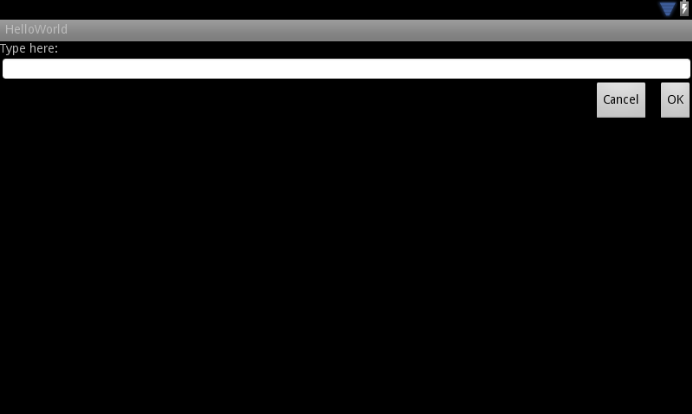
為多屏設計(一) - 支持多個屏幕尺寸參考地址:http://developer.android.com/training/multiscreen/index.htmlA
 換膚框架
換膚框架
序言現在說是換膚框架還有點誇大其詞,因為目前只實現了顏色的替換,目前網上已有的換膚框架我都研究過,主要感覺給每個View設置樣式,還要保存每個需要換膚的View,實在是太