編輯:關於Android編程
對計算器的一些說明:
此計算器比較簡陋,可以實現加減乘除這些運算,並能實現連續運算。對小數運算進行了優化了,避免了小數在計算時出現誤差。
主界面:

calculator的main_activity.java;
import android.R.string;
import android.app.Activity;
import android.os.Bundle;
import android.view.View;
import android.view.View.OnClickListener;
import android.widget.Button;
import android.widget.TextView;


public class MainActivity extends Activity {
	TextView tv=null;
	private  double number_one=0.0,number_two=0.0;
	String  arithmetic1=" ",arithmetic2=" ";

	private Button button_zone;
	private Button button_one;
	private Button button_two;
	private Button button_three;
	private Button button_four;
	private Button button_five;
	private Button button_six;
	private Button button_seven;
	private Button button_eight;
	private Button button_nine;
	private Button button_clean;

	private Button button_equate;
	private Button button_tiny;
	private Button button_addition;
	private Button button_subtraction;
	private Button button_multiplication;
	private Button button_division;

	protected void onCreate(Bundle savedInstanceState) {
		super.onCreate(savedInstanceState);
		setContentView(R.layout.activity_main);
		button_zone=(Button)findViewById(R.id.But_zo);
		button_one=(Button)findViewById(R.id.But_on);
		button_two=(Button)findViewById(R.id.But_tw);
		button_three=(Button)findViewById(R.id.But_th);
		button_four=(Button)findViewById(R.id.But_fo);
		button_five=(Button)findViewById(R.id.But_fi);
		button_six=(Button)findViewById(R.id.But_si);
		button_seven=(Button)findViewById(R.id.But_se);
		button_eight=(Button)findViewById(R.id.But_ei);
		button_nine=(Button)findViewById(R.id.But_ni);

		button_equate =(Button)findViewById(R.id.But_eq);
		button_tiny =(Button)findViewById(R.id.But_ti);
		button_addition=(Button)findViewById(R.id.But_ad);
		button_subtraction=(Button)findViewById(R.id.But_su);
		button_multiplication=(Button)findViewById(R.id.But_mu);
	    button_division=(Button)findViewById(R.id.But_di);

		button_clean=(Button)findViewById(R.id.But_cl);

		tv = (TextView)findViewById(R.id.ed_tv);

		button_equate.setOnClickListener (Listener);
		button_tiny.setOnClickListener (Listener);

		button_addition.setOnClickListener (Listener);
		button_subtraction.setOnClickListener(Listener);
		button_multiplication.setOnClickListener(Listener);
		button_division.setOnClickListener(Listener);

		button_five.setOnClickListener(Listener);
		button_five.setOnClickListener(Listener);
		button_zone.setOnClickListener(Listener);
		button_one.setOnClickListener (Listener);
		button_two.setOnClickListener(Listener);
		button_three.setOnClickListener(Listener);
		button_four.setOnClickListener(Listener);
		button_five.setOnClickListener(Listener);
		button_six.setOnClickListener(Listener);
		button_seven.setOnClickListener(Listener);
		button_eight.setOnClickListener(Listener);
		button_nine.setOnClickListener(Listener);
		button_clean.setOnClickListener(Listener);
	}


 public OnClickListener Listener = new OnClickListener()
  {
	public void onClick(View v)
    {
	Button btn=(Button)v;
	switch ( btn.getId() )
	{
	case R.id.But_zo:
		if (arithmetic2.equals("=")) {
			clean();
		}
		tv_changed(0);
		break;
	case R.id.But_on:
		if (arithmetic2.equals("=")) {
			clean();
		}
		tv_changed(1);
		break;
	case R.id.But_tw:
		if (arithmetic2.equals("=")) {
			clean();
		}
		tv_changed(2);
		break;
	case R.id.But_th:
		if (arithmetic2.equals("=")) {
			clean();
		}
		tv_changed(3);
		break;
	case R.id.But_fo:
		if (arithmetic2.equals("=")) {
			clean();
		}
		tv_changed(4);
		break;
	case R.id.But_fi:
		if (arithmetic2.equals("=")) {
			clean();
		}
		tv_changed(5);
		break;
	case R.id.But_si:
		if (arithmetic2.equals("=")) {
			clean();
		}
		tv_changed(6);
		break;
	case R.id.But_se:
		if (arithmetic2.equals("=")) {
			clean();
		}
		tv_changed(7);
		break;
	case R.id.But_ei:
		if (arithmetic2.equals("=")) {
			clean();
		}
		tv_changed(8);
		break;
	case R.id.But_ni:
		if (arithmetic2.equals("=")) {
			clean();
		}
		tv_changed(9);
		break;
	case R.id.But_eq:
		tv_changed("=");
		break;
	case R.id.But_ad:
		tv_changed("+");
		break;
	case R.id.But_mu:
		tv_changed("*");
		break;
	case R.id.But_su:
		tv_changed("-");
		break;
	case R.id.But_di:
		tv_changed("/");
		break;
	case R.id.But_ti:
		tv_changed(".");
		break;
	case R.id.But_cl:
		tv_changed("clean");
		break;
	default:
		break;
	  }
   }
	private void tv_changed(int i) {
		String string = tv.getText().toString();
		string += i;
		tv.setText(string);

	}
	private void tv_changed(String str) {
		  if ( str.equals(".") ) {

					  String str1 = tv.getText().toString()+".";
						 tv.setText(str1);
		}

	      if(str.equals("clean"))
	      {  clean(); }
		if( str =="+"||str =="-"||str =="*"||str =="/" )
		{
				String str1 = tv.getText().toString();
				 tv.setText(str1);
				 number_one= Double.parseDouble(str1)*10000;
				System.out.println("numberone="+number_one);
				 tv.setText(" ");
				 arithmetic1 = str;
				 System.out.println("arithmetic1="+arithmetic1);
				 tv.setText(str);
				 tv.setText(" ");

		}
		if (str=="=")
		 {
			String str1 = tv.getText().toString();
			 tv.setText(str1);
			 number_two= Double.parseDouble(str1)*10000;
			System.out.println("numbertwo="+number_two);
			 tv.setText(" ");
			 arithmetic2 = str;
			 System.out.println("arithmetic2="+arithmetic2);
			 tv.setText(str);
			 arithmetic(number_one,number_two,arithmetic1);
		 }
	}
	private void clean() {
      tv.setText(" ");
   	  number_two=0.0;
   	  arithmetic2=" ";
   	  System.out.println("numberone="+number_one);
   	  System.out.println("numbertwo="+number_two);
	}


 };
protected void arithmetic(double number_one2, double number_two2,
		String arithmetic1)
{
	            tv.setText(" ");
	   if (arithmetic1.equals("+")) {
		   number_one=(number_one2+ number_two2)/10000;
	    	 String s = String.valueOf(number_one);
	    	 tv.setText(s);
	  }
	   else if (arithmetic1.equals("-")) {
		   number_one=(number_one2 - number_two2)/10000;
	    	 String s1 = String.valueOf(number_one);
	    	 tv.setText(s1);
	}
	   else  if (arithmetic1.equals("*")){
		   number_one=(number_one2 * number_two2)/100000000;
	    	 String s2 = String.valueOf(number_one);
	    	 tv.setText(s2);
	}
	   else{
			 number_one=(number_one2 / number_two2);
	    	 String s3 = String.valueOf(number_one);
	    	 tv.setText(s3);
		}
   }
}1
 Android初級教程以動畫的形式彈出窗體
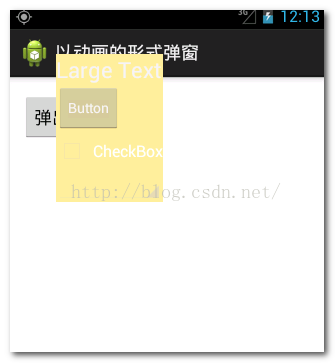
這一篇集合動畫知識和彈出窗體知識,綜合起來以動畫的形式彈出窗體。動畫的知識前幾篇已經做過詳細的介紹,可翻閱前面寫的有關動畫博文。先簡單介紹一下彈出窗體效果的方法:首先,需
 基於Maven創建Android應用
前言在學會使用Maven創建Java程序之後。我們試著去用Maven創建Android程序還是先用Maven命令在完成,這樣我們可以清楚,編譯器為我們做了些什麼基於Mav
 android圓角矩形進度條
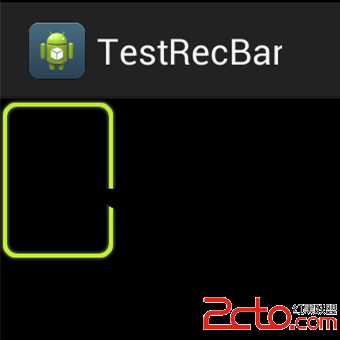
最近做項目,有個一個需求,就是圓角進度條。效果圖如下。當時項目時間很緊,沒多去想怎麼實現最佳,就直接把美工給的圓角進度條裁剪成了四份。來做 Canvas 剪切繪制。這樣雖
 AndroidStudio使用SVN管理代碼
1.前言隨著項目的快速迭代,往往上一個版本正在測試中,下一個版本已經開始開發了和版本追溯了。目前移動客戶端還沒有版本管理控制上形成一套有效的管理體系,希望能通過此文檔的整