編輯:關於Android編程
private void GetandSaveCurrentImage()
{
    //1.構建Bitmap
    WindowManager windowManager = getWindowManager();
    Display display = windowManager.getDefaultDisplay();
    int w = display.getWidth();
    int h = display.getHeight();

    Bitmap Bmp = Bitmap.createBitmap( w, h, Config.ARGB_8888 );

    //2.獲取屏幕
    View decorview = this.getWindow().getDecorView();
    decorview.setDrawingCacheEnabled(true);
    Bmp = decorview.getDrawingCache();

    //3.保存Bitmap
    try {
        File path = new File(SavePATH);
        //文件
        String filepath = SavePATH + "/Screen_1.png";
        File file = new File(filepath);
        if(!path.exists()){
            path.mkdirs();
        }
        if (!file.exists()) {
            file.createNewFile();
        }

        FileOutputStream fos = null;
        fos = new FileOutputStream(file);
        if (null != fos) {
            Bmp.compress(Bitmap.CompressFormat.PNG, 90, fos);
            fos.flush();
            fos.close();

            Toast.makeText(SiteMap.this, "截屏文件已保存至SDCard/ADASiteMaps/ScreenImage/下", Toast.LENGTH_LONG).show();
        }

    } catch (Exception e) {
        e.printStackTrace();
    }
}
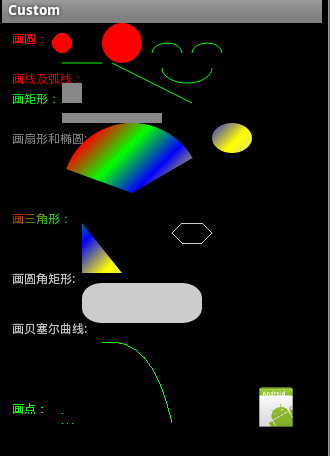 Android編程之canvas繪制各種圖形(點,直線,弧,圓,橢圓,文字,矩形,多邊形,曲線,圓角矩形)
本文實例講述了Android編程之canvas繪制各種圖形的方法。分享給大家供大家參考,具體如下:1、首先說一下canvas類:Class OverviewThe Can
 最好的5個Android ORM框架
在開發Android應用時,保存數據有這麼幾個方式, 一個是本地保存,一個是放在後台(提供API接口),還有一個是放在開放雲服務上(如 SyncAdapter 會是一個不
 Android利用動畫實現背景逐漸變暗
前言之前寫了一篇Android-實現底部彈出PopupWindow並讓背景逐漸變暗,介紹利用Handler動態改變背景透明度從而達到變暗的效果。現在補充一種方法,使用動畫
 Android中AlertDialog的六種創建方式
創建AlertDialog的步驟: 1、創建AlertDialog.Builder對象 2、調用Builder對象的setTitle方法設置標題,setI