編輯:關於Android編程
private void handleHeadsetStateChange()
    {
    	Intent intent = new Intent(Intent.ACTION_HEADSET_PLUG);
    	if(BluetoothProfile.STATE_CONNECTED == adapter.getProfileConnectionState(BluetoothProfile.HEADSET))
    	{
    		intent.putExtra("state", 1);
    		intent.putExtra("microphone", 1);
				mContext.sendBroadcast(intent);
    	}
    	else if(BluetoothProfile.STATE_DISCONNECTED == adapter.getProfileConnectionState(BluetoothProfile.HEADSET))
    	{
    		intent.putExtra("state", -1);
				mContext.sendBroadcast(intent);
    	}
    }
 AndroidStudio的debug功能詳解
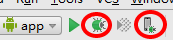
運行debug模式 1. 進入debug- 點擊圖中紅色圓圈圈起的左邊綠色按鈕,運行app的debug模式,快捷鍵Shift+F9- 點擊圖中紅色圓圈圈起的右邊按鈕,可以
 Android多點觸控技術實戰 針對圖片自由縮放和移動
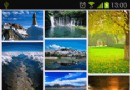
在上一篇文章中我帶著大家一起實現了Android瀑布流照片牆的效果,雖然這種效果很炫很酷,但其實還只能算是一個半成品,因為照片牆中所有的圖片都是只能看不能點的。因此本篇文
 Android個人學習筆記-使用myeclipse快速創建webservice並在Android中調用(續)
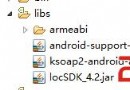
2、Android端webservice的調用package net.zmqc.service;import org.ksoap2.SoapEnvelope;import
 Android 分享一個簡單有趣的動畫效果
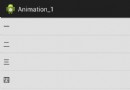
本期開始於大家分享幾個簡單又有趣的動畫 效果圖: 效果還是不錯的,而實現起來也並沒有多大的難度,上代碼喽 public int id[] = { R.draw