

編輯:Android 開發教學
Android 平台可以使用本地資源,也可以使用系統資源,兩者的引用語法略有不同。
Android 會自動產生一個靜態的 R 類來管理資源。R 類中包含多個靜態子類,每個子類把同一類別的資源表示為變數形式,例如 R.string、R.drawable、R.layout 等。
而資源表本身則被表示為 Resources 類的一個實例。
如圖:
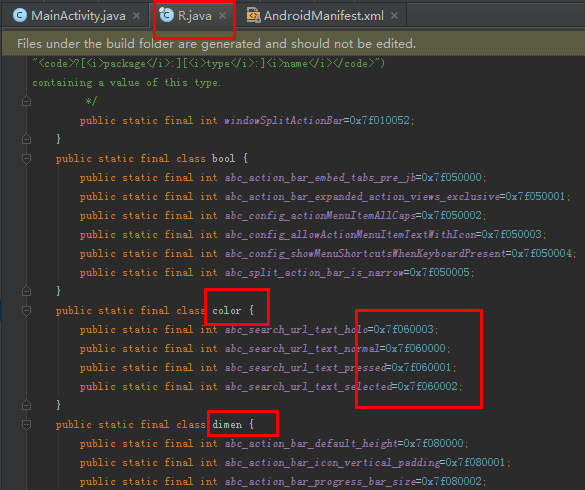
使用 getResources() 方法可以取得這個實例,而每一種可用的資源類型都對應一組 getter 方法:
Resources res = getResources();
String appName = res.getString(R.string.app_name);
Drawable icon = res.getDrawable(R.drawable.ic_launcher);
使用 @ 符號,就可以在一個資源中引用另一個資源。
如:
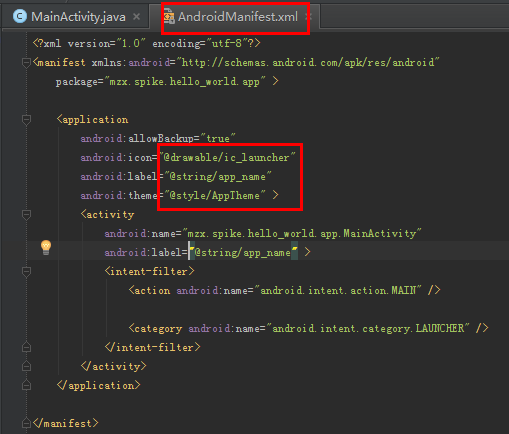
若要使用 android.R 類中提供的系統 Android 資源,則需要指定 android 作為套件名稱,也就是寫成 @android: 而不是 @。例如:
android:background="@android:color/white"
android:icon="@android:drawable/ic_menu_add"
若要使用主題樣式,則需使用 ?android: 寫法,讓樣式能隨目前主題變動:
android:textColor="?android:attr/textColorPrimary"
Android 支援依裝置條件自動挑選資源,例如 dpi 資源。但要使用這套機制,必須自訂資源限定符,並滿足限定符的順序規則,同時確保同一類別下的限定符具唯一性。
如圖:
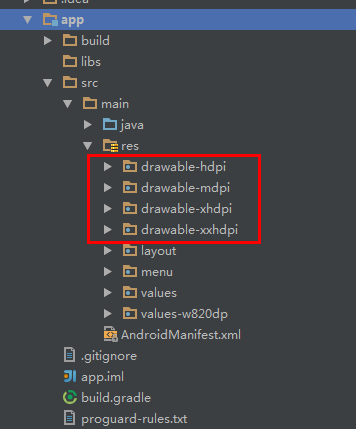
常見的限定符包含 dpi、語言、螢幕尺寸、是否在夜間模式等。例如 drawable-hdpi、values-zh-rTW 分別代表高解析度圖片與繁體中文(台灣)字串資源。
可以在 Activity 中(對應 activity_main 版面配置)指出要處理哪些配置變更,並在程式(MainActivity.java)中接收 Configuration 物件,以取得新的配置值:
// 程式碼中接收新的配置
@Override
public void onConfigurationChanged(Configuration newConfig) {
    super.onConfigurationChanged(newConfig);
    // 依 newConfig 的內容調整介面
}
 Android Studio 中如何修改編輯器字體大小
Android Studio 默認的編輯器方案(Scheme)不允許直接修改字體大小,需要先另存為一個新方案,然後在新方案上調整。 操作步驟 第一步:打開設置界面,路徑
 Android 開發:Context 是什麼?一次搞懂
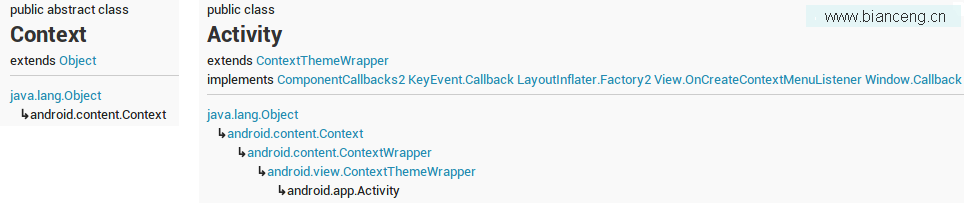
在 Android 中,Context 能做很多事,但最主要的功能是載入與存取資源。 Android 裡有兩種 Context:application context 與
 RoboGuice2 使用指南(3):注入自定義 View
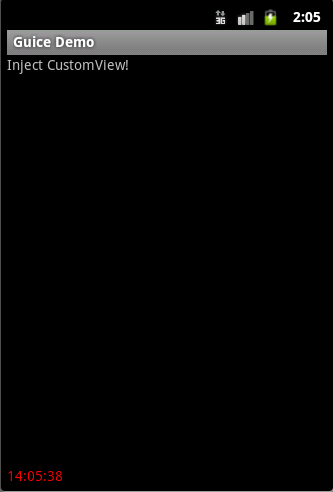
前面介紹了 Android RoboGuice2 的 HelloWorld 示例,也說明了從 RoboGuice 1.1 升級到 2.0 時的主要注意事項。 本例要示範如
 Android 滑動菜單特效實現思路
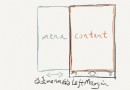
滑動菜單是常見的行動介面互動,使用者可透過手指滑動帶出側邊選單。其原理是將菜單布局放在內容布局旁邊,並透過偏移菜單位置控制顯示與隱藏。基本結構在 Activity 布局中