

編輯:Android 開發教學
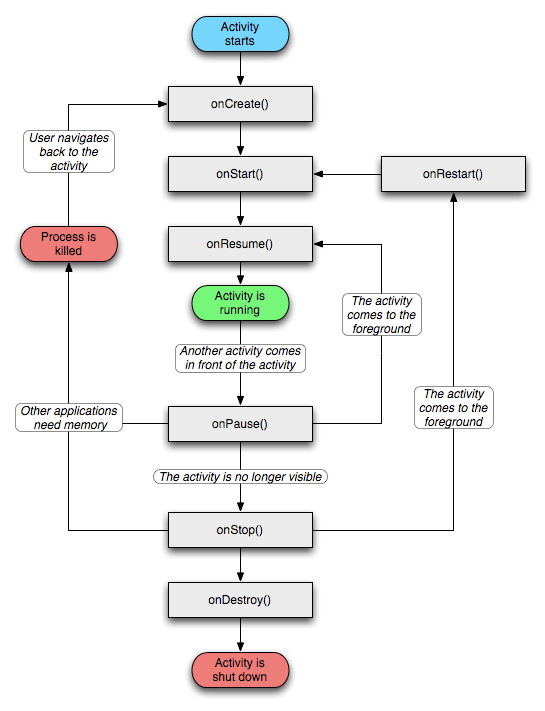
對初學者來說,Android 不同 Activity 之間的資料傳遞常是個難題,最常見的兩種解法是 Bundle 與 SharedPreferences。簡單講:SharedPreferences 適合存放輕量資料,落地成 XML 檔,可以長期保存;Bundle 則能承載多種類型的資料,但不具持久性,Activity 一關就沒了。
發送方 A:
Bundle bundle = new Bundle();
// 放入要傳遞的內容
bundle.putString("string名", "傳輸的string");
Intent intent = new Intent(A.this, B.class);
intent.putExtras(bundle);
接收方 B:
Bundle b = getIntent().getExtras();
// 取出 Bundle 中的內容
String info = b.getString("string名");
注意:兩邊使用的 key(這裡的「string名」)必須完全一致,拼錯就會拿到 null。另外 Bundle 可以透過 putExtra 的帶量版本直接寫進 Intent,效果相同。
SharedPreferences 的用法很簡單,要修改內容必須透過 editor 物件。
發出方 A:
SharedPreferences sp = PreferenceManager.getDefaultSharedPreferences(getContext());
Editor editor = sp.edit();
editor.putString("string變量名", "發出的string內容");
editor.commit();
接收方 B:
SharedPreferences sp = PreferenceManager.getDefaultSharedPreferences(B.this);
String grade = sp.getString("string變量名", "默認值");
讀取時的第二個參數是預設值,當 key 不存在時就會回傳它,因此一定要填,避免拿到 null 造成後續崩潰。commit() 是同步寫入,apply() 則是非同步,在需要立即生效的場景用 commit 比較保險。
 給有 Java 基礎的初學者:Android 四大組件入門全解
過去一直是在論壇與部落格上「用到什麼查什麼」,從沒自己整理過。於是替自己立了個目標:把 Android 用到的技術點一條條寫下來,之後遇到類似問題能快速找到解法。這系列整
 Android沉浸式狀態欄實作 ToolBar兩種寫法
結合 ToolBar 與自訂版面,實作沉浸式狀態欄的兩種方式。 沉浸式狀態欄嚴格來說應稱為透明狀態欄。一般情況下狀態欄底色為黑色,而沉浸式狀態欄則是把狀態欄設為透明或半透
 Android WebView 基本用法:在 Activity 中載入網頁
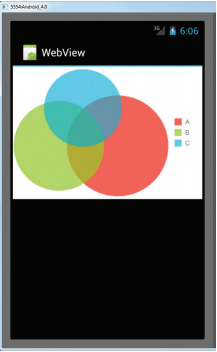
WebView 可在 Activity 中嵌入瀏覽器,適合顯示網頁內容或網路圖表。使用時於版面配置加入 WebView,再在程式碼中載入網址。必要設定若網頁需要縮放,可啟
 Android 第三方 ROM:深度 OS V4.12 20121130 開發版發布
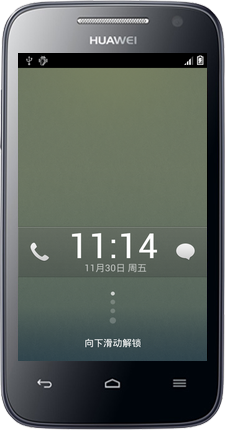
深度 OS 是 shendu.com 旗下的一款基於 Google Android 原始碼二次開發的第三方 ROM。憑藉對底層的優化與開發,即使是配置較低的千元智慧機,也