

編輯:Android 開發教學
使用 RelativeLayout,可以很容易地實現錨定檢視。以下 main.xml 包含五個嵌在 RelativeLayout 中的 Button:
<RelativeLayout
    android:layout_width="fill_parent"
    android:layout_height="fill_parent"
    xmlns:android="https://schemas.android.com/apk/res/android">

    <Button
        android:id="@+id/button1"
        android:layout_width="wrap_content"
        android:layout_height="wrap_content"
        android:text="Top Left"
        android:layout_alignParentLeft="true"
        android:layout_alignParentTop="true" />

    <Button
        android:id="@+id/button2"
        android:layout_width="wrap_content"
        android:layout_height="wrap_content"
        android:text="Top Right"
        android:layout_alignParentTop="true"
        android:layout_alignParentRight="true" />

    <Button
        android:id="@+id/button3"
        android:layout_width="wrap_content"
        android:layout_height="wrap_content"
        android:text="Bottom Left"
        android:layout_alignParentLeft="true"
        android:layout_alignParentBottom="true" />

    <Button
        android:id="@+id/button4"
        android:layout_width="wrap_content"
        android:layout_height="wrap_content"
        android:text="Bottom Right"
        android:layout_alignParentRight="true"
        android:layout_alignParentBottom="true" />

    <Button
        android:id="@+id/button5"
        android:layout_width="fill_parent"
        android:layout_height="wrap_content"
        android:text="Middle"
        android:layout_centerVertical="true"
        android:layout_centerHorizontal="true" />
</RelativeLayout>
以下屬性分別套用在不同的 Button 上:
layout_alignParentLeft —— 把子檢視置於父檢視內部左側
layout_alignParentRight —— 置於父檢視內部右側
layout_alignParentTop —— 置於父檢視內部頂部
layout_alignParentBottom —— 置於父檢視內部底部
layout_centerVertical —— 置於父檢視垂直中心
layout_centerHorizontal —— 置於父檢視水平中心
這些屬性搭配使用時有個限制值得注意:alignParentTop 與 alignParentBottom 同時設為 true 會讓元件被拉伸填滿整個垂直空間,alignParentLeft 與 alignParentRight 並用則會撐滿水平空間。button5 之所以是 fill_parent 寬度,正是這個道理——它被水平拉伸了。若只想置中而不拉伸,應該改用 layout_centerInParent="true"。
 Android 網絡框架原理剖析:從 HTTP 請求到設計模式映射
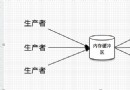
本文嘗試把一個通用 Android 網絡框架背後的原理串起來講清楚:HTTP 請求到底經歷了什麼、框架內部為什麼是生產者消費者結構、命令模式如何支撐請求撤銷,以及異步與回
 Android RoboGuice 使用指南(16):Standard Injection
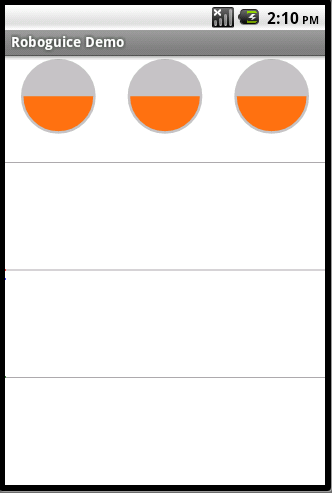
為了方便起見,RoboGuice 針對 Android 平台上常用的一些物件與服務,提供了「標準注入」(Standard Injection)支援。舉例來說,你不再需要透
 Android 4.4 與 iOS 7 功能比較
Android 與 iOS 的比較一直是行動平台討論焦點。Android 4.4 KitKat 與 iOS 7 都更漂亮、快速且功能完整,但兩者在鎖屏、通知與個人化上仍有
 已經不需要 Cygwin:最簡單的 Android NDK 環境建置
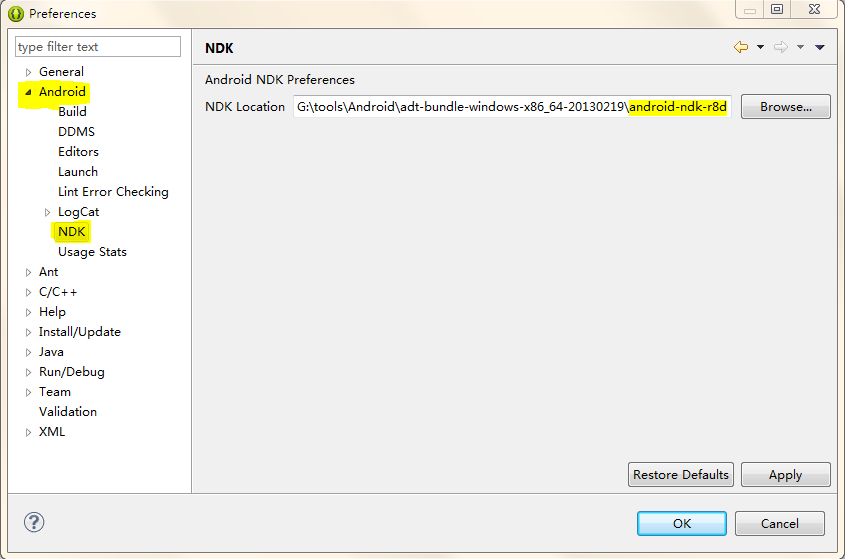
不論查 Google 還是百度,NDK 環境建置教學幾乎都會要求先裝 Cygwin。Cygwin 的目的其實只是把 C/C++ 編譯成動態連結庫,而目前版本的 ADT 與