

編輯:Android 開發教學
使用 RelativeLayout,可以透過設定「相對位置」——也就是每個 View 相對於另一個 View 的位置——來決定子 View 的擺放。以下看 main.xml 的程式碼:
<?xml version="1.0" encoding="utf-8"?>
<RelativeLayout
    xmlns:android="https://schemas.android.com/apk/res/android"
    android:id="@+id/RLayout"
    android:layout_width="fill_parent"
    android:layout_height="fill_parent" >

    <TextView
        android:id="@+id/lblComments"
        android:layout_width="wrap_content"
        android:layout_height="wrap_content"
        android:layout_alignParentLeft="true"
        android:layout_alignParentTop="true"
        android:text="Comments" />

    <EditText
        android:id="@+id/txtComments"
        android:layout_width="fill_parent"
        android:layout_height="170px"
        android:layout_alignLeft="@+id/lblComments"
        android:layout_below="@+id/lblComments"
        android:layout_centerHorizontal="true"
        android:textSize="18sp" />

    <Button
        android:id="@+id/btnSave"
        android:layout_width="125px"
        android:layout_height="wrap_content"
        android:layout_alignRight="@+id/txtComments"
        android:layout_below="@+id/txtComments"
        android:text="Save" />

    <Button
        android:id="@+id/btnCancel"
        android:layout_width="124px"
        android:layout_height="wrap_content"
        android:layout_alignLeft="@+id/txtComments"
        android:layout_below="@+id/txtComments"
        android:text="Cancel" />
</RelativeLayout>
可以觀察到,這些檢視都嵌在 RelativeLayout 裡面,每個檢視都有一些特有屬性用來對準其他檢視:
layout_alignParentTop
layout_alignParentLeft
layout_alignRight
layout_below
layout_centerHorizontal
這些屬性的值,就是被引用檢視的 id。
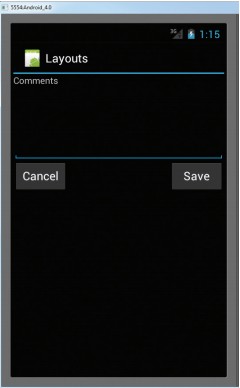
第一,被引用的 id 前面建議加上 @+id 而非 @id。在第一次引用時用 @+id 可以順便宣告這個 id,避免編譯時因為找不到資源而報錯。
第二,RelativeLayout 的版面配置是兩次量測(double measure),巢狀越多效能越差。因此像這種「標籤+輸入框+按鈕」的表單,雖然用 RelativeLayout 寫起來直觀,但若整個畫面由多層 RelativeLayout 堆疊而成,建議改用 ConstraintLayout,它能用扁平結構表達同樣的相對關係,效能好得多。
 Android 多執行緒研究(7):Java 5 的並發工具庫
從這一篇開始,我們把視角轉向 Java 5 之後為執行緒操作新增的 API。先來看看官方 API 文件: java.util.concurrent 這個套件彙集了大量執
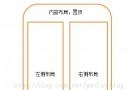 Android 雙向滑動菜單實現原理與動畫思路
雙向滑動菜單同時支援左右兩側抽屜,常見於需要快速切換功能或個人中心的應用。其核心概念是讓內容布局覆蓋在左右菜單之上,再透過偏移內容位置來顯示菜單。布局結構左側菜單靠左對齊
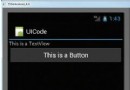 不用 XML:純程式碼動態產生 UI
到目前為止,所有章節的 UI 都是以 XML 實作的。除了 XML,也可以用程式碼產生介面。這個方式很有用,特別是當 UI 需要在執行時才被決定的時候。 舉例來說,假設你
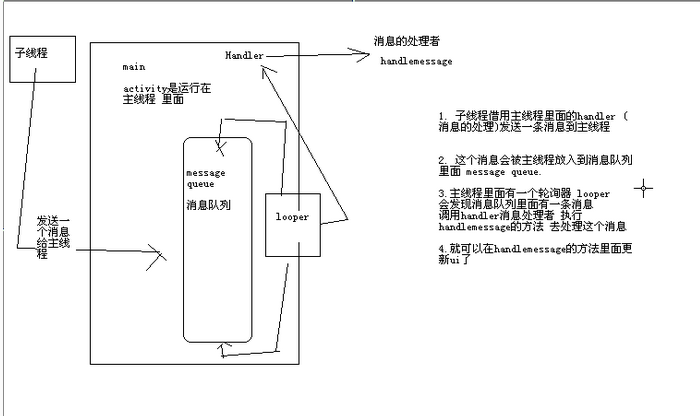 Android 子線程更新 UI 的完整方式與原理釐清
一、為何寫這篇 你是不是常在書上看到「不能在子線程中操作 UI,否則會報錯」這句話?但實際動手時,卻可能遇到矛盾的情況。看看下面這段程式碼: @Override pro