

編輯:Android 開發教學
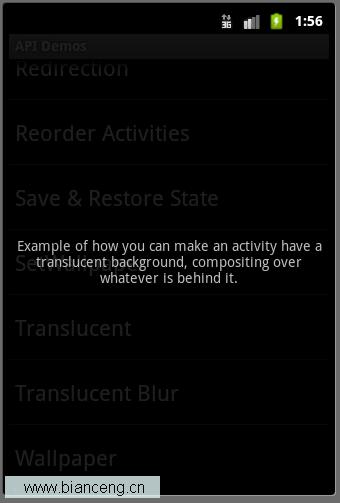
Activity 分類的最後幾個例子都在示範半透明 Activity,程式碼大同小異。核心概念只有一個:半透明效果是透過 Style 與 Theme 達成的,而不是靠程式碼。
先看 TranslucentActivity 的宣告:
<activity android:name=".app.TranslucentActivity"
    android:label="@string/activity_translucent"
    android:theme="@style/Theme.Translucent">

    <intent-filter>
        <action android:name="android.intent.action.MAIN" />
        <category android:name="android.intent.category.SAMPLE_CODE" />
    </intent-filter>
</activity>
關鍵是 android:theme="@style/Theme.Translucent" 這一行,它把 Activity 的視窗外觀整個換掉。
這個主題寫在 res/styles.xml:
<!-- 一個帶半透明背景的主題。這裡明確指定它繼承系統的半透明主題,
     系統主題已經把相關屬性設定妥當。 -->
<style name="Theme.Translucent" parent="android:style/Theme.Translucent">
    <item name="android:windowBackground">@drawable/translucent_background</item>
    <item name="android:windowNoTitle">true</item>
    <item name="android:colorForeground">#fff</item>
</style>
它透過繼承系統的 android:style/Theme.Translucent,再對個別屬性做調整。其中 @drawable/translucent_background 定義在 Colors.xml,顏色值為 #e0000000。
#e0000000 之所以能產生半透明,關鍵在於它是 ARGB 格式而非 RGB:前兩個字元 e0 是 alpha 通道(十進制 224,約 88% 不透明),後六位 000000 才是黑色。也就是說,這是一層「接近不透明的黑紗」,背後畫面會隱約透出。
把透明度調成 ff 就是完全不透明,調成 00 就是全透明。理解了這個結構,你就能自由設計出各種層次感的視窗——而這一切都不需要動到一行 Java 程式碼,這正是 Android 資源系統把外觀與邏輯分離的價值所在。
 Android DOM 建立與解析 XML 入門
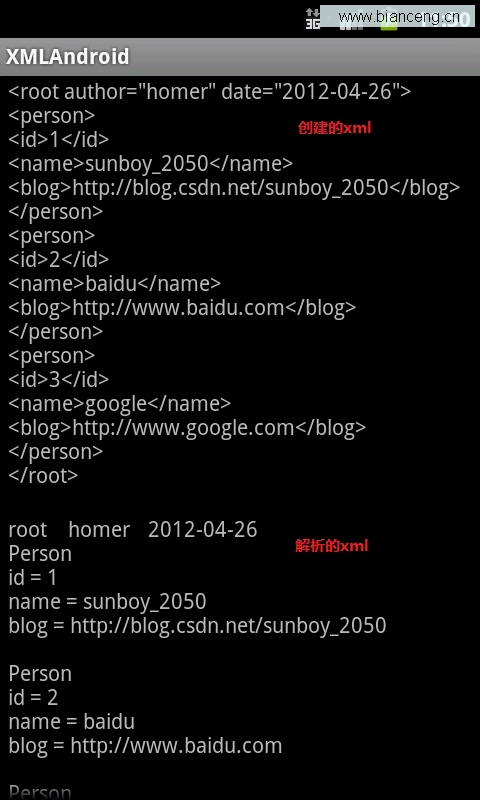
DOM 是常見的 XML 處理方式,會將文件解析成節點樹,讓開發者能讀取、搜尋、修改與刪除節點。建立與輸出建立 XML 時,可使用 DocumentBuilderFact
 Android 應用程式專案結構解析
用 Eclipse 打開一個 Android 應用程式的專案,可以看到如下圖所示的檔案結構。 其中,src 資料夾保存的是我們編寫的 Java 源檔,我們撰寫的程式碼一
 ApiDemos 解析(37):搜尋結果的接收與處理
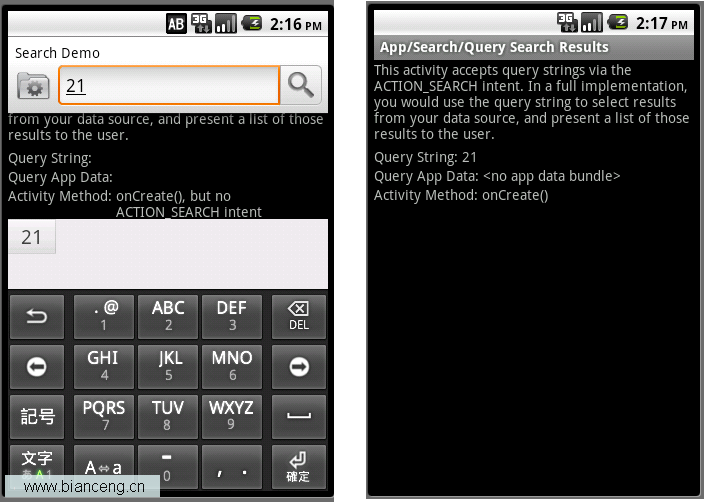
SearchQueryResults 這個示例有兩副面孔,取決於它是被誰啟動的。 若直接從 Launcher 點開,這時收到的 Intent 並不含 ACTION_SEA
 Android RoboGuice 使用指南(7):@Provides 方法
前面提過,如果需要構造一些較複雜類別的實例,通常的做法是使用 @Provides 方法。這個方法必須定義在模組(Module)中,並以 @Provides 標註;方法的回