

編輯:Android 開發教學
需求很常見:App 需要在裝置重開機後自動拉起一個背景服務,並且希望這個服務以前台形式運行,降低被系統回收的機率。實作上由三個部分組成:Service 本身、監聽開機廣播的 BroadcastReceiver,以及 Manifest 中的相應宣告。
在 onCreate 中呼叫 startForeground,把服務提升到前台,同時帶上一個通知。通知是前台服務的必要條件,使用者也應該能透過它感知服務存在。
public class SeasyService extends Service {

    @Override
    public void onCreate() {
        super.onCreate();
        // 建立前台服務所需的通知
        NotificationCompat.Builder builder = new NotificationCompat.Builder(this);
        Notification notification = builder.build();
        startForeground(999, notification);
    }

    @Override
    public IBinder onBind(Intent arg0) {
        return null;
    }

    @Override
    public void onDestroy() {
        super.onDestroy();
        // 取消前台狀態
        stopForeground(true);
    }
}
接收 BOOT_COMPLETED 廣播後,啟動目標服務。
public class BootBroadcastReceiver extends BroadcastReceiver {

    @Override
    public void onReceive(Context context, Intent intent) {
        String action = intent.getAction();
        if ("android.intent.action.BOOT_COMPLETED".equals(action)) {
            Intent service = new Intent(context, SeasyService.class);
            context.startService(service);
        }
    }
}
<?xml version="1.0" encoding="utf-8"?>
<manifest xmlns:android="https://schemas.android.com/apk/res/android"
    package="com.example.androidservice"
    android:versionCode="1"
    android:versionName="1.0">

    <uses-sdk android:minSdkVersion="18" android:targetSdkVersion="18" />

    <!-- 接收開機完成廣播的權限 -->
    <uses-permission android:name="android.permission.RECEIVE_BOOT_COMPLETED"/>

    <application android:allowBackup="true"
        android:icon="@drawable/ic_launcher"
        android:label="@string/app_name"
        android:theme="@style/AppTheme" >

        <activity android:name="com.example.service.MainActivity"
            android:label="@string/app_name" >
            <intent-filter>
                <action android:name="android.intent.action.MAIN" />
                <category android:name="android.intent.category.LAUNCHER" />
            </intent-filter>
        </activity>

        <!-- 服務宣告 -->
        <service android:name="com.example.service.SeasyService"
            android:enabled="true"
            android:exported="true"
            android:process=":remote">
            <intent-filter>
                <action android:name="com.example.action.SeasyService" />
            </intent-filter>
        </service>

        <!-- 開機廣播接收器 -->
        <receiver android:name="com.example.service.BootBroadcastReceiver">
            <intent-filter>
                <action android:name="android.intent.action.BOOT_COMPLETED"/>
            </intent-filter>
        </receiver>

    </application>
</manifest>
上面這份寫法在 Android 8 以前的環境可以正常運作,但放在目前的目標 SDK 上會遇到幾個硬性限制,實作時務必一併處理:
FLAG_IMMUTABLE 或 FLAG_MUTABLE。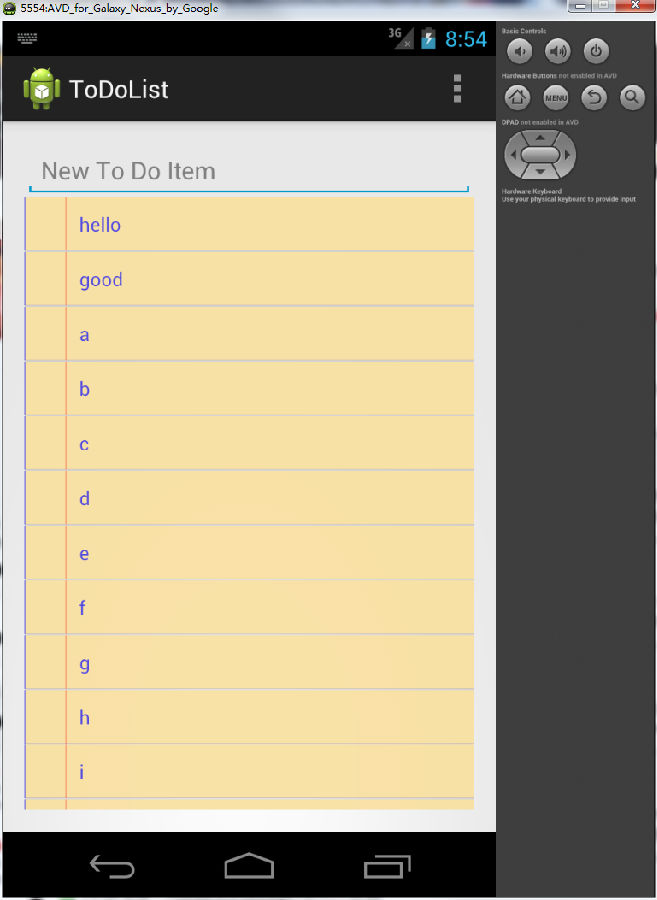 Android中的ToDoList(定制樣式)詳解
本文說明如何為 ToDoList 自定義樣式,讓清單項目呈現類似便條紙的視覺效果。自定義 TextView可建立一個繼承 TextView 的 ToDoListItemV
 Xposed 模組開發思路全解:從建專案到成功 Hook 一個方法
別只背步驟,先想清楚每一步為什麼 網路上關於 Xposed 模組的官方教學並不少,但多數只停在「建立專案、宣告 xposed_init、寫一個類」的層面。真正值得弄清的是
 Android 資訊推送實作:用 AndroidPn 打通服務端與客戶端
前陣子有幸參與公司 CMPP 短信閘道程式的開發,技術選型落在 Apache Mina 上。做完那個專案,我對 Socket 通訊與長連線的認識深了一層,於是便想試試把
 Android 網絡開發兩條路:Socket 與 HTTP 通信詳解
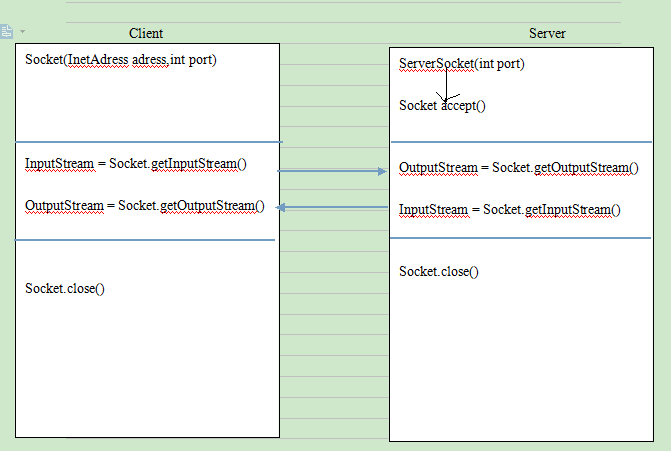
Android 上的網絡通信大體分兩條路:一條是 Socket,本質是對 TCP/UDP 協議的封裝;另一條是 HTTP 協議,Android 提供了 HttpURLCo