

編輯:Android 開發教學
從 SystemServer 出發,逐層追進 SurfaceFlinger 的啟動路徑。
在 Android 系統中,顯示系統底層是由 SurfaceFlinger 服務負責。因此我們以它為入口,來剖析 Android 顯示系統的啟動過程。
SurfaceFlinger 服務運行在 System 進程中,而 System 進程由 Zygote 進程啟動,入口是 Java 層 SystemServer 類(定義於 SystemServer.java)的靜態成員函數 main。分析就從這裡開始:
1 public static void main(String[] args) {
2    if (System.currentTimeMillis() < EARLIEST_SUPPORTED_TIME) {
3        // If a device's clock is before 1970 (before 0), a lot of
4        // APIs crash dealing with negative numbers, notably
5        // java.io.File#setLastModified, so instead we fake it and
6        // hope that time from cell towers or NTP fixes it
7        // shortly.
8        Slog.w(TAG, "System clock is before 1970; setting to 1970.");
9        SystemClock.setCurrentTimeMillis(EARLIEST_SUPPORTED_TIME);
10    }
11    if (SamplingProfilerIntegration.isEnabled()) {
12        SamplingProfilerIntegration.start();
13        timer = new Timer();
14        timer.schedule(new TimerTask() {
15             @Override
16             public void run() {
17                 SamplingProfilerIntegration.writeSnapshot("system_server", null);
18             }
19             }, SNAPSHOT_INTERVAL, SNAPSHOT_INTERVAL);
20    }
21    // Mmmmmm... more memory!
22    dalvik.system.VMRuntime.getRuntime().clearGrowthLimit();
23    // The system server has to run all of the time, so it needs to be
24    // as efficient as possible with its memory usage.
25    VMRuntime.getRuntime().setTargetHeapUtilization(0.8f);
26    System.loadLibrary("android_servers");
27    init1(args);
28 }
第 24 行(此處對應 init1 呼叫)會進入 init1 函數進行初始化。init1 是個 native 函數,用來初始化 C++ 層的服務,會觸發 com_android_server_SystemServer.cpp 中的 android_server_SystemServer_init1。關於該函數的細節可參考 page2。
1static void android_server_SystemServer_init1(JNIEnv* env, jobject clazz)
2{
3 system_init();
4}
第 3 行呼叫 system_init,該函數定義於 system_init.cpp:
1extern "C" status_t system_init()
2{
3 ALOGI("Entered system_init()");
4 sp<ProcessState> proc(ProcessState::self());
5 sp<IServiceManager> sm = defaultServiceManager();
6 ALOGI("ServiceManager: %p\n", sm.get());
7 sp<GrimReaper> grim = new GrimReaper();
8 sm->asBinder()->linkToDeath(grim, grim.get(), 0);
9 char propBuf[PROPERTY_VALUE_MAX];
10 property_get("system_init.startsurfaceflinger", propBuf, "1");
11 if (strcmp(propBuf, "1") == 0) {
12 // Start the SurfaceFlinger
13 SurfaceFlinger::instantiate();
14 }
15 property_get("system_init.startsensorservice", propBuf, "1");
16 if (strcmp(propBuf, "1") == 0) {
17 // Start the sensor service
18 SensorService::instantiate();
19 }
20 ALOGI("System server: starting Android runtime.\n");
21 AndroidRuntime* runtime = AndroidRuntime::getRuntime();
22 ALOGI("System server: starting Android services.\n");
23 JNIEnv* env = runtime->getJNIEnv();
24 if (env == NULL) {
25 return UNKNOWN_ERROR;
26 }
27 jclass clazz = env->FindClass("com/android/server/SystemServer");
28 if (clazz == NULL) {
29 return UNKNOWN_ERROR;
30 }
31 jmethodID methodId = env->GetStaticMethodID(clazz, "init2", "()V");
32 if (methodId == NULL) {
33 return UNKNOWN_ERROR;
34 }
35 env->CallStaticVoidMethod(clazz, methodId);
36 ALOGI("System server: entering thread pool.\n");
37 ProcessState::self()->startThreadPool();
38 IPCThreadState::self()->joinThreadPool();
39 ALOGI("System server: exiting thread pool.\n");
40 return NO_ERROR;
41 }
第 9 至 14 行是關鍵:系統先讀取 system_init.startsurfaceflinger 屬性,若結果為 1,第 13 行便呼叫 SurfaceFlinger::instantiate() 把服務拉起來,細節見 page3。
第 37 至 38 行則啟動 Binder 的執行緒池。從這一刻起,SystemServer 進程已可接受 Binder 的跨進程通訊。
先來看 SurfaceFlinger 類的繼承體系:
class SurfaceFlinger : public BinderService<SurfaceFlinger>,
                            public BnSurfaceComposer,
                            private IBinder::DeathRecipient,
                            private Thread,
                           private HWComposer::EventHandler
一口氣繼承了五個父類。先擱著,回到 instantiate 函數——它其實來自 BinderService。來看 BinderService 的宣告:
template<typename SERVICE> class BinderService
BinderService 接受一個模板參數,其 instantiate 定義如下:
static void instantiate() {
        publish();
}
可見它只是轉手呼叫 publish,而 publish 的定義是:
1    static status_t publish(bool allowIsolated = false) {
2        sp<IServiceManager> sm(defaultServiceManager());
3        return sm->addService(String16(SERVICE::getServiceName()), new SERVICE(), allowIsolated);
4    }
第 2 行取得 ServiceManager;第 3 行 new 出一個 SERVICE 實例,再呼叫 ServiceManager 的 addService 交由其管理——這正是 Binder 機制的基礎。所以這裡會建立一個 SurfaceFlinger 物件,建構函數的細節見 page4。
由於 addService 的參數是 SP 型別,這裡會觸發 SurfaceFlinger::onFirstRef():
1void SurfaceFlinger::onFirstRef()
2{
3    mEventQueue.init(this);
5    run("SurfaceFlinger", PRIORITY_URGENT_DISPLAY);
7    // Wait for the main thread to be done with its initialization
8    mReadyToRunBarrier.wait();
9}
第 3 行的 mEventQueue 是 MessageQueue 型別,因此會呼叫 MessageQueue::init,見 page5。第 5 行的 run 則繼承自 Thread 類,見 page6。
1 SurfaceFlinger::SurfaceFlinger()
2    :   BnSurfaceComposer(), Thread(false),
3         mTransactionFlags(0),
4         mTransactionPending(false),
5         mAnimTransactionPending(false),
6         mLayersRemoved(false),
7         mRepaintEverything(0),
8         mBootTime(systemTime()),
9         mVisibleRegionsDirty(false),
10         mHwWorkListDirty(false),
11         mDebugRegion(0),
12         mDebugDDMS(0),
13         mDebugDisableHWC(0),
14         mDebugDisableTransformHint(0),
15         mDebugInSwapBuffers(0),
16         mLastSwapBufferTime(0),
17         mDebugInTransaction(0),
18         mLastTransactionTime(0),
19         mBootFinished(false)
20 {
21     ALOGI("SurfaceFlinger is starting");
23     // debugging stuff...
24     char value[PROPERTY_VALUE_MAX];
26     property_get("debug.sf.showupdates", value, "0");
27     mDebugRegion = atoi(value);
29     property_get("debug.sf.ddms", value, "0");
30     mDebugDDMS = atoi(value);
31     if (mDebugDDMS) {
32         if (!startDdmConnection()) {
33             // start failed, and DDMS debugging not enabled
34             mDebugDDMS = 0;
35         }
36     }
37     ALOGI_IF(mDebugRegion, "showupdates enabled");
38     ALOGI_IF(mDebugDDMS, "DDMS debugging enabled");
39 }
可以看到,建構函數除了初始化成員變數與讀取幾個 debug 屬性外,並沒有額外的業務邏輯。
1void MessageQueue::init(const sp<SurfaceFlinger>& flinger)
2{
3    mFlinger = flinger;
4    mLooper = new Looper(true);
5    mHandler = new Handler(*this);
6}
第 3 行把 SurfaceFlinger 物件存進 MessageQueue;第 4 行 new 出一個 Looper 負責分派訊息;第 5 行以本 MessageQueue 初始化一個 Handler。要注意,Handler 是 MessageQueue 類內部定義的內部類:
class Handler : public MessageHandler {
             enum {
                 eventMaskInvalidate = 0x1,
                 eventMaskRefresh    = 0x2
             };
             MessageQueue& mQueue;
             int32_t mEventMask;
         public:
             Handler(MessageQueue& queue) : mQueue(queue), mEventMask(0) { }
             virtual void handleMessage(const Message& message);
             void dispatchRefresh();
             void dispatchInvalidate();
};
 在 Linux 下編譯 Android-VLC 播放器
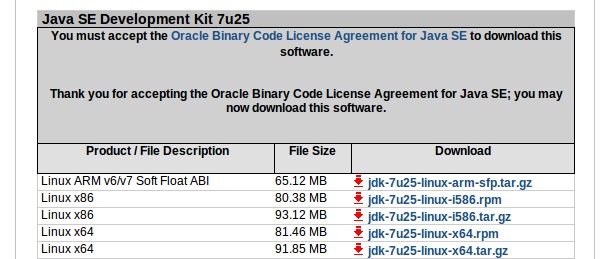
Android 內建解碼支援有限,許多播放器會自行整合 FFmpeg 或 VLC 等解碼庫。編譯 Android-VLC 前,需準備 JDK、Android SDK、ND
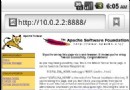 Android 模擬器如何訪問本機的 Web 應用?關鍵是 10.0.2.2
這篇文章想解決的是一個很具體的問題:怎麼讓 Android 模擬器訪問你電腦上跑著的 Web 應用? 舉個例子。你在開發機上啟動 Tomcat,用電腦的瀏覽器輸入 htt
 Android SQLite 數據庫用法圖文詳解(附源碼)
背景 SQLite 是嵌入式場景廣泛使用的輕量型關係數據庫,它以單一文件的形式存在,無需獨立服務進程,也不用配置,拷貝即遷移。這些特性讓它成為 Android 的默認本地
 ApiDemos 解析:Invoke Search 搜尋功能
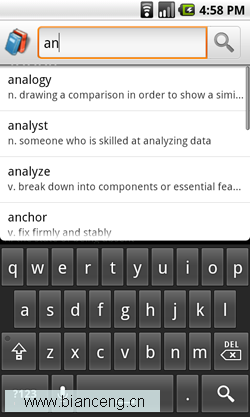
Android Search Framework 可讓應用提供統一搜尋體驗。UI 形式可使用 Search Dialog 或 SearchView。系統會將查詢內容放入