

編輯:Android 開發實例
Button 大概是 Android 里最基礎的交互控件,但也正因為基礎,很多人只會用 setOnClickListener 一種寫法。本文把它的家族關係、兩種事件綁定方式和常用屬性整理清楚。
android.widget.Button 直接繼承自 android.widget.TextView,這也解釋了為什麼它天生支持 text、textColor、textSize 這一整套文本屬性。
它的直接子類是 CompoundButton;而 CheckBox、RadioButton、Switch、ToggleButton 則是通過 CompoundButton 間接派生而來,這些控件都帶有「選中/未選中」的雙態語義。
作為控件本身,Button 的作用很單純:用戶按下或點擊它,觸發一段操作。
這是最直白的寫法,在 onCreate 裡拿到控件實例後綁定 OnClickListener:
 public class MyActivity extends Activity {
    protected void onCreate(Bundle icicle) {
        super.onCreate(icicle);
        setContentView(R.layout.content_layout_id);
        final Button button = (Button) findViewById(R.id.button_id);
        button.setOnClickListener(new View.OnClickListener() {
            public void onClick(View v) {
                // 在這裡處理點擊邏輯
            }
        });
    }
}
如果不想寫匿名內部類,可以直接在布局裡用 android:onClick 指定方法名:
 <Button
    android:layout_height="wrap_content"
    android:layout_width="wrap_content"
    android:text="@string/self_destruct"
    android:onClick="selfDestruct" />
此時用戶點擊按鈕,系統會去 Activity 中查找同名方法並調用。這個方法有兩個硬性要求:必須是 public,且只接受一個 View 類型參數。被點擊的控件會作為參數傳入:
 public void selfDestruct(View view) {
    // 執行相應操作
}
這種寫法的好處是代碼更精簡,缺點是方法名寫死在布局裡,重構時容易被遺漏,而且一旦 Activity 中找不到對應方法或簽名不符,會在運行時直接崩潰。
Button 的 XML 屬性和 public 方法基本沿用自 TextView,諸如 android:text、android:textColor、android:textSize、android:background、android:drawableLeft 等都可以直接使用;代碼側則常用 setText()、setEnabled()、setClickable() 等。有興趣的讀者可以對照 TextView 的文檔一起看,內容幾乎一致。
 Android 自訂進度條完整教學:換色、縱向與圓弧
Android 原生的 ProgressBar 只有橫向一種,樣式也不好改。 實在稱不上好看。當設計稿要求換前景背景、改成縱向、甚至做成圓弧形時,該怎麼辦?例如這種:
 Android MediaPlayer 完整教學:播放、暫停與 5 秒跳轉
Android 提供多種播放音訊與影片的方式,其中最直接的就是 MediaPlayer 類別。它是內建媒體播放服務的 facade,音訊、影片與串流都能透過它控制。 最常
 Android 自定義格式 Button 的布局思路
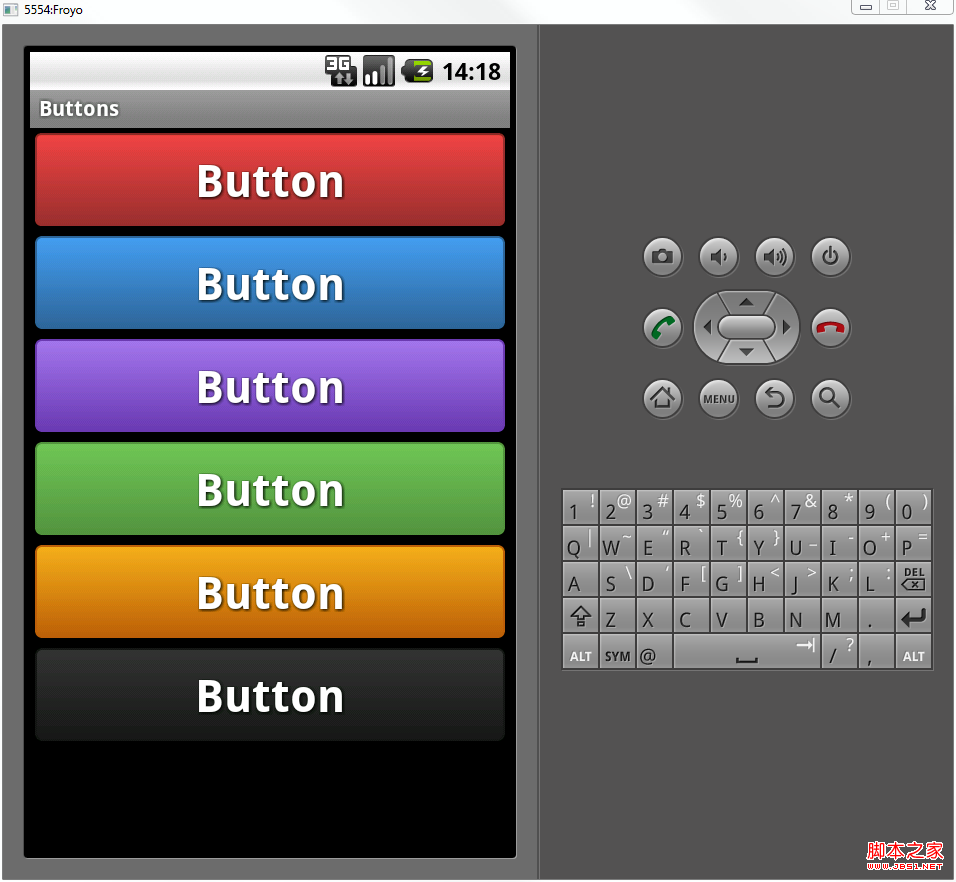
在 Android 中,可以完全透過 XML 自定義 Button 的外觀,而不依賴圖片素材。常見做法是使用 selector 搭配 shape,定義按壓狀態、漸層、邊框
 圖文並茂:將 Eclipse 專案完整遷移到 Android Studio 的實戰教學
前言近來 Android Studio(以下簡稱 AS)的正式版正式推出,可說是風頭正勁。最主要的原因,我想在於 Android 是 Google 自家的產品,而 AS