

編輯:Android 開發實例
Android 系統有一個很有意思的通知欄,可以往下拉、往上推,操作起來相當直覺。
通知是 Android 系統與使用者互動的重要環節。舉例來說,新郵件、新簡訊、未接來電等訊息都會顯示在通知欄。我們把通知欄拉下來、點擊通知項目,就能看到詳細內容,相當實用又便利。
我們還能自訂通知的外觀,包括圖示、提示音,以及 LED 的顏色與閃爍頻率等等。
廢話不多說,直接看範例:
程式碼範例一:
1: package com.halzhang.android.notification;
2:
3: import android.app.Activity;
4: import android.app.Notification;
5: import android.app.NotificationManager;
6: import android.app.PendingIntent;
7: import android.content.Intent;
8: import android.os.Bundle;
9: import android.view.View;
10: import android.widget.Button;
11: /**
12: * 通知
13: * @author 張漢國
14: */
15: public class NotificationDemo extends Activity {16: /** Called when the activity is first created. */
17: //通知id
18: private static final int NOTICE_ID = 1222;
19: private Button notify;
20: private Button cancel;
21: @Override
22: public void onCreate(Bundle savedInstanceState) {23: super.onCreate(savedInstanceState);
24: setContentView(R.layout.main);
25: notify = (Button) findViewById(R.id.noti);
26: cancel = (Button) findViewById(R.id.cancel);
27: notify.setOnClickListener(new View.OnClickListener() {28:
29: @Override
30: public void onClick(View v) {31: notityMe();
32: }
33: });
34:
35: cancel.setOnClickListener(new View.OnClickListener() {36:
37: @Override
38: public void onClick(View v) {39: final NotificationManager manager = (NotificationManager) getSystemService(NOTIFICATION_SERVICE);
40: //取消通知
41: manager.cancel(NOTICE_ID);
42: }
43: });
44: }
45:
46: private void notityMe(){47: //獲得通知管理器,通知是一項系統服務
48: final NotificationManager manager = (NotificationManager) getSystemService(NOTIFICATION_SERVICE);
49: //初始化通知對象 p1:通知的圖標 p2:通知的狀態欄顯示的提示 p3:通知顯示的時間
50: Notification notification = new Notification(R.drawable.icon, "通知測試", System.currentTimeMillis());
51: //點擊通知後的Intent,此例子點擊後還是在當前界面
52: PendingIntent intent = PendingIntent.getActivity(this, 0, new Intent(this, NotificationDemo.class), 0);
53: //設置通知信息
54: notification.setLatestEventInfo(this, "通知title", "通知信息內容", intent);
55: //通知
56: manager.notify(NOTICE_ID, notification);
57: }
58: }
看到通知欄的提示了嗎?把通知欄拉下來後,就會呈現如圖的內容。
轉自:https://www.cnblogs.com/halzhang/archive/2010/05/28/1746594.html
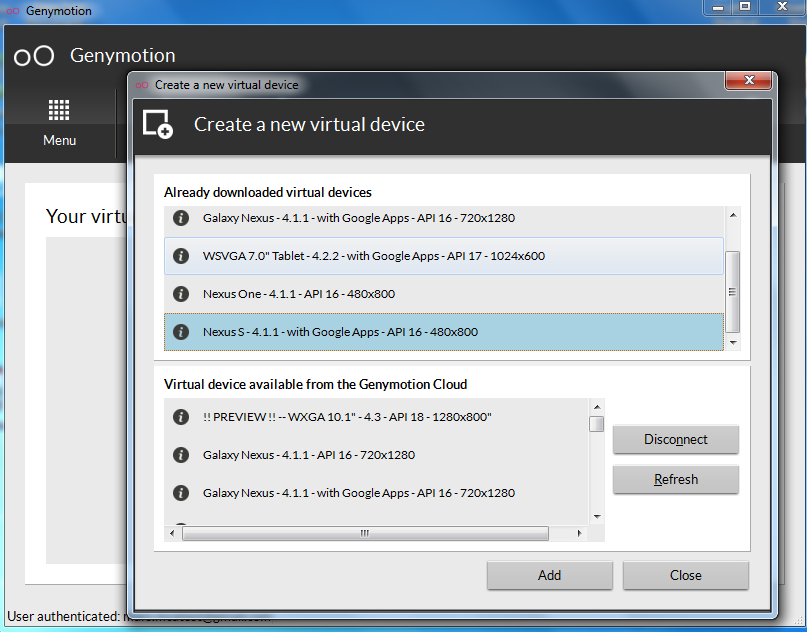 Genymotion:高效 Android 模擬器介紹
Genymotion 是一款以速度與真機模擬能力著稱的 Android 模擬器,適合日常開發、測試與展示。它相較傳統模擬器啟動更快,操作也更接近真實設備。主要特色Geny
 Android 實作 Market 風格的 Loading 效果:自訂版面取代 ProgressDialog
在 Android 裡做載入提示,直覺做法是 ProgressDialog。ApiDemos 中的 ProgressBar3.java 就示範了兩種典型用法:但仔細看 A
 Android Service 生命週期詳解:startService 與 bindService 的兩條路徑
Android 的應用元件各有生命週期——系統在需要時將它們實例化以回應意圖,最後再銷毀。期間它們可能處於啟用或非啟用狀態,對 Activity 而言還有可見與不可見之分
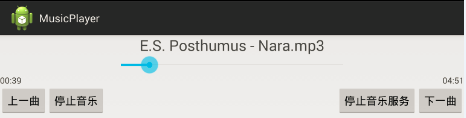 動手做一個 Android 音樂播放器:Service + MediaPlayer + 廣播的完整實作
先看一下我們要做出來的清爽介面: 如果只用 Activity 來做這種東西那就太簡單了——播放必須在離開介面後持續進行,所以我們用的是 Service。 設計思路 動