

編輯:Android 開發實例
清單、卡片、商品列表裡常需要一點視覺裝飾——縮圖要縮放、頭像要圓角、橫幅要倒影。這些效果在 Android 裡全靠 Bitmap 搭配 Canvas、Matrix、Paint 就能完成。這裡一次整理四個最常用到的處理。
本文涵蓋:
bitmapPrcess code:
package com.learn.games; import android.graphics.Bitmap; import android.graphics.Canvas; import android.graphics.LinearGradient; import android.graphics.Matrix; import android.graphics.Paint; import android.graphics.PixelFormat; import android.graphics.PorterDuffXfermode; import android.graphics.Rect; import android.graphics.RectF; import android.graphics.Bitmap.Config; import android.graphics.PorterDuff.Mode; import android.graphics.Shader.TileMode; import android.graphics.drawable.Drawable; public class bitmapProcess { // zoom public static Bitmap zoomBitmap(Bitmap bitmap, int w, int h){ int width = bitmap.getWidth(); int height = bitmap.getHeight(); Matrix matrix = new Matrix(); float scaleWidth = w/(float)width; float scaleHeight = h/(float)height; matrix.postScale(scaleWidth, scaleHeight); Bitmap bitmap2 = Bitmap.createBitmap(bitmap, 0, 0, width, height, matrix, true); return bitmap2; } // drawable to bitmap public static Bitmap drawable2Bitmap(Drawable drawable){ int width = drawable.getIntrinsicHeight(); int height = drawable.getIntrinsicHeight(); Bitmap bitmap = Bitmap.createBitmap(width, height, drawable.getOpacity() != PixelFormat.OPAQUE ? Bitmap.Config.ARGB_8888 : Bitmap.Config.RGB_565); Canvas canvas = new Canvas(bitmap); drawable.setBounds(0, 0, width, height); drawable.draw(canvas); return bitmap; } // Round Corner Bitmap public static Bitmap getRoundCornerBitmap(Bitmap bitmap, float roundPX){ int width = bitmap.getWidth(); int height = bitmap.getHeight(); Bitmap bitmap2 = Bitmap.createBitmap(width, height, Config.ARGB_8888); Canvas canvas = new Canvas(bitmap2); final int color = 0xff424242; final Paint paint = new Paint(); final Rect rect = new Rect(0, 0, width, height); final RectF rectF = new RectF(rect); paint.setColor(color); paint.setAntiAlias(true); canvas.drawARGB(0, 0, 0, 0); canvas.drawRoundRect(rectF, roundPX, roundPX, paint); paint.setXfermode(new PorterDuffXfermode(Mode.SRC_IN)); canvas.drawBitmap(bitmap, rect, rect, paint); return bitmap2; } // Reflect Bitmap public static Bitmap createReflectedBitmap(Bitmap bitmap){ final int reflectedGap = 4; int width = bitmap.getWidth(); int height = bitmap.getHeight(); Matrix matrix = new Matrix(); matrix.preScale(1, -1); Bitmap reflectedImage = Bitmap.createBitmap(bitmap, 0, height/2, width, height/2, matrix, false); Bitmap reflectedBitmap = Bitmap.createBitmap(width, (height + height/2), Config.ARGB_8888); Canvas canvas = new Canvas(reflectedBitmap); canvas.drawBitmap(bitmap, 0, 0, null); Paint defaultPaint = new Paint(); canvas.drawRect(0, height, width, height + reflectedGap, defaultPaint); canvas.drawBitmap(reflectedImage, 0, height + reflectedGap, null); Paint paint = new Paint(); LinearGradient shader = new LinearGradient(0, bitmap.getHeight(), 0, reflectedBitmap.getHeight() + reflectedGap, 0x70ffffff, 0x00ffffff, TileMode.CLAMP); paint.setShader(shader); paint.setXfermode(new PorterDuffXfermode(Mode.DST_IN)); canvas.drawRect(0, height, width, reflectedBitmap.getHeight() + reflectedGap, paint); return reflectedBitmap; } }
Java Code:
package com.learn.games; import android.app.Activity; import android.graphics.Bitmap; import android.graphics.drawable.BitmapDrawable; import android.graphics.drawable.Drawable; import android.os.Bundle; import android.widget.ImageView; public class MyBitmapProcessActivity extends Activity { private ImageView imgView1; private ImageView imgView2; private ImageView imgView3; private ImageView imgView4; /** Called when the activity is first created. */ @Override public void onCreate(Bundle savedInstanceState) { super.onCreate(savedInstanceState); setContentView(R.layout.main); drawBitmap(); } private void drawBitmap(){ imgView1 = (ImageView)findViewById(R.id.imgView1); imgView2 = (ImageView)findViewById(R.id.imgView2); imgView3 = (ImageView)findViewById(R.id.imgView3); imgView4 = (ImageView)findViewById(R.id.imgView4); Drawable drawable = this.getWallpaper(); Bitmap bitmap = bitmapProcess.drawable2Bitmap(drawable); // drawable to bitmap Bitmap zoomBitmap = bitmapProcess.zoomBitmap(bitmap, 100, 100); // zoom Bitmap roundBitmap = bitmapProcess.getRoundCornerBitmap(zoomBitmap, 10.0f); // round corner Bitmap reflectedBitmap = bitmapProcess.createReflectedBitmap(zoomBitmap); // reflect bitmap // drawable to bitmap imgView1.setImageBitmap(bitmap); imgView2.setImageBitmap(zoomBitmap); imgView3.setImageBitmap(roundBitmap); imgView4.setImageBitmap(reflectedBitmap); // bitmap to drawable Drawable roundDrawable = new BitmapDrawable(roundBitmap); Drawable reflectedDrawable = new BitmapDrawable(reflectedBitmap); imgView1.setBackgroundDrawable(roundDrawable); imgView2.setBackgroundDrawable(reflectedDrawable); } }
XML:
<?xml version="1.0" encoding="utf-8"?> <LinearLayout xmlns:android="https://schemas.android.com/apk/res/android" android:orientation="vertical" android:layout_width="fill_parent" android:layout_height="fill_parent" > <ImageView android:id="@+id/imgView1" android:layout_width="wrap_content" android:layout_height="wrap_content"/> <ImageView android:id="@+id/imgView2" android:layout_width="wrap_content" android:layout_height="wrap_content"/> <ImageView android:id="@+id/imgView3" android:layout_width="wrap_content" android:layout_height="wrap_content"/> <ImageView android:id="@+id/imgView4" android:layout_width="wrap_content" android:layout_height="wrap_content"/> </LinearLayout>
效果圖:
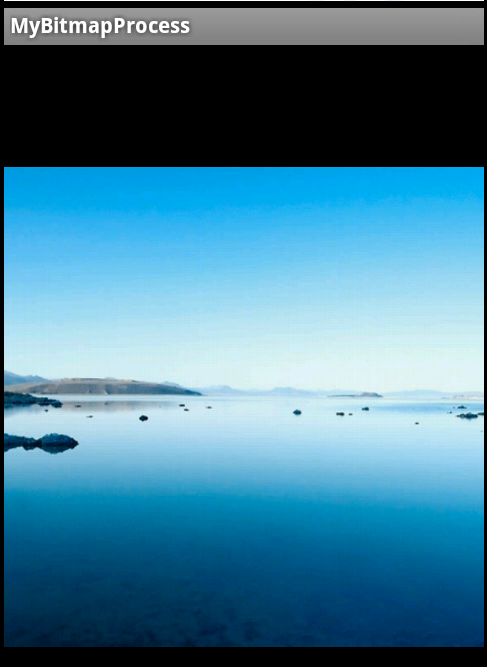
drawable2bitmap
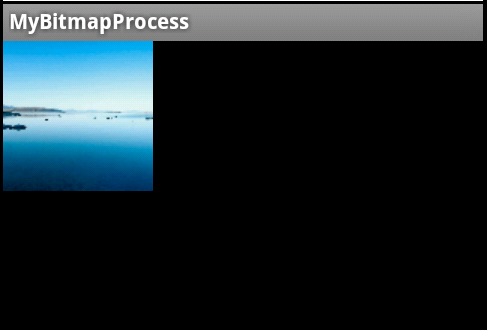
zoom
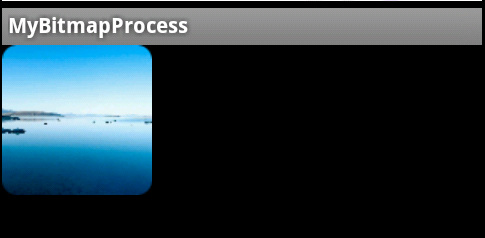
round corner
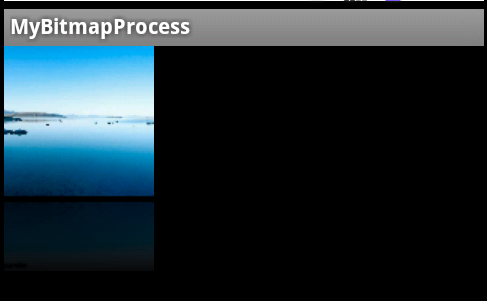
reflected bitmap
drawable2Bitmap 的寬高寫錯了。第一行是 int width = drawable.getIntrinsicHeight();——寬度取的是高度。這會讓非正方形圖源的輸出尺寸錯誤。應改為 getIntrinsicWidth()。
倒影的矩陣方向。matrix.preScale(1, -1) 是垂直翻轉,方向正確;但 createBitmap() 的第二個參數 height/2 只取下半部,所以倒影其實是原圖下半部的鏡像,而非整個圖。若想要完整倒影,應從 y=0 取全高。
這些做法很直觀,但都不便宜。每個效果都會配置一張新的 Bitmap。列表裡若有幾十個項目,每次都這樣算,記憶體與 GC 壓力會很可觀。實務上應該:
Coroutine。recycle() 中間產物(API 26 以下),或善用 inBitmap 複用記憶體。很多效果其實不必自己算。圓角用 CardView/ImageView 的 clipToOutline 搭配 ShapeableImageView(Material Components)就能搞定,而且不會產生額外 Bitmap。倒影則幾乎只在裝飾性橫幅出現,若真的要用,做成一張 Nine-patch 或直接把倒影畫進原圖會更省。縮放更應該交給 ImageView 的 scaleType,而不是自己 matrix 變換。
理解 Bitmap/Canvas/PorterDuff 的運作仍有價值——它讓你在遇到「圓角沒生效」、「倒影顏色不對」、「圖片邊緣有黑框」這類問題時,知道該從 Xfermode 還是 Bitmap 的 alpha 設定下手。只是別把這些手工具用在框架已經提供更好方案的場合。
 2048 遊戲完整源碼解析:MainView 與 MainGame 的分工
2048 是一款規則極簡、實作卻很能磨練功力的遊戲。開源自 2048 的專案不少,本文以 iQuick 版本為例,拆解它的架構設計:畫面繪製與遊戲邏輯如何拆分、動畫如何與
 Android Fragment 雙欄布局實例解析
Fragment 的雙欄概念 Fragment 是 Android 3.0 之後引入的介面元件,適合將畫面拆成可重複使用的區塊。常見用法是左側顯示列表,右側顯示內容;在平
 Android 登入畫面實作:帳號驗證與錯誤次數鎖定
登入畫面是許多應用的必備環節,它負責向使用者索取帳號與密碼,以驗證身分並進入特定功能,例如登入 Facebook、微博等服務。本章將說明如何打造一個登入介面,並進一步處理
 Android 本地化:讓應用適配不同語言環境
為什麼需要本地化?Android 應用可能會在不同地區、不同語言環境的裝置上執行。為了讓使用者更容易理解,應用中的文字、數字格式與其他資源最好能依語言環境調整。建立區域資