

編輯:Android 開發實例
Java 環境不支援 PKCS7Padding,只支援 PKCS5Padding。由於對稱加密的組成是「演算法 + 模式 + 填充」,這裡就採用 AES/ECB/PKCS5Padding 的組合實作一支可直接複用的工具類別。實務上 AES 的填充在兩者之間是相容的,因此這支類別也能與 iOS 端互通。
package com.example.aesdemo;

import java.io.UnsupportedEncodingException;
import javax.crypto.Cipher;
import javax.crypto.spec.SecretKeySpec;

/** AES 對稱加密解密類 */
public class AESHelper {

    /** 演算法 / 模式 / 填充 */
    private static final String CipherMode = "AES/ECB/PKCS5Padding";

    /** 由密碼產生金鑰:不足 32 位補 0,超出則截斷 */
    private static SecretKeySpec createKey(String password) {
        byte[] data = null;
        if (password == null) {
            password = "";
        }
        StringBuffer sb = new StringBuffer(32);
        sb.append(password);
        while (sb.length() < 32) {
            sb.append("0");
        }
        if (sb.length() > 32) {
            sb.setLength(32);
        }
        try {
            data = sb.toString().getBytes("UTF-8");
        } catch (UnsupportedEncodingException e) {
            e.printStackTrace();
        }
        return new SecretKeySpec(data, "AES");
    }

    /** 加密位元組資料 */
    public static byte[] encrypt(byte[] content, String password) {
        try {
            SecretKeySpec key = createKey(password);
            Cipher cipher = Cipher.getInstance(CipherMode);
            cipher.init(Cipher.ENCRYPT_MODE, key);
            return cipher.doFinal(content);
        } catch (Exception e) {
            e.printStackTrace();
        }
        return null;
    }

    /** 加密字串,結果為十六進位字串 */
    public static String encrypt(String content, String password) {
        byte[] data = null;
        try {
            data = content.getBytes("UTF-8");
        } catch (Exception e) {
            e.printStackTrace();
        }
        data = encrypt(data, password);
        return byte2hex(data);
    }

    /** 解密位元組陣列 */
    public static byte[] decrypt(byte[] content, String password) {
        try {
            SecretKeySpec key = createKey(password);
            Cipher cipher = Cipher.getInstance(CipherMode);
            cipher.init(Cipher.DECRYPT_MODE, key);
            return cipher.doFinal(content);
        } catch (Exception e) {
            e.printStackTrace();
        }
        return null;
    }

    /** 將十六進位字串解密回原字串 */
    public static String decrypt(String content, String password) {
        byte[] data = null;
        try {
            data = hex2byte(content);
        } catch (Exception e) {
            e.printStackTrace();
        }
        data = decrypt(data, password);
        if (data == null) {
            return null;
        }
        try {
            return new String(data, "UTF-8");
        } catch (UnsupportedEncodingException e) {
            e.printStackTrace();
        }
        return null;
    }

    /** 位元組陣列轉十六進位字串 */
    public static String byte2hex(byte[] b) {
        StringBuffer sb = new StringBuffer(b.length * 2);
        String tmp;
        for (int n = 0; n < b.length; n++) {
            tmp = Integer.toHexString(b[n] & 0XFF);
            if (tmp.length() == 1) {
                sb.append("0");   // 補零保持兩個字元
            }
            sb.append(tmp);
        }
        return sb.toString().toUpperCase();
    }

    /** 十六進位字串轉位元組陣列 */
    private static byte[] hex2byte(String inputString) {
        if (inputString == null || inputString.length() < 2) {
            return new byte[0];
        }
        inputString = inputString.toLowerCase();
        int l = inputString.length() / 2;
        byte[] result = new byte[l];
        for (int i = 0; i < l; ++i) {
            String tmp = inputString.substring(2 * i, 2 * i + 2);
            result[i] = (byte) (Integer.parseInt(tmp, 16) & 0xFF);
        }
        return result;
    }
}
public class MainActivity extends Activity {

    protected void onCreate(Bundle savedInstanceState) {
        super.onCreate(savedInstanceState);
        setContentView(R.layout.activity_main);

        String masterPassword = "a";
        String originalText = "於";

        try {
            String encryptingCode = AESHelper.encrypt(originalText, masterPassword);
            Log.i("加密結果為 ", encryptingCode);

            String decryptingCode = AESHelper.decrypt(encryptingCode, masterPassword);
            Log.i("解密結果", decryptingCode);
        } catch (Exception e) {
            e.printStackTrace();
        }
    }

    @Override
    public boolean onCreateOptionsMenu(Menu menu) {
        getMenuInflater().inflate(R.menu.main, menu);
        return true;
    }
}
09-19 10:41:05.467: I/加密結果為(707): E55C24701F6380478E1940ADDFD08D22
09-19 10:41:05.467: I/解密結果(707): 於
這支類別示範的是最基礎的用法,直接上 production 之前有幾點必須改善。ECB 模式不安全:它對每個區塊獨立加密,相同明文會產生相同密文,能從密文推論出明文的重複結構(這就是著名的「ECB 企鵝圖」問題),正式環境應改用 CBC 或 GCM 模式並搭配隨機 IV。金鑰不應由補零產生:範例把密碼補到 32 位元組當金鑰,熵值遠低於真正的 256 位金鑰,實務上應改用 PBKDF2 或 scrypt 之類的金鑰衍生函式,並加入隨機 salt。
此外,金鑰若需要跨裝置保存,請交給 Android Keystore 系統管理,而不是硬寫在程式碼或 SharedPreferences 裡。
 Android 端如何解析 JSON?從天氣 API 完整實作
JSON 的全名是 JavaScript Object Notation。雖然源自 JavaScript 的物件字面語法,它早已成為獨立、跨語言的資料交換格式,憑藉著簡潔
 Android 進度條教學(二):用旋轉式 Spinner 表示不確定進度
使用者按下按鈕後,若畫面什麼都沒發生,往往會以為程式當掉了。因此,在背景工作進行期間顯示進度提示,是良好互動設計的基本功。Android 的 ProgressBar 提供
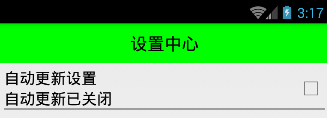 Android 手機衛士(十五):SettingItemView 條目狀態切換
這一節要讓自訂控制項 SettingItemView 變得可以互動:點擊條目時,內部的 CheckBox 狀態跟著改變,描述文字也同步更新。 一、讀取當前勾選狀態
 Android 登入功能實作:三個關鍵元件與錯誤鎖定機制
登入畫面是所有需要帳號服務的 App 的第一道門。使用者在此輸入一組憑證,App 驗證通過後才放行。本章拆解它的三個關鍵元件:帳號欄、密碼欄,以及防止無限嘗試的鎖定機制。