

編輯:Android 開發實例
選單系列的最後一篇,來看 PopupMenu。與 Options Menu 佔據標題欄、Context Menu 綁定長按不同,PopupMenu 是「錨定在某個 View 上」的浮動選單,非常適合做為某個按鈕的延伸操作。
1. 為特定內容提供溢出風格(overflow-style)的操作選單。
2. 為某個命令提供多種變體——例如一個「Add」按鈕,點旁邊的小箭頭可以選擇要新增哪種類型。
3. 提供類似 Spinner 的下拉式選單,但不保留持久性的選取值。
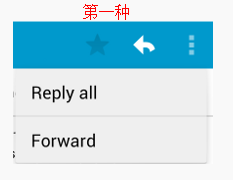
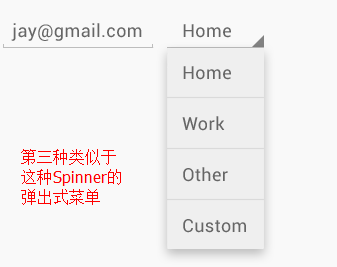
若選單已在 XML 中定義好:
1. 用 PopupMenu 的建構式建立物件,傳入當前 Context 與要錨定的 View。
2. 用 MenuInflater 把選單資源填充到 PopupMenu.getMenu() 回傳的 Menu 物件中(API 14 以上可直接用 PopupMenu.getMenuInflater())。
3. 呼叫 PopupMenu.show()。
public void showPopup(View v) {
    PopupMenu popup = new PopupMenu(this, v);
    MenuInflater inflater = popup.getMenuInflater();
    inflater.inflate(R.menu.popup, popup.getMenu());
    popup.setOnMenuItemClickListener(this);
    popup.show();
}

@Override
public boolean onMenuItemClick(MenuItem arg0) {
    switch (arg0.getItemId()) {
        case R.id.item1:
            Toast.makeText(this, "you have clicked the item 1", Toast.LENGTH_LONG).show();
            break;
        case R.id.item2:
            Toast.makeText(this, "you have clicked the item 2", Toast.LENGTH_LONG).show();
            break;
        case R.id.item3:
            Toast.makeText(this, "you have clicked the item 3", Toast.LENGTH_LONG).show();
            break;
        default:
            break;
    }
    return false;
}
版面檔中,任何 View 都能透過 android:onClick 觸發它:
<LinearLayout xmlns:android="https://schemas.android.com/apk/res/android"
    xmlns:tools="https://schemas.android.com/tools"
    android:layout_width="match_parent"
    android:layout_height="match_parent"
    android:orientation="vertical">

    <TextView
        android:layout_width="wrap_content"
        android:layout_height="wrap_content"
        android:text="@string/clickMe"
        android:onClick="showPopup"
        android:clickable="true" />

    <ImageButton
        android:layout_width="wrap_content"
        android:layout_height="wrap_content"
        android:src="@drawable/ic_launcher"
        android:clickable="true"
        android:onClick="showPopup" />
</LinearLayout>
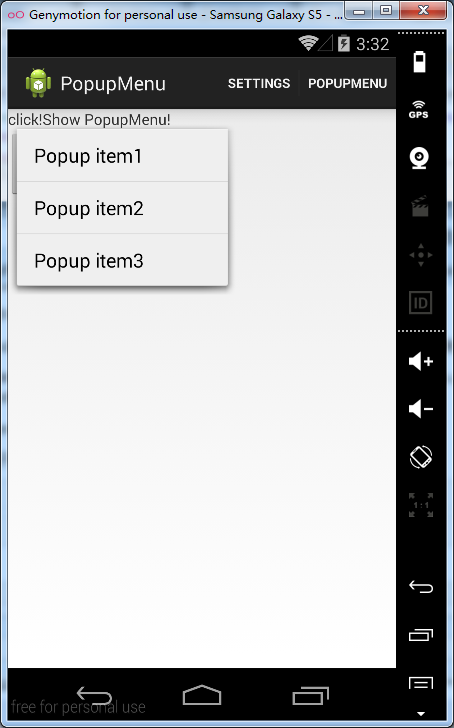
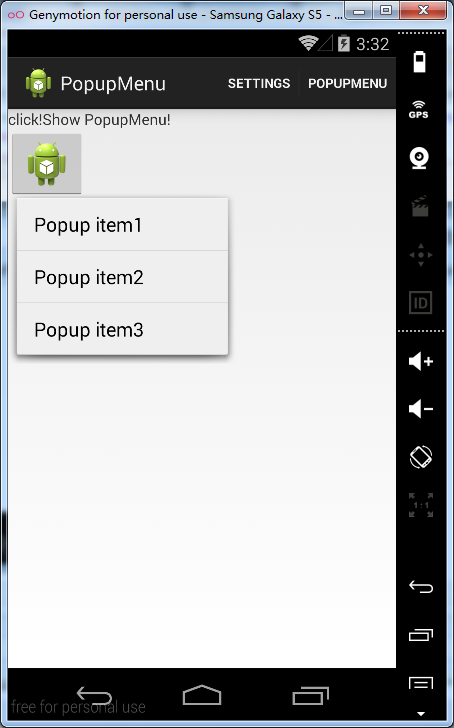
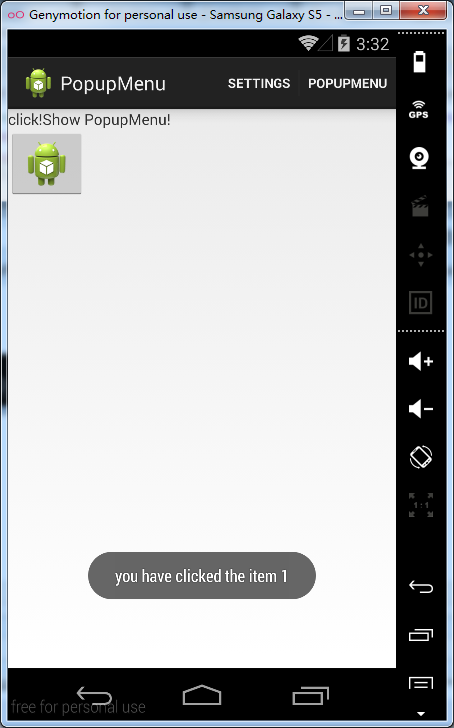
快速判斷方式:全域操作用 Options Menu(放在 App Bar 上);針對單一項目且需要批次操作用 ActionMode;某個元件的衍生選項用 PopupMenu。另外,若選單項目需要顯示「目前選取了什麼」並持久保存,該用 Spinner 或下拉式 dialog,而不是 PopupMenu——後者天生就是一次性的動作選單。
一個實作細節:使用 android:onClick 時,該 View 必須加上 android:clickable="true"(像範例那樣),否則 TextView 這類預設不可點擊的元件不會觸發回呼。
 Android 接入新浪微博、騰訊微博與人人網的 OAuth 2.0 實作
許多 Android 應用會需要接入社交平台的分享、登入或發文能力。本文以新浪微博、騰訊微博與人人網為例,說明整合時最關鍵的授權流程,以及如何取得後續呼叫 API 所需的
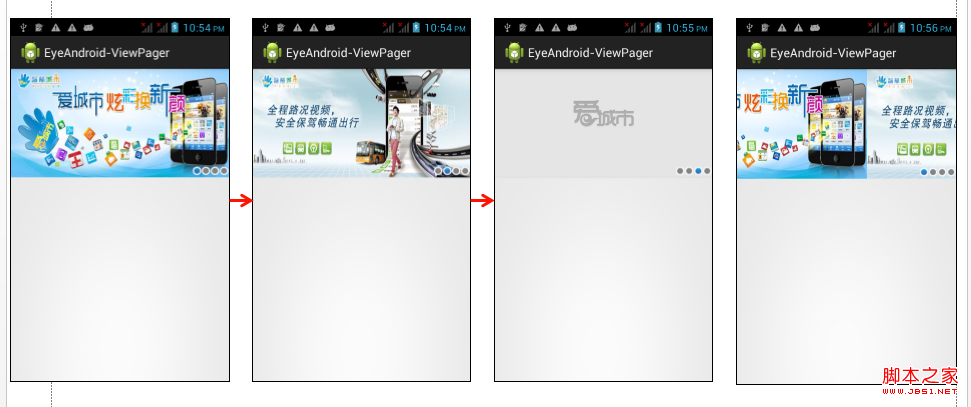 用 ViewPager 打造自動輪播廣告板:完整源碼分享
android-support-v4.jar 是 Google 官方為相容低版本裝置所提供的套件,裡面包含了原本只有 Android 3.0 以上才支援的 API,而 V
 Android Spinner 載入動畫實作:ProgressBar 的用法與控制
使用者按下查詢鈕之後,如果畫面兩三秒都沒有任何變化,多半會以為 App 當掉了,接著開始重複點擊。避免這種情況最簡單的方式,就是給他一個正在忙碌的視覺訊號——在 Andr
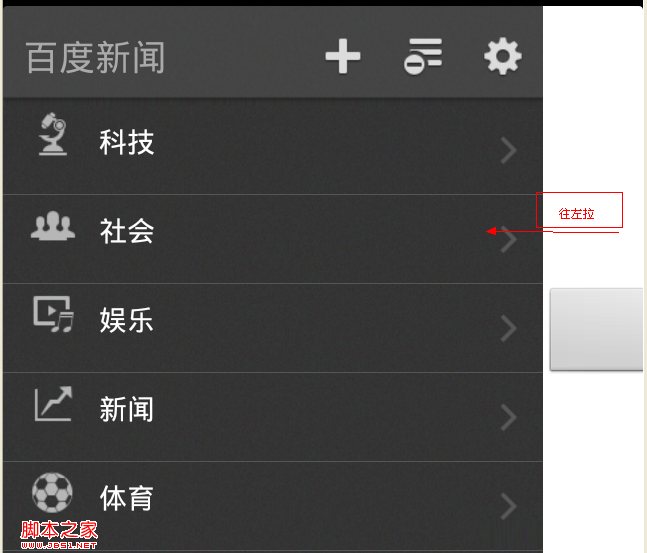 Android 介面設計趨勢:左側隱藏菜單、右側顯示內容
相關文章:android popwindow 實現左側彈出菜單層https://www.jb51.net/article/33533.htm移動 App 設計的 13 大