

編輯:Android 開發實例
曾遇到一個惱人的問題:程式裡的通知一切正常,唯獨「進行中」的那一條總是上下跳動、一閃一閃,使用者體驗很差。查過之後才找到癥結。
原本的程式碼是這樣寫的:
notification.when = System.currentTimeMillis();
這正是元凶。對通知而言,when 應該在該通知所對應的事件開始時就固定下來;若沒有明確設定,系統會採用預設值,也就是「當下時間」。於是每次通知被刷新,時間戳也跟著變動,排序位置與顯示內容自然就不斷跳動。
final long TIMESTAMP_FIXED = 1234567890l;
notification.when = TIMESTAMP_FIXED;
實務上會直接把「計時開始的時間」存起來重複使用,而不是寫死一個常數。
A timestamp related to this notification, in milliseconds since the epoch. Default value: Now. Choose a timestamp that will be most relevant to the user. For most finite events, this corresponds to the time the event happened (or will happen, in the case of events that have yet to occur but about which the user is being informed). Indefinite events should be timestamped according to when the activity began. Some examples:
- Notification of a new chat message should be stamped when the message was received.
- Notification of an ongoing file download (with a progress bar, for example) should be stamped when the download started.
- Notification of a completed file download should be stamped when the download finished.
- Notification of an upcoming meeting should be stamped with the time the meeting will begin (that is, in the future).
- Notification of an ongoing stopwatch (increasing timer) should be stamped with the watch's start time.
- Notification of an ongoing countdown timer should be stamped with the timer's end time.
歸納起來就是一句話:無限期持續的事件,應該以「活動開始的時刻」作為時間戳,而不是每次更新都重取一次當前時間。
參考資料:https://developer.android.com/reference/android/app/Notification.html#when
 Android MediaPlayer 多媒體播放實作指南
在 Android 開發中,音訊與影片播放是常見需求。Android 內建的 MediaPlayer 類別提供了一個直接可用的播放服務,可處理本機資源、檔案路徑或串流來源
 Android 自訂 View 與 ViewGroup 的繪製原理與實作
先認識 View Android 中所有控制項都是 View 或其子類。View 在螢幕上佔據的其實就是一個矩形區域,用 Rect 描述:left、top 是相對於父容器
 Android 示例程式剖析之 Snake 貪吃蛇(二:FrameLayout 與 RelativeLayout)
本文以 Snake 專案為例,說明 FrameLayout 與 RelativeLayout 的差異,並示範如何用 merge 標籤減少多餘的版面節點。FrameLayo
 Android 網絡圖片查看顯示的實現方法
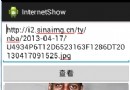
很多應用都需要從網路載入圖片並顯示。常見做法是在介面中放置輸入框、按鈕與 ImageView,當使用者輸入圖片網址並點擊按鈕後,再於背景執行緒中下載圖片資料。關鍵流程下載