

編輯:Android 開發實例
不少人在使用 Android 的 ImageButton 時會遇到同一個困惑:明明設了 android:text,畫面上卻只看得到圖片,文字完全不出現。原因很簡單——ImageButton 繼承自 ImageView,本身並不支援 text 屬性,寫上去也不會生效。以下整理四種可行的解法。
最直接,但缺點明顯:圖片檔案變大、App 體積增加,而且文字被硬編進圖片後無法多國語言化,維護成本高。一般不建議。
分析 ImageButton 的版面結構後,可以自己繼承它,在內部額外放一個 TextView,對齊方式設為靠右,就能達到「圖片在左、文字在右」的效果。彈性最高,但需要自己處理排版與事件分發。
最簡潔也最有效率的做法:直接用 Button,透過 android:drawableLeft 等屬性把圖示放在文字旁邊。
<Button
    android:id="@+id/button1"
    android:layout_width="wrap_content"
    android:layout_height="wrap_content"
    android:drawableLeft="@drawable/icon"
    android:text="按鈕"
/>
除了 drawableLeft,還有 drawableRight、drawableTop、drawableBottom,可用 android:drawablePadding 調整圖示與文字的間距。這個方案不需要自訂 View,也不必額外配置資源。
若希望圖片與文字的排版更自由(例如垂直排列),可以把兩者各自獨立成元件,再用容器包起來:
<LinearLayout
    android:layout_width="wrap_content"
    android:layout_height="wrap_content"
    android:orientation="vertical"
    android:id="@+id/bt">

    <ImageView
        android:id="@+id/ib"
        android:layout_width="wrap_content"
        android:layout_height="wrap_content"
        android:src="@drawable/ringlove"
        android:background="#00000000"
    />

    <TextView
        android:id="@+id/tv"
        android:layout_width="wrap_content"
        android:layout_height="wrap_content"
        android:text="@string/cs"
        android:paddingLeft="20px"
    />

</LinearLayout>
這樣的彈性最好,但點擊事件需要綁在容器上,而不是個別的子元件上,否則點到文字不會有反應。
· 只是「圖示 + 文字」並排:用解法三,最省事。
· 需要垂直排列或更複雜的排版:用解法四。
· 需要自訂大量行為或動畫:考慮解法二自訂 View。
· 解法一除非圖片本身就是設計稿的一部分,否則不建議。
· android:paddingLeft="20px" 使用 px 單位在不同螢幕密度下會呈現不一致的間距,建議改用 dp。
· 解法四的 ImageView 把 background 設為全透明,是為了避免預設背景蓋住版面,也可直接省略該屬性。
· 若使用解法四,記得為容器加上 android:clickable="true" 與 android:focusable="true",並考慮無障礙的 contentDescription,讓 TalkBack 能正確朗讀。
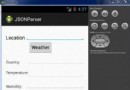 Android JSON 解析實務:抓取天氣 API 的關鍵欄位
在 Android 中,JSON 是常見的資料格式。要解析天氣 API 回傳的資料,可以先建立 JSONObject,再逐層取出 sys、main 等區塊。 觀察 JSO
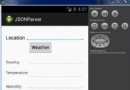 Android JSON 解析入門:JSONArray 與 JSONObject 的分工
JSON 是 JavaScript Object Notation 的縮寫,但它其實一點也不專屬於 JavaScript。因為語法極簡、幾乎所有語言都支援,它變成了跨平台
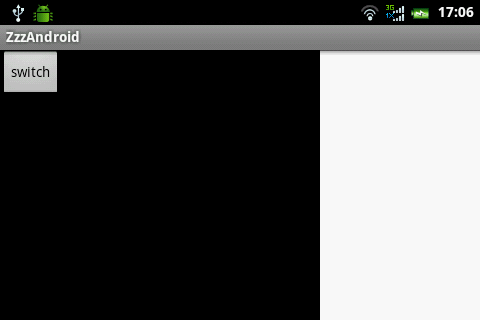 Android 實現局部界面動態切換:固定骨架 + 可替換區域
本文示範一個常見的介面結構:外層版面固定不動,其中某塊區域可以動態替換內容。實作效果如下: 整個畫面由三個 layout 檔組成。 main.xml:外層骨架 &
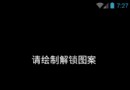 自訂控制項打造 Android 滑動解鎖九宮格完整實作
本文概述:滑動解鎖九宮格的分析:1、需要自訂控制項; 2、需要改寫事件 onTouchEvent(); 3、需要為九個點設定序號與座標,這裡用 Map 類即可; 4、需要