

編輯:Android 開發實例
這陣子在做 Lephone 的適配,測試組提了一個問題:標題欄文字較長時顯示不完整。嚴格說這不算缺陷,其他機型也沒出現過,只是聯想修改了原生標題欄的 UI,看起來格外突兀。
改寫的過程中卡在一個地方:系統自帶的進度條跑完 100% 之後會自動淡出,而我自己做的版本總是停在 100% 顯示不全。試過用多執行緒去延遲,結果不但卡住畫面,效果也一樣。後來同事一句話點醒我——用動畫。確實如此,系統大概也是這樣做的:進度到達 100% 之後,用動畫改它的透明度就對了。
最終成品:標題欄顯示網頁標題並可跑馬燈滾動,下方用進度條呈現載入進度;同時避開 Lephone 自帶的那個「返回鍵 + FrameLayout 疊放」的預設樣式。
其中 AlwaysMarqueeTextView 是繼承 TextView 並覆寫後實作出跑馬燈效果的類別。
<?xml version="1.0" encoding="utf-8"?>
<RelativeLayout
    xmlns:android="https://schemas.android.com/apk/res/android"
    android:layout_width="fill_parent"
    android:layout_height="fill_parent">

    <com.android.CustomTitleTest.AlwaysMarqueeTextView
        android:id="@+id/tvtitle"
        android:layout_width="fill_parent"
        android:layout_height="wrap_content"
        android:focusableInTouchMode="true"
        android:singleLine="true"
        android:ellipsize="marquee"
        android:focusable="false"
        android:marqueeRepeatLimit="marquee_forever"
        android:layout_centerVertical="true"/>

    <ProgressBar
        android:id="@+id/pb"
        android:layout_width="fill_parent"
        android:layout_height="2sp"
        android:visibility="gone"
        android:layout_alignParentBottom="true" >
    </ProgressBar>
</RelativeLayout>
public class MyWebChromeClient extends WebChromeClient {

    private Activity activity;
    private ProgressBar pb;
    private TextView tvtitle;
    Animation animation;

    public MyWebChromeClient(Activity activity) {
        this.activity = activity;
    }

    @Override
    public void onProgressChanged(WebView view, int newProgress) {
        pb = (ProgressBar) activity.findViewById(R.id.pb);
        pb.setMax(100);
        if (newProgress < 100) {
            if (pb.getVisibility() == View.GONE) {
                pb.setVisibility(View.VISIBLE);
            }
            pb.setProgress(newProgress);
        } else {
            pb.setProgress(100);
            animation = AnimationUtils.loadAnimation(activity, R.anim.animation);
            // 播放漸隱動畫
            pb.startAnimation(animation);
            // 動畫結束後讓進度條隱形
            pb.setVisibility(View.INVISIBLE);
        }
        super.onProgressChanged(view, newProgress);
    }

    @Override
    public void onReceivedTitle(WebView view, String title) {
        tvtitle = (TextView) activity.findViewById(R.id.tvtitle);
        tvtitle.setText(title);
        super.onReceivedTitle(view, title);
    }
}
<?xml version="1.0" encoding="utf-8"?>
<set xmlns:android="https://schemas.android.com/apk/res/android">
    <alpha android:fromAlpha="1.0"
           android:toAlpha="0.0"
           android:duration="700"/>
</set>
private WebView browser;

@Override
public void onCreate(Bundle savedInstanceState) {
    super.onCreate(savedInstanceState);
    getWindow().requestFeature(Window.FEATURE_CUSTOM_TITLE);
    setContentView(R.layout.main);
    getWindow().setFeatureInt(Window.FEATURE_CUSTOM_TITLE,
            R.layout.broser_custom_title);

    browser = (WebView) findViewById(R.id.my_browser);
    browser.setWebChromeClient(new MyWebChromeClient(Main.this));
    browser.loadUrl("https://www.jb51.net");
}
順序很重要:requestFeature(FEATURE_CUSTOM_TITLE) 必須在 setContentView 之前呼叫,否則會直接拋出例外。
動畫之所以比「等待 + 隱藏」可靠,是因為它讓視覺上有個自然的收尾,同時不佔用主執行緒。若你用 Thread.sleep 去模擬同樣的效果,只會讓 UI 卡住。
另外,WebView 的載入進度並非線性遞增,某些頁面會長時間停在 90% 出頭,這是因為進度估算包含了子資源的抓取。若希望體驗更平順,可以考慮在進度變化時加上插值動畫,讓條子平滑前進而不是跳格。
 Android 打造圓角 ListView:四種 Selector 的分段處理
本文示範如何在 Android 中實作出圓角外觀的 ListView。 不論是網頁還是 App,使用者總愛新鮮的視覺效果。直角看久了就想換換口味,這幾年圓角設計風潮興起
 Android 開發技巧:打造專屬風格的自定義菜單
Android SDK 本身提供了一套建立菜單的預設機制,這種方式做出來的菜單功能上雖然完整,但外觀實在有點「土」。當一個畫面絢麗的應用配上一個老氣的菜單,整體質感就會大
 Android 自定義 ImageView 實現透明圓弧與弧形文字
最近因為項目需求,需要在 ImageView 上疊加一層透明圓弧,並且沿著圓弧方向顯示相應的文字,效果如下圖所示: 拿到這個需求,我最直覺的思路就是自定義一個 Imag
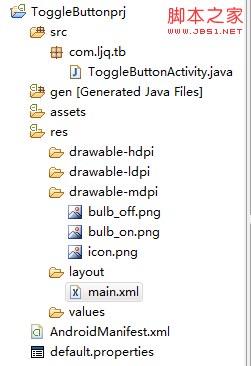 Android ToggleButton 控件使用詳解(開燈關燈實例)
ToggleButton 是一個只有兩種狀態的開關按鈕:選中與未選中。它最大的特點是可以為這兩種狀態分別指定顯示文字,因此非常適合用來表達「開/關」「是/否」這類二元選擇