

編輯:Android 開發實例
原本只是想查 Tab 之間的跳轉怎麼處理,翻資料時反而先碰到另一個更有意思的問題:如何把 TabWidget 放到螢幕下方。答案其實很單純——關鍵在 LinearLayout 的垂直排列順序,以及讓內容區撐滿剩餘空間。
<?xml version="1.0" encoding="utf-8"?>
<TabHost xmlns:android="https://schemas.android.com/apk/res/android"
    android:id="@android:id/tabhost"
    android:layout_width="fill_parent"
    android:layout_height="fill_parent" >

    <LinearLayout
        android:layout_width="fill_parent"
        android:layout_height="fill_parent"
        android:orientation="vertical" >

        <FrameLayout
            android:id="@android:id/tabcontent"
            android:layout_width="fill_parent"
            android:layout_height="0dip"
            android:layout_weight="1"
            android:padding="5dp" />

        <TabWidget
            android:id="@android:id/tabs"
            android:layout_width="fill_parent"
            android:layout_height="wrap_content" />

    </LinearLayout>
</TabHost>
三個重點值得說明。
第一,TabHost 內部必須維持 tabcontent 與 tabs 這兩個特定 id 的子檢視,這是 TabHost 找尋內容容器與標籤列的依據,不能改名。
第二,內容區的高度寫成 0dip 搭配 layout_weight="1",而不是 fill_parent。這是 Android 的經典寫法:高度給 0 再由 weight 分配,可以確保內容區吃掉所有剩餘空間,同時讓 TabWidget 依自身內容(wrap_content)決定高度,兩者不會互相排擠。
第三,順序決定位置。在垂直 LinearLayout 中,先宣告的在上、後宣告的在下,所以把 FrameLayout 放前面、TabWidget 放後面,標籤列自然就落到螢幕底部,形成類似 iOS 那種底部 tab bar 的視覺效果。
如果想讓標籤列固定在底部又不佔用內容區的空間,另一種做法是改用 RelativeLayout,讓 TabWidget 對齊 parent 底部、內容區 layout_above 該 TabWidget。視需求挑一種即可,但 weight 的寫法在效能與維護上都比較單純。
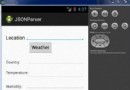 從 API 到畫面:Android 用 JSONObject 解析天氣資料的整條路
行動 App 的資料大多不是自己產生的,而是從伺服器抓回來的。而這些年最主流的傳輸格式,莫過於 JSON——它比 XML 短、比 XML 好讀,解析器幾乎每個語言都內建。
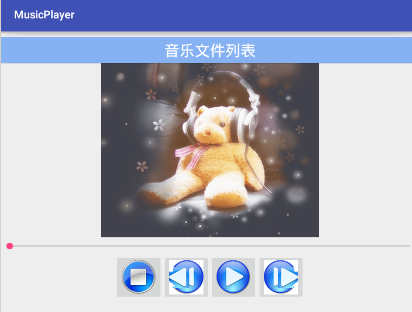 Android 簡易音樂播放器實作:從介面到背景播放
這篇文章整理一個適合入門的 Android 音樂播放器範例,重點在於把播放控制交給背景 Service,再透過 Binder 讓 Activity 與 Service
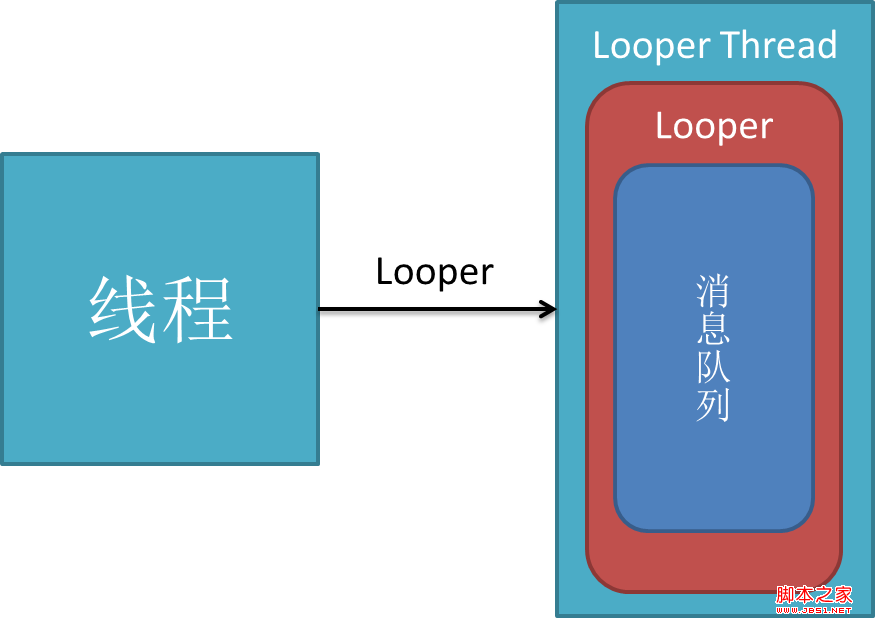 Android 消息處理機制剖析:Looper / Handler / Message
這篇文章深入淺出,難得的是出自一位大三學生的親身剖析心得,值得一讀。作者表示,身為預備程序員,學習 Android 的一大樂趣在於能透過原始碼領略 Google 工程師的
 Android 手機衛士(十二):GridView 九宮格實作
使用 GridView 建立九宮格手機衛士首頁常見九宮格功能入口,可以使用 GridView 實作。它的使用方式與 ListView 類似,都需要透過 Adapter 提