

編輯:Android 開發實例
還記得我的第一篇文章,模仿的是 360 手機衛士那種懸浮在桌面上的小窗戶。用過 QQ 手機管家的朋友應該都對它的「小火箭加速」不陌生——把火箭拖到發射台上鬆手,火箭便轟然升空。今天,我們就來一步步復刻這個頗有趣味的交互效果。
由於這次的核心在於火箭升空的呈現,為了讓篇幅更聚焦,我直接在當初模仿 360 懸浮窗的那份代碼基礎上繼續擴展。如果你還沒讀過那篇,建議先補一下前置知識:https://www.fengfly.com/plus/view-215081-1.html。
與普通懸浮窗不同的是,這次在拖動過程中需要把懸浮窗變身為一枚小火箭,同時在屏幕底部多出一座發射台。那就從發射台開始動手吧。首先建立 launcher.xml 作為發射台的布局:
- <?xml version="1.0" encoding="UTF-8"?>
- <LinearLayout
- xmlns:android="https://schemas.android.com/apk/res/android"
- android:layout_width="wrap_content"
- android:layout_height="wrap_content"
- android:orientation="vertical"
- >
- <ImageView
- android:id="@+id/launcher_img"
- android:layout_width="200dp"
- android:layout_height="88dp"
- android:src="@drawable/launcher_bg_hold"
- />
- </LinearLayout>
這裡的 ImageView 負責展示發射台當前的狀態。我準備了兩張圖:一張是小火箭尚未靠近時的待機樣子,另一張是火箭抵達發射台、蓄勢待發的樣子。
接著編寫 RocketLauncher 類,作為發射台的 View:
- public class RocketLauncher extends LinearLayout {
- /**
- * 記錄火箭發射台的寬度
- */
- public static int width;
- /**
- * 記錄火箭發射台的高度
- */
- public static int height;
- /**
- * 火箭發射台的背景圖片
- */
- private ImageView launcherImg;
- public RocketLauncher(Context context) {
- super(context);
- LayoutInflater.from(context).inflate(R.layout.launcher, this);
- launcherImg = (ImageView) findViewById(R.id.launcher_img);
- width = launcherImg.getLayoutParams().width;
- height = launcherImg.getLayoutParams().height;
- }
- /**
- * 更新火箭發射台的顯示狀態。如果小火箭被拖到火箭發射台上,就顯示發射。
- */
- public void updateLauncherStatus(boolean isReadyToLaunch) {
- if (isReadyToLaunch) {
- launcherImg.setImageResource(R.drawable.launcher_bg_fire);
- } else {
- launcherImg.setImageResource(R.drawable.launcher_bg_hold);
- }
- }
- }
RocketLauncher 的邏輯並不複雜:構造方法裡用 LayoutInflater 的 inflate() 把 launcher.xml 加載進來,順帶取出當前 View 的寬高。而 updateLauncherStatus() 則根據傳入的布爾值切換圖片——為 true 時切換成即將發射的狀態圖,為 false 時回到提示把火箭拖過來的狀態圖。
新增的文件就這兩個,接下來重點是改動已有代碼。先來看看 MyWindowManager:
- public class MyWindowManager {
- /**
- * 小懸浮窗View的實例
- */
- private static FloatWindowSmallView smallWindow;
- /**
- * 大懸浮窗View的實例
- */
- private static FloatWindowBigView bigWindow;
- /**
- * 火箭發射台的實例
- */
- private static RocketLauncher rocketLauncher;
- /**
- * 小懸浮窗View的參數
- */
- private static LayoutParams smallWindowParams;
- /**
- * 大懸浮窗View的參數
- */
- private static LayoutParams bigWindowParams;
- /**
- * 火箭發射台的參數
- */
- private static LayoutParams launcherParams;
- /**
- * 用於控制在屏幕上添加或移除懸浮窗
- */
- private static WindowManager mWindowManager;
- /**
- * 用於獲取手機可用內存
- */
- private static ActivityManager mActivityManager;
- /**
- * 創建一個小懸浮窗。初始位置為屏幕的右部中間位置。
- */
- public static void createSmallWindow(Context context) {
- WindowManager windowManager = getWindowManager(context);
- int screenWidth = windowManager.getDefaultDisplay().getWidth();
- int screenHeight = windowManager.getDefaultDisplay().getHeight();
- if (smallWindow == null) {
- smallWindow = new FloatWindowSmallView(context);
- if (smallWindowParams == null) {
- smallWindowParams = new LayoutParams();
- smallWindowParams.type = LayoutParams.TYPE_SYSTEM_ALERT;
- smallWindowParams.format = PixelFormat.RGBA_8888;
- smallWindowParams.flags = LayoutParams.FLAG_NOT_TOUCH_MODAL
- | LayoutParams.FLAG_NOT_FOCUSABLE;
- smallWindowParams.gravity = Gravity.LEFT | Gravity.TOP;
- smallWindowParams.width = FloatWindowSmallView.windowViewWidth;
- smallWindowParams.height = FloatWindowSmallView.windowViewHeight;
- smallWindowParams.x = screenWidth;
- smallWindowParams.y = screenHeight / 2;
- }
- smallWindow.setParams(smallWindowParams);
- windowManager.addView(smallWindow, smallWindowParams);
- }
- }
- /**
- * 將小懸浮窗從屏幕上移除。
- */
- public static void removeSmallWindow(Context context) {
- if (smallWindow != null) {
- WindowManager windowManager = getWindowManager(context);
- windowManager.removeView(smallWindow);
- smallWindow = null;
- }
- }
- /**
- * 創建一個大懸浮窗。位置為屏幕正中間。
- */
- public static void createBigWindow(Context context) {
- WindowManager windowManager = getWindowManager(context);
- int screenWidth = windowManager.getDefaultDisplay().getWidth();
- int screenHeight = windowManager.getDefaultDisplay().getHeight();
- if (bigWindow == null) {
- bigWindow = new FloatWindowBigView(context);
- if (bigWindowParams == null) {
- bigWindowParams = new LayoutParams();
- bigWindowParams.x = screenWidth / 2
- - FloatWindowBigView.viewWidth / 2;
- bigWindowParams.y = screenHeight / 2
- - FloatWindowBigView.viewHeight / 2;
- bigWindowParams.type = LayoutParams.TYPE_PHONE;
- bigWindowParams.format = PixelFormat.RGBA_8888;
- bigWindowParams.gravity = Gravity.LEFT | Gravity.TOP;
- bigWindowParams.width = FloatWindowBigView.viewWidth;
- bigWindowParams.height = FloatWindowBigView.viewHeight;
- }
- windowManager.addView(bigWindow, bigWindowParams);
- }
- }
- /**
- * 將大懸浮窗從屏幕上移除。
- */
- public static void removeBigWindow(Context context) {
- if (bigWindow != null) {
- WindowManager windowManager = getWindowManager(context);
- windowManager.removeView(bigWindow);
- bigWindow = null;
- }
- }
- /**
- * 創建一個火箭發射台,位置為屏幕底部。
- */
- public static void createLauncher(Context context) {
- WindowManager windowManager = getWindowManager(context);
- int screenWidth = windowManager.getDefaultDisplay().getWidth();
- int screenHeight = windowManager.getDefaultDisplay().getHeight();
- if (rocketLauncher == null) {
- rocketLauncher = new RocketLauncher(context);
- if (launcherParams == null) {
- launcherParams = new LayoutParams();
- launcherParams.x = screenWidth / 2 - RocketLauncher.width / 2;
- launcherParams.y = screenHeight - RocketLauncher.height;
- launcherParams.type = LayoutParams.TYPE_PHONE;
- launcherParams.format = PixelFormat.RGBA_8888;
- launcherParams.gravity = Gravity.LEFT | Gravity.TOP;
- launcherParams.width = RocketLauncher.width;
- launcherParams.height = RocketLauncher.height;
- }
- windowManager.addView(rocketLauncher, launcherParams);
- }
- }
- /**
- * 將火箭發射台從屏幕上移除。
- */
- public static void removeLauncher(Context context) {
- if (rocketLauncher != null) {
- WindowManager windowManager = getWindowManager(context);
- windowManager.removeView(rocketLauncher);
- rocketLauncher = null;
- }
- }
- /**
- * 更新火箭發射台的顯示狀態。
- */
- public static void updateLauncher() {
- if (rocketLauncher != null) {
- rocketLauncher.updateLauncherStatus(isReadyToLaunch());
- }
- }
- /**
- * 更新小懸浮窗的TextView上的數據,顯示內存使用的百分比。
- *
- * @param context
- * 可傳入應用程序上下文。
- */
- public static void updateUsedPercent(Context context) {
- if (smallWindow != null) {
- TextView percentView = (TextView) smallWindow
- .findViewById(R.id.percent);
- percentView.setText(getUsedPercentValue(context));
- }
- }
- /**
- * 是否有懸浮窗(包括小懸浮窗和大懸浮窗)顯示在屏幕上。
- *
- * @return 有懸浮窗顯示在桌面上返回true,沒有的話返回false。
- */
- public static boolean isWindowShowing() {
- return smallWindow != null || bigWindow != null;
- }
- /**
- * 判斷小火箭是否准備好發射了。
- *
- * @return 當火箭被發到發射台上返回true,否則返回false。
- */
- public static boolean isReadyToLaunch() {
- if ((smallWindowParams.x > launcherParams.x && smallWindowParams.x
- + smallWindowParams.width < launcherParams.x
- + launcherParams.width)
- && (smallWindowParams.y + smallWindowParams.height > launcherParams.y)) {
- return true;
- }
- return false;
- }
- /**
- * 如果WindowManager還未創建,則創建一個新的WindowManager返回。否則返回當前已創建的WindowManager。
- *
- * @param context
- * 必須為應用程序的Context.
- * @return WindowManager的實例,用於控制在屏幕上添加或移除懸浮窗。
- */
- private static WindowManager getWindowManager(Context context) {
- if (mWindowManager == null) {
- mWindowManager = (WindowManager) context
- .getSystemService(Context.WINDOW_SERVICE);
- }
- return mWindowManager;
- }
- /**
- * 如果ActivityManager還未創建,則創建一個新的ActivityManager返回。否則返回當前已創建的ActivityManager。
- *
- * @param context
- * 可傳入應用程序上下文。
- * @return ActivityManager的實例,用於獲取手機可用內存。
- */
- private static ActivityManager getActivityManager(Context context) {
- if (mActivityManager == null) {
- mActivityManager = (ActivityManager) context
- .getSystemService(Context.ACTIVITY_SERVICE);
- }
- return mActivityManager;
- }
- /**
- * 計算已使用內存的百分比,並返回。
- *
- * @param context
- * 可傳入應用程序上下文。
- * @return 已使用內存的百分比,以字符串形式返回。
- */
- public static String getUsedPercentValue(Context context) {
- String dir = "/proc/meminfo";
- try {
- FileReader fr = new FileReader(dir);
- BufferedReader br = new BufferedReader(fr, 2048);
- String memoryLine = br.readLine();
- String subMemoryLine = memoryLine.substring(memoryLine
- .indexOf("MemTotal:"));
- br.close();
- long totalMemorySize = Integer.parseInt(subMemoryLine.replaceAll(
- "\D+", ""));
- long availableSize = getAvailableMemory(context) / 1024;
- int percent = (int) ((totalMemorySize - availableSize)
- / (float) totalMemorySize * 100);
- return percent + "%";
- } catch (IOException e) {
- e.printStackTrace();
- }
- return "懸浮窗";
- }
- /**
- * 獲取當前可用內存,返回數據以字節為單位。
- *
- * @param context
- * 可傳入應用程序上下文。
- * @return 當前可用內存。
- */
- private static long getAvailableMemory(Context context) {
- ActivityManager.MemoryInfo mi = new ActivityManager.MemoryInfo();
- getActivityManager(context).getMemoryInfo(mi);
- return mi.availMem;
- }
- }
MyWindowManager 是所有懸浮窗的統一管理者。這裡主要新增了 createLauncher()、removeLauncher() 與 updateLauncher() 三個方法,分別負責發射台的創建、移除和狀態刷新;同時還加入了 isReadyToLaunch(),用來判斷小火箭是否已經被拖到發射台上。判斷思路很直觀:只要檢測小火箭的邊界是否與發射台的邊界相交即可。
接著改造 FloatWindowSmallView,讓懸浮窗在手指拖動時變身為小火箭:
- public class FloatWindowSmallView extends LinearLayout {
- /**
- * 記錄小懸浮窗的寬度
- */
- public static int windowViewWidth;
- /**
- * 記錄小懸浮窗的高度
- */
- public static int windowViewHeight;
- /**
- * 記錄系統狀態欄的高度
- */
- private static int statusBarHeight;
- /**
- * 用於更新小懸浮窗的位置
- */
- private WindowManager windowManager;
- /**
- * 小懸浮窗的布局
- */
- private LinearLayout smallWindowLayout;
- /**
- * 小火箭控件
- */
- private ImageView rocketImg;
- /**
- * 小懸浮窗的參數
- */
- private WindowManager.LayoutParams mParams;
- /**
- * 記錄當前手指位置在屏幕上的橫坐標值
- */
- private float xInScreen;
- /**
- * 記錄當前手指位置在屏幕上的縱坐標值
- */
- private float yInScreen;
- /**
- * 記錄手指按下時在屏幕上的橫坐標的值
- */
- private float xDownInScreen;
- /**
- * 記錄手指按下時在屏幕上的縱坐標的值
- */
- private float yDownInScreen;
- /**
- * 記錄手指按下時在小懸浮窗的View上的橫坐標的值
- */
- private float xInView;
- /**
- * 記錄手指按下時在小懸浮窗的View上的縱坐標的值
- */
- private float yInView;
- /**
- * 記錄小火箭的寬度
- */
- private int rocketWidth;
- /**
- * 記錄小火箭的高度
- */
- private int rocketHeight;
- /**
- * 記錄當前手指是否按下
- */
- private boolean isPressed;
- public FloatWindowSmallView(Context context) {
- super(context);
- windowManager = (WindowManager) context
- .getSystemService(Context.WINDOW_SERVICE);
- LayoutInflater.from(context).inflate(R.layout.float_window_small, this);
- smallWindowLayout = (LinearLayout) findViewById(R.id.small_window_layout);
- windowViewWidth = smallWindowLayout.getLayoutParams().width;
- windowViewHeight = smallWindowLayout.getLayoutParams().height;
- rocketImg = (ImageView) findViewById(R.id.rocket_img);
- rocketWidth = rocketImg.getLayoutParams().width;
- rocketHeight = rocketImg.getLayoutParams().height;
- TextView percentView = (TextView) findViewById(R.id.percent);
- percentView.setText(MyWindowManager.getUsedPercentValue(context));
- }
- @Override
- public boolean onTouchEvent(MotionEvent event) {
- switch (event.getAction()) {
- case MotionEvent.ACTION_DOWN:
- isPressed = true;
- // 手指按下時記錄必要數據,縱坐標的值都需要減去狀態欄高度
- xInView = event.getX();
- yInView = event.getY();
- xDownInScreen = event.getRawX();
- yDownInScreen = event.getRawY() - getStatusBarHeight();
- xInScreen = event.getRawX();
- yInScreen = event.getRawY() - getStatusBarHeight();
- break;
- case MotionEvent.ACTION_MOVE:
- xInScreen = event.getRawX();
- yInScreen = event.getRawY() - getStatusBarHeight();
- // 手指移動的時候更新小懸浮窗的狀態和位置
- updateViewStatus();
- updateViewPosition();
- break;
- case MotionEvent.ACTION_UP:
- isPressed = false;
- if (MyWindowManager.isReadyToLaunch()) {
- launchRocket();
- } else {
- updateViewStatus();
- // 如果手指離開屏幕時,xDownInScreen和xInScreen相等,且yDownInScreen和yInScreen相等,則視為觸發了單擊事件。
- If (xDownInScreen == xInScreen && yDownInScreen == yInScreen) {
- openBigWindow();
- }
- }
- break;
- default:
- break;
- }
- return true;
- }
- /**
- * 將小懸浮窗的參數傳入,用於更新小懸浮窗的位置。
- *
- * @param params
- * 小懸浮窗的參數
- */
- public void setParams(WindowManager.LayoutParams params) {
- mParams = params;
- }
- /**
- * 用於發射小火箭。
- */
- private void launchRocket() {
- MyWindowManager.removeLauncher(getContext());
- new LaunchTask().execute();
- }
- /**
- * 更新小懸浮窗在屏幕中的位置。
- */
- private void updateViewPosition() {
- mParams.x = (int) (xInScreen - xInView);
- mParams.y = (int) (yInScreen - yInView);
- windowManager.updateViewLayout(this, mParams);
- MyWindowManager.updateLauncher();
- }
- /**
- * 更新View的顯示狀態,判斷是顯示懸浮窗還是小火箭。
- */
- private void updateViewStatus() {
- if (isPressed && rocketImg.getVisibility() != View.VISIBLE) {
- mParams.width = rocketWidth;
- mParams.height = rocketHeight;
- windowManager.updateViewLayout(this, mParams);
- smallWindowLayout.setVisibility(View.GONE);
- rocketImg.setVisibility(View.VISIBLE);
- MyWindowManager.createLauncher(getContext());
- } else if (!isPressed) {
- mParams.width = windowViewWidth;
- mParams.height = windowViewHeight;
- windowManager.updateViewLayout(this, mParams);
- smallWindowLayout.setVisibility(View.VISIBLE);
- rocketImg.setVisibility(View.GONE);
- MyWindowManager.removeLauncher(getContext());
- }
- }
- /**
- * 打開大懸浮窗,同時關閉小懸浮窗。
- */
- private void openBigWindow() {
- MyWindowManager.createBigWindow(getContext());
- MyWindowManager.removeSmallWindow(getContext());
- }
- /**
- * 用於獲取狀態欄的高度。
- *
- * @return 返回狀態欄高度的像素值。
- */
- private int getStatusBarHeight() {
- if (statusBarHeight == 0) {
- try {
- Class<?> c = Class.forName("com.android.internal.R$dimen");
- Object o = c.newInstance();
- Field field = c.getField("status_bar_height");
- int x = (Integer) field.get(o);
- statusBarHeight = getResources().getDimensionPixelSize(x);
- } catch (Exception e) {
- e.printStackTrace();
- }
- }
- return statusBarHeight;
- }
- /**
- * 開始執行發射小火箭的任務。
- *
- * @author guolin
- */
- class LaunchTask extends AsyncTask<Void, Void, Void> {
- @Override
- protected Void doInBackground(Void… params) {
- // 在這裡對小火箭的位置進行改變,從而產生火箭升空的效果
- while (mParams.y > 0) {
- mParams.y = mParams.y - 10;
- publishProgress();
- try {
- Thread.sleep(8);
- } catch (InterruptedException e) {
- e.printStackTrace();
- }
- }
- return null;
- }
- @Override
- protected void onProgressUpdate(Void… values) {
- windowManager.updateViewLayout(FloatWindowSmallView.this, mParams);
- }
- @Override
- protected void onPostExecute(Void result) {
- // 火箭升空結束後,回歸到懸浮窗狀態
- updateViewStatus();
- mParams.x = (int) (xDownInScreen - xInView);
- mParams.y = (int) (yDownInScreen - yInView);
- windowManager.updateViewLayout(FloatWindowSmallView.this, mParams);
- }
- }
- }
這裡引入了一個 isPressed 標誌位,用來記錄用戶是否正在拖動懸浮窗。拖動時調用 updateViewStatus() 更新顯示狀態,懸浮窗便切換成小火箭;手指離開屏幕時再次調用 updateViewStatus(),此時 isPressed 為 false,於是懸浮窗又恢復原樣。
與此同時,手指離開時還會調用 MyWindowManager 的 isReadyToLaunch() 判斷火箭是否抵達發射台,若為 true 便觸發升空動畫。升空的動畫邏輯寫在 LaunchTask 這個異步任務裡:doInBackground() 中不斷減小火箭的縱坐標,讓它持續上升;當縱坐標減到 0,動畫結束,接著在 onPostExecute() 裡把懸浮窗重新顯示出來。
另外,別忘了在 AndroidManifest.xml 中聲明以下兩個權限:
- <uses-permission android:name="android.permission.SYSTEM_ALERT_WINDOW" />
- <uses-permission android:name="android.permission.GET_TASKS" />
代碼到這裡就齊活了。運行起來看看效果吧:在主界面點擊 Start Float Window 開啟懸浮窗並回到桌面,拖動懸浮窗它就會變身小火箭,把它拖到屏幕底部的發射台上鬆手,火箭便轟然升空。
源碼下載,請點擊這裡。
 Android 加載 Spinner 教學:用進度轉盤提示未知等待
在 Android 中,若任務完成時間未知,可使用不確定模式的進度條,也就是常見的加載 Spinner。它通常會持續旋轉,用來告知使用者系統仍在處理中。 在版面配置中加入
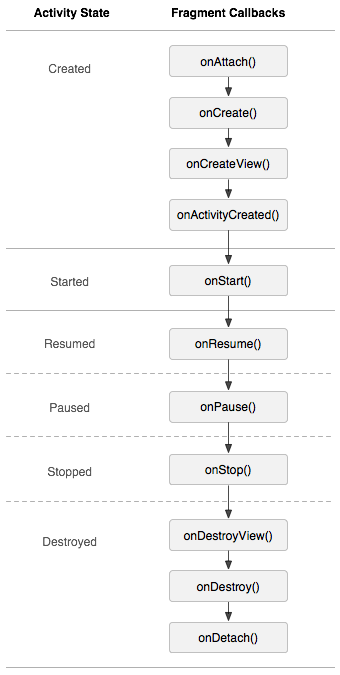 Android 基礎:Fragment 與 Activity 互動詳解
本文繼續探討 Fragment 元件的特性,重點在於它與 Activity 的互動以及生命週期的關係。由於 Fragment 依賴於 Activity,兩者的生命週期緊密
 Android 進度指示:用 Loading Spinner 告訴使用者「正在忙」
當 App 要跑一段時間的任務(例如讀取網路資料、解壓縮檔案)時,如果畫面完全沒有反應,使用者往往會以為程式當掉了。這時候就需要一個進度條來回饋狀態。 Android
 Android 登入介面實作:密碼遮蔽與三次失敗鎖定
登入畫面是使用者與 App 建立信任的第一站。它索取一組憑證,換取進入權限——不論是社群服務、雲端儲存還是企業內部系統,這道關卡都省不掉。 本章要動手做一個登入介面,並把