

編輯:Android 開發實例
這是我實際碰到的難題:當需要在 TextView 中載入大文本時,例如好幾 MB 的 txt 檔,TextView 在載入過程中往往會卡死,甚至直接彈出「無回應」的異常視窗逼你退出。
其中一種解法,是把資料「分段」或「分頁」顯示:把 TextView 嵌進 ScrollView 以實現滾動,當使用者捲到底部時,再載入下一段資料,如此類推。這樣每次載入的資料量都不大,自然就不會卡頓。
真正的難點在於:如何監聽 ScrollView 的滾動位置——究竟滾到頂部還是底部了?
做法是自訂一個 ScrollView 類別(BorderScrollView):
- package com.wangjie.bigtextloadtest;
- import android.content.Context;
- import android.graphics.Rect;
- import android.util.AttributeSet;
- import android.widget.ScrollView;
- /**
- * Created with IntelliJ IDEA.
- * Author: wangjie email:[email protected]
- * Date: 13-9-6
- * Time: 下午2:06
- */
- public class BorderScrollView extends ScrollView{
- private long millis;
- // 滾動監聽者
- private OnScrollChangedListener onScrollChangedListener;
- public BorderScrollView(Context context) {
- super(context);
- }
- public BorderScrollView(Context context, AttributeSet attrs) {
- super(context, attrs);
- }
- public BorderScrollView(Context context, AttributeSet attrs, int defStyle) {
- super(context, attrs, defStyle);
- }
- @Override
- protected void onScrollChanged(int l, int t, int oldl, int oldt) {
- super.onScrollChanged(l, t, oldl, oldt);
- if(null == onScrollChangedListener){
- return;
- }
- long now = System.currentTimeMillis();
- // 通知監聽者當前滾動的具體信息
- onScrollChangedListener.onScrollChanged(l, t, oldl, oldt);
- if(now - millis > 1000l){
- // 滾動到底部(前提:從不是底部滾動到底部)
- if((this.getHeight() + oldt) != this.getTotalVerticalScrollRange()
- && (this.getHeight() + t) == this.getTotalVerticalScrollRange()){
- onScrollChangedListener.onScrollBottom(); // 通知監聽者滾動到底部
- millis = now;
- }
- }
- // 滾動到頂部(前提:從不是頂部滾動到頂部)
- if(oldt != 0 && t == 0){
- onScrollChangedListener.onScrollTop(); // 通知監聽者滾動到頂部
- }
- }
- public OnScrollChangedListener getOnScrollChangedListener() {
- return onScrollChangedListener;
- }
- public void setOnScrollChangedListener(OnScrollChangedListener onScrollChangedListener) {
- this.onScrollChangedListener = onScrollChangedListener;
- }
- /**
- * 獲得滾動總長度
- * @return
- */
- public int getTotalVerticalScrollRange() {
- return this.computeVerticalScrollRange();
- }
- @Override
- protected int computeScrollDeltaToGetChildRectOnScreen(Rect rect) {
- return 0; // 禁止ScrollView在子控件的布局改變時自動滾動
- }
- }
滾動監聽器介面 OnScrollChangedListener:
- package com.wangjie.bigtextloadtest;
- /**
- * Created with IntelliJ IDEA.
- * Author: wangjie email:[email protected]
- * Date: 13-9-6
- * Time: 下午2:53
- */
- public interface OnScrollChangedListener {
- /**
- * 監聽滾動變化
- * @param l
- * @param t
- * @param oldl
- * @param oldt
- */
- public void onScrollChanged(int l, int t, int oldl, int oldt);
- /**
- * 監聽滾動到頂部
- */
- public void onScrollTop();
- /**
- * 監聽滾動到底部
- */
- public void onScrollBottom();
- }
滾動監聽器的空實作 OnScrollChangedListenerSimple(真正使用時可讓程式碼更簡潔):
- package com.wangjie.bigtextloadtest;
- /**
- * Created with IntelliJ IDEA.
- * Author: wangjie email:[email protected]
- * Date: 13-9-9
- * Time: 下午2:39
- */
- public class OnScrollChangedListenerSimple implements OnScrollChangedListener{
- @Override
- public void onScrollChanged(int l, int t, int oldl, int oldt) {}
- @Override
- public void onScrollTop() {}
- @Override
- public void onScrollBottom() {}
- }
異步分段載入文本(這裡每次載入 50 行):
- package com.wangjie.bigtextloadtest;
- import android.content.Context;
- import android.os.AsyncTask;
- import android.os.Handler;
- import android.view.View;
- import java.io.*;
- /**
- * Created with IntelliJ IDEA.
- * Author: wangjie email:[email protected]
- * Date: 13-9-6
- * Time: 上午11:34
- */
- public class AsyncTextLoadTask extends AsyncTask<Object, String, String> {
- private Context context;
- private MainActivity activity;
- private BufferedReader br;
- public AsyncTextLoadTask(Context context, BufferedReader br) {
- this.context = context;
- this.br = br;
- activity = (MainActivity)context;
- }
- @Override
- protected String doInBackground(Object... params) {
- StringBuilder paragraph = new StringBuilder();
- try {
- String line = "";
- int index = 0;
- while(index < 50 && (line = br.readLine()) != null){
- paragraph.append(line + "\n");
- index++;
- }
- } catch (IOException e) {
- e.printStackTrace();
- }
- return paragraph.toString();
- @Override
- protected void onPreExecute() {
- super.onPreExecute();
- @Override
- protected void onPostExecute(String result) {
- super.onPostExecute(result);
- activity.contentTv.setText(result);
- new Handler().postDelayed(new Runnable() {
- @Override
- public void run() {
- activity.contentScroll.scrollTo(0, 0); // 記載完新數據後滾動到頂部
- }
- }, 100);
- activity.isLoading = false;
- }
- }
真正使用分段載入的 Activity(這裡載入一本小說《百年孤寂》):
- package com.wangjie.bigtextloadtest;
- import android.app.Activity;
- import android.content.Context;
- import android.os.Bundle;
- import android.widget.TextView;
- import java.io.BufferedReader;
- import java.io.IOException;
- import java.io.InputStream;
- import java.io.InputStreamReader;
- public class MainActivity extends Activity {
- public BorderScrollView contentScroll;
- public TextView contentTv;
- private BufferedReader br;
- private Context context;
- public boolean isLoading;
- /**
- * Called when the activity is first created.
- */
- @Override
- public void onCreate(Bundle savedInstanceState) {
- super.onCreate(savedInstanceState);
- setContentView(R.layout.main);
- context = this;
- contentTv = (TextView) findViewById(R.id.content);
- contentScroll = (BorderScrollView) findViewById(R.id.contentScroll);
- // 注冊剛寫的滾動監聽器
- contentScroll.setOnScrollChangedListener(new OnScrollChangedListenerSimple(){
- @Override
- public void onScrollBottom() {
- synchronized (MainActivity.class){
- if(!isLoading){
- isLoading = true;
- new AsyncTextLoadTask(context, br).execute();
- }
- }
- }
- });
- try{
- InputStream is = context.getAssets().open("bngd.txt");
- br = new BufferedReader(new InputStreamReader(is));
- new AsyncTextLoadTask(context, br).execute();
- }catch(Exception ex){
- ex.printStackTrace();
- }
- }
- @Override
- protected void onDestroy() {
- super.onDestroy();
- if(null != br){
- try {
- br.close();
- } catch (IOException e) {
- e.printStackTrace();
- }
- }
- }
- }
附上布局:
- <?xml version="1.0" encoding="utf-8"?>
- <LinearLayout xmlns:android="https://schemas.android.com/apk/res/android"
- android:orientation="vertical"
- android:layout_width="fill_parent"
- android:layout_height="fill_parent"
- >
- <com.wangjie.bigtextloadtest.BorderScrollView
- android:id="@+id/contentScroll"
- android:layout_width="fill_parent"
- android:layout_height="fill_parent"
- >
- <LinearLayout
- android:orientation="vertical"
- android:layout_width="fill_parent"
- android:layout_height="fill_parent"
- >
- <TextView
- android:layout_width="fill_parent"
- android:layout_height="wrap_content"
- android:text="asdfasdf"
- />
- <TextView
- android:id="@+id/content"
- android:layout_width="fill_parent"
- android:layout_height="wrap_content"
- android:text="Hello World, MainActivity"
- />
- </LinearLayout>
- </com.wangjie.bigtextloadtest.BorderScrollView>
- </LinearLayout>
轉自:https://www.cnblogs.com/tiantianbyconan/archive/2013/09/10/3311658.html
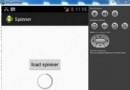 Android 載入動畫怎麼做?ProgressBar 轉圈指示器完整說明
使用者按下一顆按鈕後若畫面毫無反應,通常會以為 App 當掉了。這時候一個小小的旋轉動畫,就能把「不確定要等多久」的焦慮大幅降低。Android 的 ProgressBa
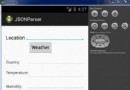 Android 解析 JSON:從 Array、Object 到 Key/Value
JSON 的全稱是 JavaScript Object Notation,中文常譯作「JavaScript 物件符號法」。雖說名字裡有 JavaScript,格式本身卻是
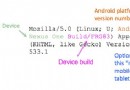 用 User Agent 正確分辨 Android 手機與平板的安全做法
隨著 Android 裝置數量暴增,愈來愈多網站需要針對它們做調整,而主流類型不外乎手機與平板。問題是:在適配時,該如何透過 User Agent(以下簡稱 UA)把兩者
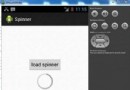 Android 進度提示元件:Spinner 與 ProgressBar 的實作方式
在 Android 上,若要向使用者傳達「工作進行中」,最直接的方式就是顯示進度條。ProgressBar 有兩種外觀:可標示百分比的長條式進度條,以及旋轉式的 spin