

編輯:Android 開發實例
本文主要講解 ScrollView 與 HorizontalScrollView 這兩個滾動容器。顧名思義,它們分別負責垂直與水平方向的滾動,而被滾動的內容就是包在裡面的 View。
這兩個容器本身的 API 並不多,真正的重點在於「什麼時候該用、什麼時候絕對不能用」。我會把使用方式與這些注意事項一起說明,最後用 Demo 驗證效果。
從官方文件的繼承關係可以看到,ScrollView 繼承自 FrameLayout,本質上是一種特殊的 FrameLayout——它能讓使用者滾動瀏覽一個實際尺寸大於螢幕可見範圍的視圖。
它有個硬性限制:只能包含一個子視圖。實務上這個子視圖通常就是一個垂直排列的 LinearLayout,再把要滾動的內容全部塞進去。
這一節是整篇最需要記住的部分。ScrollView 的本質是「滾動視圖的容器」,因此凡是自己已經處理了滾動的控件,都不能放進來:
一句話總結:ScrollView 管的是「頁面整體的滾動」,不是「某個列表的滾動」。
在 Android 平台下與 ScrollView 對應的还有一個 HorizontalScrollView,思路完全相同,只是方向改成水平。理解了 ScrollView,HorizontalScrollView 幾乎不需要另外學習。
ScrollView 基本上就是一個布局容器,沒有太多自己的方法或屬性需要特別講解。直接看範例最有效率。以下範例放入十張圖片,需先將圖片置於 res/drawable-hdpi 目錄。
布局代碼:
<?xml version="1.0" encoding="utf-8"?>
<ScrollView xmlns:android="https://schemas.android.com/apk/res/android"
    android:layout_width="match_parent"
    android:layout_height="match_parent" >

    <!-- ScrollView 只能有一個直接子節點 -->
    <LinearLayout
        android:layout_width="match_parent"
        android:layout_height="wrap_content"
        android:orientation="vertical" >

        <TextView
            android:layout_width="match_parent"
            android:layout_height="wrap_content"
            android:text="垂直滾動視圖"
            android:textSize="30dp" />

        <ImageView
            android:layout_width="match_parent"
            android:layout_height="wrap_content"
            android:src="@drawable/bmp1" />

        <ImageView
            android:layout_width="match_parent"
            android:layout_height="wrap_content"
            android:src="@drawable/bmp2" />

        <ImageView
            android:layout_width="match_parent"
            android:layout_height="wrap_content"
            android:src="@drawable/bmp3" />

        <EditText
            android:layout_width="match_parent"
            android:layout_height="40dp"
            android:maxLines="2" />

        <ImageView
            android:layout_width="match_parent"
            android:layout_height="wrap_content"
            android:src="@drawable/bmp4" />

        <ImageView
            android:layout_width="match_parent"
            android:layout_height="wrap_content"
            android:src="@drawable/bmp5" />

        <ImageView
            android:layout_width="match_parent"
            android:layout_height="wrap_content"
            android:src="@drawable/bmp6" />

        <ImageView
            android:layout_width="match_parent"
            android:layout_height="wrap_content"
            android:src="@drawable/bmp7" />

        <ImageView
            android:layout_width="match_parent"
            android:layout_height="wrap_content"
            android:src="@drawable/bmp8" />

        <ImageView
            android:layout_width="match_parent"
            android:layout_height="wrap_content"
            android:src="@drawable/bmp9" />

        <ImageView
            android:layout_width="match_parent"
            android:layout_height="wrap_content"
            android:src="@drawable/bmp10" />

    </LinearLayout>

</ScrollView>
注意那個內層 LinearLayout 的高度必須是 wrap_content 而不是 match_parent——如果寫成 match_parent,內容會被壓縮到螢幕高度,滾動也就無從發生。這是初學者最常踩的一個坑。
HorizontalScrollView 的邏輯與 ScrollView 如出一轍,唯一差別是支援水平滾動。要從上面的例子改過去,只需兩個動作:
ScrollView 換成 HorizontalScrollView。android:orientation 改成 horizontal。因為沒有任何新的技術含量,這裡就不再貼一遍完整的 Demo 代碼了。
在現在的 Android 開發中,多數需要滾動的場景——例如滑動瀏覽新聞串——都會直接用 ListView 或 RecyclerView 來裝載資料,因為它們天生就是為「大量、可變長度」的資料而設計的。
但 ScrollView 仍有它無法被取代的位置。典型場景是設定頁:內容是固定的一批表單元件(帳號欄位、開關、版本資訊、關於我們),數量不隨資料變動,但整體高度又會超過一個螢幕。這種情況用 ScrollView 把表單包起來就是最乾淨的解法。
所以判斷標準可以濃縮成一句話:
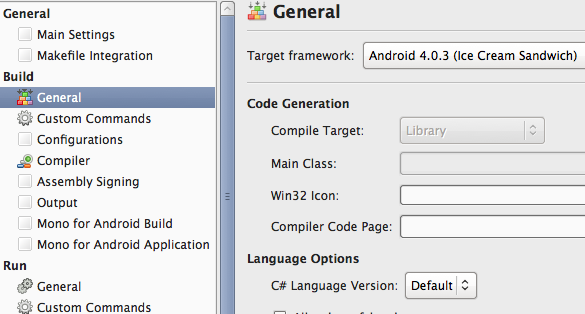 用 Mono for Android 實作 Android 4.0 高效導航(Effective Navigation)
Android 4.0 這一代系統在設計規範中明確定義了一套「高效導航」(Effective Navigation)模式,主要包含標籤頁、下拉清單,以及向上(Up)與返回
 Android Wear 計時器開發(一):為什麼不能照搬手機的設計思路
早在 2013 年 12 月,我曾寫過一系列文章,示範如何開發一款讓用戶在足球比賽中記錄停表時間的 App。等到 Android Wear 問世,把這樣的應用搬到智慧手錶
 Android JSON 解析器:從結構化資料中讀取所需欄位
JSON 是什麼?JSON(JavaScript Object Notation)是一種輕量級、易於閱讀與撰寫的資料交換格式。相較於 XML,JSON 的語法更簡潔,特別
 自製可滑動頁卡:用自訂 RadioButton 搭配 ViewPager 打造 TabHost 效果
實務上很多需求都不是系統內建控制項能直接滿足的,TabHost 就是一例——它只能做出比較陽春的切換效果。這時候就得靠自訂控制項來補足,本篇示範如何用自訂 RadioBu