

編輯:Android 開發實例
在做一個定時切換情景模式的小程式時,需要透過編碼來控制飛行模式。網上相關的資料不多,反覆摸索後終於理清了思路,這裡就來分享具體實現。
protected void offLine(boolean setAirPlane) {
    Settings.System.putInt(getContentResolver(),
            Settings.System.AIRPLANE_MODE_ON, setAirPlane ? 1 : 0);
    Intent intent = new Intent(Intent.ACTION_AIRPLANE_MODE_CHANGED);
    intent.putExtra("TestCode", "ellic");
    sendBroadcast(intent);
}
而判斷手機當前是否處於飛行模式,則可以用這行代碼:
boolean AirPlaneModeOn = Settings.System.getInt(
        mContext.getContentResolver(),
        Settings.System.AIRPLANE_MODE_ON, 0) == 1 ? true : false;
說到調用系統自帶的應用,最便捷的方式莫過於透過 Intent 直接激活。Intent 真是個不可多得的好東西,值得反覆琢磨。下面用幾個例子說明。
1. 調用系統郵件程序:
final Intent emailIntent = new Intent(android.content.Intent.ACTION_SEND);
emailIntent.setType("plain/text");
emailIntent.putExtra(android.content.Intent.EXTRA_EMAIL, new String[]{});
emailIntent.putExtra(android.content.Intent.EXTRA_SUBJECT, "Hello World!");
emailIntent.putExtra(android.content.Intent.EXTRA_TEXT, "It is body-Hello World!");
startActivity(Intent.createChooser(emailIntent, "Sending mail..."));
2. 調用系統短信程序:
Uri uri = Uri.parse("smsto:0800000123");
Intent it = new Intent(Intent.ACTION_SENDTO, uri);
it.putExtra("sms_body", "The SMS text");
startActivity(it);
3. 調用系統鬧鐘程序:這裡要特別提醒,不同 SDK、不同廠商的設備,鬧鐘的類名可能都不一樣。比如在 Motorola Defy 上,鬧鐘的 classname 是 com.motorola.blur.alarmclock 而非 com.android.alarmclock.AlarmClock,因此需要用 setClassName(String packageName, String className) 方法做相應調整:
Intent intent = new Intent();
intent.setClassName("com.android.alarmclock", "com.android.alarmclock.AlarmClock");
startActivity(intent);
透過這些示例不難看出,Intent 簡直是打通 Android 各應用之間的「萬能鑰匙」。
 Android 實作:完整實現 QQ 表情的發送與接收
本文要完整說明如何在 Android 中實作 QQ 風格的表情發送與接收。在自己練習製作聊天應用時,需要用到表情功能,於是便模仿 QQ 表情做了一個,圖片資源完全取自 Q
 Android 自定義 ListView 實現左右滑動刪除與編輯
很多時候,為了滿足產品設計的交互需求,我們不得不對原生控制項進行改造。Android 原生的 ListView 並不支援左右滑動,但借鑑微信通訊錄那種「側滑顯示操作按鈕」
 Android MediaPlayer 音訊播放實戰
Android 提供了多種控制音訊與影片播放的方式,不論是播放本機檔案或串流來源都能應付,而其中最典型的做法就是使用 MediaPlayer 類別。 Android 透過
 封裝 SQLite 分頁表格控件 GVTable:表格區與分頁列的完整實作
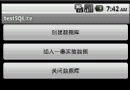
前一篇談了 SQLite 的分頁讀取,但那個版本只是把資料印在文字方塊裡。這次往前一步:把「分頁 + 表格呈現」封裝成一個可重複使用的自訂控件。 執行結果: 為什