

編輯:Android 開發實例
ToggleButton 是一個具備兩種狀態的開關按鈕——選中與未選中,並且能為不同狀態設置不同的顯示文本,非常適合「開/關」這類二選一的交互場景。
<?xml version="1.0" encoding="utf-8"?>
<LinearLayout xmlns:android="https://schemas.android.com/apk/res/android"
    android:orientation="vertical"
    android:layout_width="fill_parent"
    android:layout_height="fill_parent">
    <ImageView android:id="@+id/imageView"
        android:layout_width="wrap_content"
        android:layout_height="wrap_content"
        android:src="@drawable/bulb_off"
        android:layout_gravity="center_horizontal" />
    <ToggleButton android:id="@+id/toggleButton"
        android:layout_width="140dip"
        android:layout_height="wrap_content"
        android:textOn="開燈"
        android:textOff="關燈"
        android:layout_gravity="center_horizontal" />
</LinearLayout>
其中 android:textOn 與 android:textOff 分別指定了選中和未選中時按鈕上顯示的文字。
package com.ljq.tb;

import android.app.Activity;
import android.os.Bundle;
import android.widget.CompoundButton;
import android.widget.ImageView;
import android.widget.ToggleButton;
import android.widget.CompoundButton.OnCheckedChangeListener;

public class ToggleButtonActivity extends Activity {
    private ImageView imageView = null;
    private ToggleButton toggleButton = null;

    @Override
    public void onCreate(Bundle savedInstanceState) {
        super.onCreate(savedInstanceState);
        setContentView(R.layout.main);

        imageView = (ImageView) findViewById(R.id.imageView);
        toggleButton = (ToggleButton) findViewById(R.id.toggleButton);
        toggleButton.setOnCheckedChangeListener(new OnCheckedChangeListener() {
            public void onCheckedChanged(CompoundButton buttonView, boolean isChecked) {
                toggleButton.setChecked(isChecked);
                imageView.setImageResource(isChecked ? R.drawable.bulb_on : R.drawable.bulb_off);
            }
        });
    }
}
這裡的核心是 OnCheckedChangeListener 監聽器:每當 ToggleButton 的狀態發生變化,回調便會觸發,我們根據 isChecked 的值切換圖片資源,就能做出「一鍵開關燈泡」的直觀效果。聲明式的文本配置加上命令式的狀態監聽,讓 ToggleButton 成為交互設計中的好搭檔。
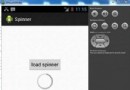 Android 進度條教學:用 Loading Spinner 表示不確定時長的等待
當 App 需要執行一段耗時的任務時,使用者需要一個「你正在忙,請稍候」的訊號,而進度條就是最直白的表達方式。Android 的 ProgressBar 有兩種常見形態:
 Android ViewPager 相簿橫向滑動實作
ViewPager 可用來做橫向相簿。需搭配 PagerAdapter,在 instantiateItem 建立頁面,在 destroyItem 回收。可定義 Image
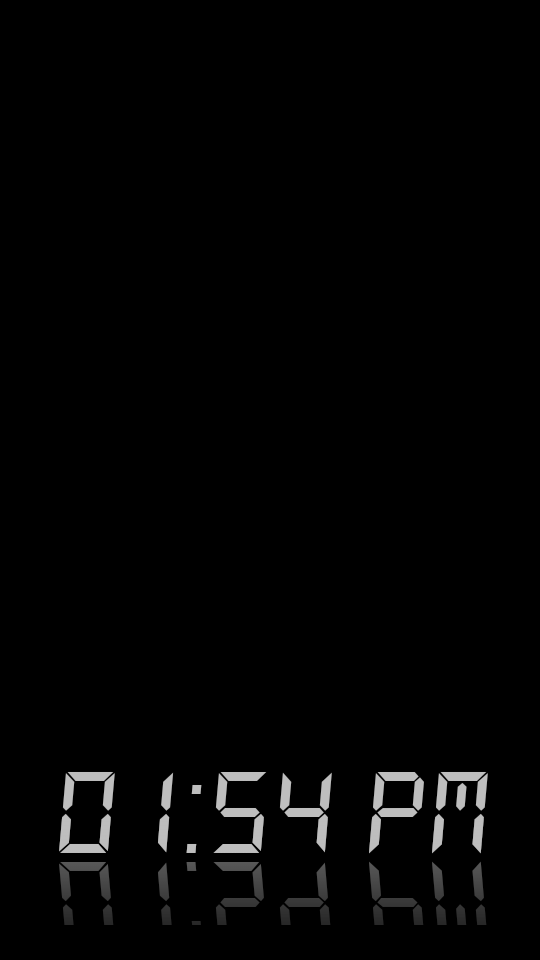 自定義 TextView 實現文字倒影效果(附走動時鐘示例)
倒影效果在鎖屏、壁紙、數字時鐘這類場景裡很常見。實現它的關鍵只有一個方法:View 的 getDrawingCache()——先把自身繪製結果取成位圖,再做翻轉和漸變處理
 Android MediaPlayer 音訊播放:播放、暫停與快轉
MediaPlayer 是 Android 中常用的多媒體播放類別。除了基本的播放與暫停,也可以透過 seekTo() 實作快轉與快退。 初始化播放器 MediaPlay