

編輯:Android 開發實例
在眾多 Android 本地數據存取方式中,SharedPreferences 無疑是上手門檻最低的一種。它的使用手感與 J2SE 裡的 java.util.prefs.Preferences 幾乎如出一轍,能以簡單而透明的方式保存諸如字體、顏色、位置這類使用者個性化參數。幾乎每個稍具規模的 App 都會提供「設定」或「首選項」頁面,而這些選項最終就可以交給 Preferences 來存,開發者完全不必操心它究竟以何種格式、寫在何處。當然,若你想用它保存別的內容也無不可,只是在性能層面可能會有未知數。
在 Android 系統裡,這些資料會以 XML 檔案的形式落地於 /data/data/PACKAGE_NAME/shared_prefs 目錄之下。
String PREFS_NAME = "Note.sample.roiding.com";
SharedPreferences settings = getSharedPreferences(PREFS_NAME, 0);
boolean silent = settings.getBoolean("silentMode", false);
String hello = settings.getString("hello", "Hi");
這幾行程式碼要分開來看:
SharedPreferences settings = getSharedPreferences(PREFS_NAME, 0);<manifest xmlns:android="https://schemas.android.com/apk/res/android"
package="com.roiding.sample.note"
android:versionCode="1"
android:versionName="1.0.0">
最後那個 int 參數用來宣告讀寫模式,初學階段先記得設為 0(即 android.content.Context.MODE_PRIVATE)即可。
boolean silent = settings.getBoolean("silentMode", false);String PREFS_NAME = "Note.sample.roiding.com";
SharedPreferences settings = getSharedPreferences(PREFS_NAME, 0);
SharedPreferences.Editor editor = settings.edit();
editor.putBoolean("silentMode", true);
editor.putString("hello", "Hello~");
editor.commit();
有了讀取部分的基礎,寫入這段就好理解了,唯一要牢記的是——千萬別忘了最後的 commit(),否則資料不會真正落盤。
/Chapter09_Data_01/src/com/amaker/test/MainActivity.java
package com.amaker.test;

import android.app.Activity;
import android.content.SharedPreferences;
import android.os.Bundle;
import android.widget.Button;
import android.widget.EditText;

public class MainActivity extends Activity {
 private EditText myEditText;
 private Button b1;
 private static final String TEMP_SMS="temp_sms";
 @Override
 public void onCreate(Bundle savedInstanceState) {
 super.onCreate(savedInstanceState);
 setContentView(R.layout.main);

 myEditText = (EditText)findViewById(R.id.EditText01);
 b1 = (Button)findViewById(R.id.Button01);

 SharedPreferences pre = getSharedPreferences(TEMP_SMS, MODE_WORLD_READABLE);
 String content = pre.getString("sms_content", "");
 myEditText.setText(content);

 }

 @Override
 protected void onStop() {
 super.onStop();
 SharedPreferences.Editor editor = getSharedPreferences(TEMP_SMS, MODE_WORLD_WRITEABLE).edit();
 editor.putString("sms_content", myEditText.getText().toString());
 editor.commit();
 }
}
/Chapter09_Data_01/res/layout/main.xml
<?xml version="1.0" encoding="utf-8"?>
<LinearLayout xmlns:android="https://schemas.android.com/apk/res/android"
 android:orientation="vertical"
 android:layout_width="fill_parent"
 android:layout_height="fill_parent"
 >
<TextView
 android:layout_width="fill_parent"
 android:layout_height="wrap_content" android:text="Preference Test"/>
<EditText
android:text=""
android:id="@+id/EditText01"
android:layout_width="fill_parent"
android:layout_height="wrap_content"
android:height="180px"
></EditText>
<Button android:id="@+id/Button01" android:layout_width="wrap_content" android:layout_height="wrap_content" android:text="Send"></Button>
</LinearLayout>
/Chapter09_Data_01/AndroidManifest.xml
<?xml version="1.0" encoding="utf-8"?>
<manifest xmlns:android="https://schemas.android.com/apk/res/android"
 package="com.amaker.test"
 android:versionCode="1"
 android:versionName="1.0">
 <application android:icon="@drawable/icon" android:label="@string/app_name">
 <activity android:name=".MainActivity"
 android:label="@string/app_name">
 <intent-filter>
 <action android:name="android.intent.action.MAIN" />
 <category android:name="android.intent.category.LAUNCHER" />
 </intent-filter>
 </activity>

 </application>
 <uses-sdk android:minSdkVersion="3" />

</manifest>
 Android 網絡圖片查看顯示的實現方法
很多應用都需要從網路載入圖片並顯示。常見做法是在介面中放置輸入框、按鈕與 ImageView,當使用者輸入圖片網址並點擊按鈕後,再於背景執行緒中下載圖片資料。關鍵流程下載
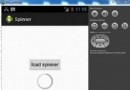 Android 加載 Spinner 實作指南:ProgressBar 樣式、生命週期與解除時機
在 Android 中,任務的執行進展可以透過載入進度條來呈現。進度條有兩種形態:加載欄與加載微調(spinner)。前者用於能算出百分比的场合,後者則是給那些「還要多久
 重力感應入門:用加速度感測器讀取三軸數值
Android 裡很多遊戲都用到重力感應,值得花點時間理解它的運作方式。 先建立座標觀念 以螢幕左下角為原點,箭頭指向為正方向,範圍從 -10 到 10,以浮點數為刻度
 Android MediaPlayer(多媒體播放):音訊與影片控制入門
Android 提供了許多方法來控制播放的音訊/影片檔案與串流,其中主要的一種是透過名為 MediaPlayer 的類別。 MediaPlayer 類別讓 Android