

編輯:Android 開發實例
一、SimpleExpandableListAdapter 與 BaseExpandableListAdapter
這兩個類別的建構子會一次接收多個參數,核心呼叫形式如下:
this(context, groupData, expandedGroupLayout, collapsedGroupLayout, groupFrom, groupTo, childData, childLayout, lastChildLayout, childFrom, childTo);
實務上,expandedGroupLayout 與 collapsedGroupLayout 往往由同一個參數產生,childLayout 與 lastChildLayout 亦然。之所以要區分,是因為存在兩種需求:一是要在展開與收合等不同狀態下呈現不同的 view;二是要為「每個群組的最後一個子節點」單獨指定布局。
使用 BaseExpandableListAdapter 時,若採用類似 newGroupView 的寫法:
public View newGroupView(boolean isExpanded, ViewGroup parent) {
    return mInflater.inflate((isExpanded) ? mExpandedGroupLayout : mCollapsedGroupLayout, parent, false);
}
在綁定內容時,有幾個重點必須留意:
TextView textView = new TextView(Class.this) 就不會有這個問題,每次綁定時 convertView 一定是空的。二、SimpleCursorTreeAdapter 與 ResourceCursorTreeAdapter
這類別接受一個 cursor 作為參數,而在 musicplayer 的實作中則是傳入 null,改由內部的 AsyncQueryHandler 來產生 cursor。整體流程如下:
@Override
protected void onQueryComplete(int token, Object cookie, Cursor cursor) {
    if (cursor != null) {
        cursor = mActivity.mergedCursor(cursor);
    }
    mActivity.init(cursor);
}
 用一個 TextView 實作多段可點擊文字(like 讚效果)
效果說明你在 QQ 空間、微信、微博看過的那種「某某、某某等 N 個人讚了你」——一行文字裡,每個使用者名稱都能獨立點擊。效果如下:核心機制整個效果靠兩個關鍵設定撐起來:
 Android 多語系資源怎麼放?values 資料夾命名規則一次搞懂
當 App 的使用者來自不同國家,文字、數字、日期甚至閱讀方向都得跟著調整。Android 把這件事抽象成「資源覆寫」:預設放一份在 res/values,其他語言各自放
 Android 設定裡的隱藏彩蛋是怎麼做出來的(2.3 原始碼解析)
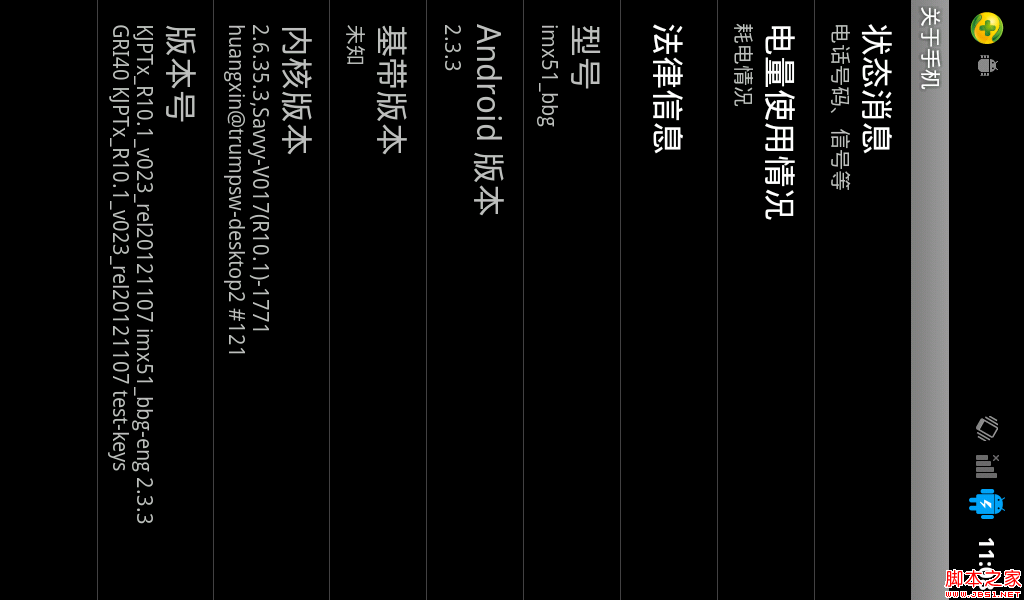
工程師偶爾也會在系統裡藏點小趣味。Android 的「設定」中就有這樣一處:連續快速點擊「Android 版本」,會跳出一張圖;在 2.3 上是那張著名的安卓機器人塗鴉:
 深入淺析 Android Fragment(下篇):回退堆疊、通訊與旋轉重建
上篇談了 Fragment 的由來、生命週期、靜態與動態使用,以及 FragmentTransaction 的常用方法。這篇接著處理更實際的問題:回退堆疊怎麼管、Frag