

編輯:Android 開發實例
在 OpenGL ES 環境下想擷取畫面,用一般系統層級的截圖方式往往會出問題。Android 底層讀取 framebuffer 的效率本來就不高,加上畫面正在刷新的緣故,截出來的圖常常上半部與下半部對不起來。比較可靠的做法是直接在 GL 中呼叫 glReadPixels() 把像素讀出來,自己組一張 Bitmap。
public static Bitmap SavePixels(int x, int y, int w, int h, GL10 gl)
{
    int b[] = new int[w * h];
    int bt[] = new int[w * h];
    IntBuffer ib = IntBuffer.wrap(b);
    ib.position(0);
    gl.glReadPixels(x, y, w, h, GL10.GL_RGBA, GL10.GL_UNSIGNED_BYTE, ib);

    for (int i = 0; i < h; i++) {
        for (int j = 0; j < w; j++) {
            int pix = b[i * w + j];
            int pb = (pix >> 16) & 0xff;          // 取出藍色
            int pr = (pix << 16) & 0x00ff0000;    // 取出紅色並移到 Android 的位置
            int pix1 = (pix & 0xff00ff00) | pr | pb;
            bt[(h - i - 1) * w + j] = pix1;   // GL 的原點在左下,需上下翻轉
        }
    }

    Bitmap sb = Bitmap.createBitmap(bt, w, h, true);
    return sb;
}
這段在做三件事:以 RGBA 順序把畫面讀進 buffer、把 GL 的紅藍通道對調成 Android Bitmap 慣用的格式,以及因為 GL 座標原點在左下角,必須把每一列上下翻轉。
public static void SavePNG(int x, int y, int w, int h, String fileName, GL10 gl)
{
    Bitmap bmp = SavePixels(x, y, w, h, gl);
    try
    {
        // 2.2 以上系統的 sdcard 路徑為 /mnt/sdcard/
        FileOutputStream fos = new FileOutputStream("/sdcard/android123/" + fileName);
        bmp.compress(CompressFormat.PNG, 100, fos);   // 存為 PNG,品質 100%

        try {
            fos.flush();
        }
        catch (IOException e) {
            e.printStackTrace();
        }

        try {
            fos.close();
        }
        catch (IOException e) {
            e.printStackTrace();
        }
    }
    catch (FileNotFoundException e)
    {
        e.printStackTrace();
    }
}直接執行這個靜態方法即可,最後一個參數傳入你的 OpenGL 物件:
SavePNG(0, 0, Config.SCREEN_W, Config.SCREEN_H, "cwj.png", gl);實務上要留意兩點:寫檔涉及 I/O,在 FPS 這類高幀率的遊戲裡若每幀都截圖,會明顯拉扯效能,建議只在特定時機觸發;另外寫入外部儲存需要 android.permission.WRITE_EXTERNAL_STORAGE 權限,且目標目錄必須事先存在,否則 FileOutputStream 會直接丟出 FileNotFoundException。
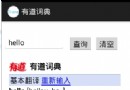 Android 有道詞典的簡單實現方法
要做一個簡單的查詢工具,可以透過 WebView 載入有道詞典的搜索頁面。介面通常包含輸入框、查詢按鈕、清空按鈕與顯示結果的 WebView。實現重點點擊查詢時,先取得輸
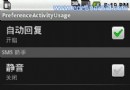 PreferenceActivity 設定頁面開發詳解
PreferenceActivity 是 Android 中專門用於建立設定頁面的 Activity。它能把 CheckBox、清單、輸入框與鈴聲選擇等常見設定控制項,以
 動手做「開發者頭條」App(一):啟動引導頁實現
一、前言 對不少初學者或剛入行的 Android 開發者來說,項目經驗往往停留在寫 demo 的階段。學過的知識不少,可真要上手一個完整項目,卻不知道該把它們放在哪裡,這
 Android 中顯示 GIF 動畫的實作程式碼詳解
本文為大家分享 Android 中顯示 GIF 動畫的實作程式碼,值得參考,具體如下:GIF 動畫在 Android 中還算常見,像新浪微博裡就有大量 GIF 圖片,而且