

編輯:Android 開發實例
ResourceCursorAdapter 是 CursorAdapter 的抽象子類別,主要用途是根據指定的 XML 版面配置建立清單項目檢視。它讓開發者能以資源檔方式定義列表外觀,再把 Cursor 資料綁定到檢視中。
ResourceCursorAdapter 繼承自 CursorAdapter,而 CursorAdapter 又屬於 BaseAdapter 體系。常見的直接子類別是 SimpleCursorAdapter。
ResourceCursorAdapter 常見建構方式如下:
ResourceCursorAdapter(Context context, int layout, Cursor c)另一個版本可加入 autoRequery 參數:
ResourceCursorAdapter(Context context, int layout, Cursor c, boolean autoRequery)參數意義:
newView(Context context, Cursor cursor, ViewGroup parent) 會依指定的 XML 版面配置建立新的檢視。cursor 已移動到正確位置,可直接讀取資料。
newDropDownView(Context context, Cursor cursor, ViewGroup parent) 用於建立下拉式檢視,常見於 AutoCompleteTextView 等元件。
setDropDownViewResource(int dropDownLayout) 可設定下拉檢視的版面配置資源。
setViewResource(int layout) 可設定一般列表項目的版面配置資源。
ResourceCursorAdapter 適合需要將資料庫查詢結果轉為清單的情境。若列表項目只是簡單文字,可使用 SimpleCursorAdapter;若需要更複雜的行為,例如快取檢視元件、自訂點擊效果、動態載入圖片,則可繼承 ResourceCursorAdapter 並覆寫 bindView()。
常見流程如下:
在 bindView() 中應避免昂貴操作。可將 findViewById 結果快取於 tag 或自訂 holder 物件中,並避免在每次綁定時重新建立大量物件。若資料量龐大,應搭配合理查詢、分頁或資料庫索引。
ResourceCursorAdapter 讓 Cursor 資料能與 XML 版面配置結合,是 Android 清單開發中非常實用的基礎類別。
 Android 進度條教學:用 Loading Spinner 表達「還不知道要等多久」
當 App 要執行一段耗時的工作,例如從網路下載資料,使用者需要一個「它還在動」的訊號。Android 用 ProgressBar 這個元件來表達等待狀態,而它主要有兩種
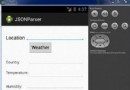 Android JSON 解析:JSONObject 與 JSONArray 的實際應用
JSON 是 Android 開發中常見的資料格式。當 App 需要從網路取得資料時,後端通常會回傳 JSON 字串,開發者再透過 JSONObject 與 JSONAr
 Android 進度條教學:用 Loading Spinner 表示不確定時長的等待
當 App 需要執行一段耗時的任務時,使用者需要一個「你正在忙,請稍候」的訊號,而進度條就是最直白的表達方式。Android 的 ProgressBar 有兩種常見形態:
 Android 應用本地化:讓 App 說多國語言
同一支應用程式,可能會被安裝在台灣、義大利、德國或日本的裝置上。要讓不同地區的使用者都覺得順手,文字、數字、日期與檔案格式都得跟著系統語言環境調整,這就是「本地化」(Lo