

編輯:Android 開發實例
public class ViewAnimator extends FrameLayout
java.lang.Object
 └ android.view.View
    └ android.view.ViewGroup
       └ android.widget.FrameLayout
          └ android.widget.ViewAnimator
ViewAnimator 是 FrameLayout 的基類,用途是在切換視圖時播放動畫。它本身很少直接使用,實務上多半會用到它的子類別:直接子類 ViewFlipper、ViewSwitcher,以及更遠一層的 ImageSwitcher 與 TextSwitcher。理解 ViewAnimator,等於掌握了這一整族「切換器」控件的共同行為。
| 屬性名稱 | 說明 |
|---|---|
| android:inAnimation | 設定子視圖進入螢幕時使用的動畫資源。 |
| android:outAnimation | 設定子視圖離開螢幕時使用的動畫資源。 |
void addView(View child, int index, ViewGroup.LayoutParams params):在指定位置加入子視圖並套用給定的布局參數。child 為要加入的視圖,index 為插入位置,params 為布局參數。void removeAllViews():移除所有子視圖。void removeViewAt(int index):移除指定位置上的視圖。void removeViewInLayout(View view):在布局過程中移除視圖,適合在 onLayout() 裡呼叫。void removeViews(int start, int count):移除一段範圍內的多個視圖,start 為起始索引,count 為數量。void removeViewsInLayout(int start, int count):在布局過程中移除多個視圖,適合在 onLayout() 中批次清整子項。View getCurrentView():回傳目前顯示的子視圖,可搭配 getDisplayedChild() 使用。int getDisplayedChild():回傳目前顯示子項的索引。void setDisplayedChild(int whichChild):指定要顯示哪一個子項,whichChild 為該子項的索引。void setAnimateFirstView(boolean animate):控制目前視圖在首次載入時是否也以動畫呈現。Animation getInAnimation():取得進入螢幕時使用的動畫物件,未設定則回傳 null。void setInAnimation(Animation inAnimation):以動畫物件設定進入動畫。void setInAnimation(Context context, int resourceID):以資源 ID 設定進入動畫。Animation getOutAnimation():取得離開螢幕時使用的動畫物件,未設定則回傳 null。void setOutAnimation(Animation outAnimation):以動畫物件設定離場動畫。void setOutAnimation(Context context, int resourceID):以資源 ID 設定離場動畫。void showNext():手動切換到下一個子視圖。void showPrevious():手動切換回上一個子視圖。int getBaseline():回傳文字基線到 widget 上邊界的偏移量;若目前 widget 不支援基線對齊,回傳 -1。第一,inAnimation 與 outAnimation 是「成對演出」的:切換一次,舊視圖走 outAnimation、新視圖走 inAnimation,因此動畫的時間長度最好彼此協調,否則會出現空檔或重疊的突兀感。
第二,如果你只需要「點一下換下一個」的簡單輪播,直接繼承 ViewAnimator 並搭配 showNext()/showPrevious() 即可;若需要自動定時輪播,則改用 ViewFlipper 並啟動其 autoStart 與 flipInterval 會更省事。
第三,ViewAnimator 一次只讓一個子項可見,切換的本質是「顯示索引的改變」加上動畫包裝,並非真的建立與銷毀視圖。這代表子項數量不宜過多,否則記憶體會隨子項累加;若內容來源龐大,應改用 ViewPager 搭配 Fragment 的回收機制。
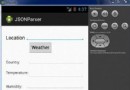 Android JSON 解析入門:從天氣資料提取欄位
JSON 是應用程式之間交換資料的常見格式,因為它輕量、易讀,也方便在 Android 中處理。相較於 XML,JSON 更適合網路 API 回傳的結構化資料。本篇文章會
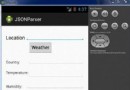 Android JSON 解析完整指南
JSON 是 JavaScript Object Notation 的縮寫,它是一種與語言無關的資料交換格式,被廣泛視為 XML 的理想替代方案。本章將說明如何在 And
 高仿網易新聞頂部滑動標籤列的實作
這是網易新聞的主頁。底部用 TabHost 就能做出來,很基本;真正好看的是頂部那條會滑動的標籤列——點擊任一標籤,游標方塊會平滑滑到對應位置,同時切換下方內容。第一次
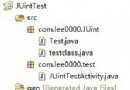 Android 單元測試實例分析:從設定到執行
本文以實例說明 Android 單元測試的用法。在實際開發中,撰寫 Android 軟體的過程需要不斷測試,而 JUnit 測試框架正是正規開發必備的技術。透過 JUni