

編輯:Android 開發實例
TabHost 是 Android 中用來做分頁的好用控件,能把程式的多個 Activity 組織在同一個畫面下切換。相關的概念還有 ActivityGroup 與 TabActivity。
建構 TabHost 有兩條路:全部用 Java 程式碼產生,或在 XML 中先畫好版面再由程式填充內容。
private TabHost mtabHost;
mtabHost = getTabHost();

mtabHost.addTab(mtabHost.newTabSpec("tab1")
        .setIndicator(getString(R.string.tabs_1_tab_1), getResources().getDrawable(R.drawable.undo))
        .setContent(this));
mtabHost.addTab(mtabHost.newTabSpec("tab2")
        .setIndicator(getString(R.string.tabs_1_tab_2), getResources().getDrawable(R.drawable.undo))
        .setContent(this));
mtabHost.addTab(mtabHost.newTabSpec("tab3")
        .setIndicator(getString(R.string.tabs_1_tab_3), getResources().getDrawable(R.drawable.undo))
        .setContent(this));
mtabHost.addTab(mtabHost.newTabSpec("tab4")
        .setIndicator(getString(R.string.tabs_1_tab_4), getResources().getDrawable(R.drawable.undo))
        .setContent(new Intent(this, inviteTab.class)));
mtabHost.addTab(mtabHost.newTabSpec("tab5")
        .setIndicator(getString(R.string.tabs_1_tab_5), getResources().getDrawable(R.drawable.tab_set))
        .setContent(this));
mtabHost.addTab(mtabHost.newTabSpec("tab6")
        .setIndicator(getString(R.string.tabs_1_tab_6), getResources().getDrawable(R.drawable.undo))
        .setContent(this));
mtabHost.addTab(mtabHost.newTabSpec("tab7")
        .setIndicator(getString(R.string.tabs_1_tab_7), getResources().getDrawable(R.drawable.tab_help))
        .setContent(this));
mtabHost.addTab(mtabHost.newTabSpec("tab8")
        .setIndicator(getString(R.string.tabs_1_tab_8), getResources().getDrawable(R.drawable.tab_help))
        .setContent(this));

mtabHost.setOnTabChangedListener(this);
接著需要覆寫兩個方法:
public void onTabChanged(String tagString) {
    // TODO Auto-generated method stub
}

@Override
public View createTabContent(String arg0) {
    final TextView tv = new TextView(this);
    tv.setText("Content for tab with tag " + arg0);
    return tv;
}
其中 setContent() 有兩種帶法:傳入 Activity 本身(this),或用 Intent 指向另一個 Activity。前者適合內容簡單、能直接在當前頁面呈現的情形;後者則可以把獨立 Activity 掛進分頁。
如果要把分頁列放在螢幕下方,用 XML 描述會清楚得多。關鍵是把 FrameLayout(tabcontent)的 layout_weight 設為 1、TabWidget(tabs)設為 0,這樣內容區會自動吃掉剩餘空間,分頁列則依內容高度貼在下方。
main.xml:
<?xml version="1.0" encoding="utf-8"?>
<LinearLayout xmlns:android="https://schemas.android.com/apk/res/android"
    android:orientation="vertical"
    android:layout_width="fill_parent"
    android:layout_height="fill_parent">

    <TabHost android:id="@+id/edit_item_tab_host"
        android:layout_width="fill_parent"
        android:layout_height="fill_parent">

        <LinearLayout android:orientation="vertical"
            android:layout_width="fill_parent"
            android:layout_height="fill_parent"
            android:padding="5dp">

            <FrameLayout android:id="@android:id/tabcontent"
                android:layout_width="fill_parent"
                android:layout_height="wrap_content"
                android:padding="5dp"
                android:layout_weight="1" />

            <TabWidget android:id="@android:id/tabs"
                android:layout_width="fill_parent"
                android:layout_height="wrap_content"
                android:layout_weight="0" />
        </LinearLayout>
    </TabHost>
</LinearLayout>
主程式:
public static TabHost tab_host;

setContentView(R.layout.main);
tab_host = (TabHost) findViewById(R.id.edit_item_tab_host);
tab_host.setup(this.getLocalActivityManager());

TabSpec ts1 = tab_host.newTabSpec("TAB_1");
ts1.setIndicator(getString(R.string.a), getResources().getDrawable(R.drawable.a));
ts1.setContent(new Intent(this, a.class));
tab_host.addTab(ts1);

TabSpec ts2 = tab_host.newTabSpec("TAB_2");
ts2.setIndicator(getString(R.string.b), getResources().getDrawable(R.drawable.b));
ts2.setContent(new Intent(this, b.class));
tab_host.addTab(ts2);

TabSpec ts3 = tab_host.newTabSpec("TAB_3");
ts3.setIndicator(getString(R.string.c), getResources().getDrawable(R.drawable.c));
ts3.setContent(new Intent(this, c.class));
tab_host.addTab(ts3);

TabSpec ts4 = tab_host.newTabSpec("TAB_4");
ts4.setIndicator(getString(R.string.d), getResources().getDrawable(R.drawable.d));
ts4.setContent(new Intent(this, d.class));
tab_host.addTab(ts4);

tab_host.setCurrentTab(0);
tab_host.setOnTabChangedListener(new OnTabChangeListener() {
    @Override
    public void onTabChanged(String tabId) {
        // TODO Auto-generated method stub
    }
});
這裡有一個容易踩到的差異:用 XML 宣告 TabHost 時,必須自行呼叫 setup() 並傳入 getLocalActivityManager();而透過 TabActivity 的 getTabHost() 取得時,框架已經代為處理過,直接 addTab 即可。
 RadioButton 與 RadioGroup 觀念釐清與事件監聽
RadioButton 與 RadioGroup 是 Android 表單中常見的單選控制項。理解它們與 CheckBox 的差異,以及 RadioGroup 的互斥特性
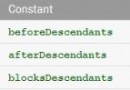 descendantFocusability 用法解析:解決 ListView 項目點擊沒反應的問題
適用情境 這個屬性適用於「母容器無法取得焦點」的所有情況,最典型的就是自定義 ListView 項目。 問題現場 專案裡的 ListView 很少只是純文字,通常要自定
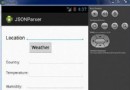 Android JSON 資料解析:天氣 API 實作範例
JSON 解析在 Android 中常用於 API 回傳。本文以天氣資料為例,說明如何從 JSON 字串取出溫度、濕度與氣壓。 四個常用類別 JSONArray 處理陣列
 Android 多媒體播放:用 MediaPlayer 實作音樂播放器
Android 提供了多種方式來控制音訊與影片檔案及串流的播放,其中最主要的途徑就是名為 MediaPlayer 的類別。 MediaPlayer 這個類別讓你能存取 A