

編輯:Android 開發實例
ProgressBar 是 Android 中用來回報任務進度的視覺元件。它不只是「一條長條」這麼簡單——還能表達不確定狀態、次要進度(例如串流緩衝),並可與視窗標題列整合呈現。
ProgressBar 為使用者呈現某項操作的完成程度。除了主要進度,它還有一條次要進度條,常用來顯示緩衝區狀態,例如線上影音播放時已下載的比例。
當任務長度未知時,可將進度條設為「不確定模式」(indeterminate),此時它會顯示循環動畫,告訴使用者系統仍在運作,而非卡死。
<?xml version="1.0" encoding="utf-8"?>
<LinearLayout xmlns:android="https://schemas.android.com/apk/res/android"
    android:orientation="vertical"
    android:layout_width="match_parent"
    android:layout_height="wrap_content">

    <ProgressBar android:id="@+id/progress_horizontal"
        style="?android:attr/progressBarStyleHorizontal"
        android:layout_width="200dip"
        android:layout_height="wrap_content"
        android:max="100"
        android:progress="50"
        android:secondaryProgress="75" />

    <TextView
        android:layout_width="wrap_content"
        android:layout_height="wrap_content"
        android:text="預設進度條" />

    <LinearLayout
        android:orientation="horizontal"
        android:layout_width="match_parent"
        android:layout_height="wrap_content">

        <Button android:id="@+id/decrease"
            android:layout_width="wrap_content"
            android:layout_height="wrap_content"
            android:text="減少" />

        <Button android:id="@+id/increase"
            android:layout_width="wrap_content"
            android:layout_height="wrap_content"
            android:text="增加" />

    </LinearLayout>

    <TextView
        android:layout_width="wrap_content"
        android:layout_height="wrap_content"
        android:text="自訂進度條" />

    <LinearLayout
        android:orientation="horizontal"
        android:layout_width="match_parent"
        android:layout_height="wrap_content">

        <Button android:id="@+id/decrease_secondary"
            android:layout_width="wrap_content"
            android:layout_height="wrap_content"
            android:text="次要減少" />

        <Button android:id="@+id/increase_secondary"
            android:layout_width="wrap_content"
            android:layout_height="wrap_content"
            android:text="次要增加" />

    </LinearLayout>

</LinearLayout>
package wjq.WidgetDemo;

import android.app.Activity;
import android.os.Bundle;
import android.view.View;
import android.view.Window;
import android.widget.Button;
import android.widget.ProgressBar;

public class ProgressBarDemo extends Activity {

    @Override
    protected void onCreate(Bundle savedInstanceState) {
        super.onCreate(savedInstanceState);

        // 啟用視窗標題列上的進度顯示
        requestWindowFeature(Window.FEATURE_PROGRESS);
        setContentView(R.layout.probarpage);
        setProgressBarVisibility(true);

        final ProgressBar progressHorizontal =
                (ProgressBar) findViewById(R.id.progress_horizontal);

        // 標題列進度範圍為 0..10000
        setProgress(progressHorizontal.getProgress() * 100);
        setSecondaryProgress(progressHorizontal.getSecondaryProgress() * 100);

        Button button = (Button) findViewById(R.id.increase);
        button.setOnClickListener(new Button.OnClickListener() {
            public void onClick(View v) {
                progressHorizontal.incrementProgressBy(1);
                setProgress(100 * progressHorizontal.getProgress());
            }
        });

        button = (Button) findViewById(R.id.decrease);
        button.setOnClickListener(new Button.OnClickListener() {
            public void onClick(View v) {
                progressHorizontal.incrementProgressBy(-1);
                setProgress(100 * progressHorizontal.getProgress());
            }
        });

        button = (Button) findViewById(R.id.increase_secondary);
        button.setOnClickListener(new Button.OnClickListener() {
            public void onClick(View v) {
                progressHorizontal.incrementSecondaryProgressBy(1);
                setSecondaryProgress(
                        100 * progressHorizontal.getSecondaryProgress());
            }
        });

        button = (Button) findViewById(R.id.decrease_secondary);
        button.setOnClickListener(new Button.OnClickListener() {
            public void onClick(View v) {
                progressHorizontal.incrementSecondaryProgressBy(-1);
                setSecondaryProgress(
                        100 * progressHorizontal.getSecondaryProgress());
            }
        });
    }
}
這個範例示範了兩層進度的概念:主要進度代表實際完成比例,次要進度代表已下載或已準備的比例,兩者搭配能讓使用者清楚知道「還要等多久」與「已經快好了」。另外,耗時工作請務必放在背景執行緒,透過 Handler 或 publishProgress 回推更新,避免佔用主執行緒導致畫面凍結。
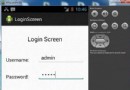 Android 登入頁面開發:帳密驗證與三次錯誤鎖定機制
登入頁面是應用程式的入口。使用者可能要登入 Facebook、微博或其他服務,而這道關卡既要讓正規使用者順利通過,也要擋住惡意嘗試。本章說明如何建立登入介面,並處理安全性
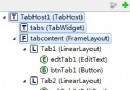 Android 入門:用 TabHost 與 TabWidget 做分頁標籤
Tab 是行動介面裡最直覺的分頁方式,能把大量內容收進同一個螢幕,讓使用者左右切換而不必層層進入。代價是開發複雜度上升,所以建議真的有必要時再採用。 Android 的
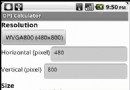 Android 解析度、像素、密度、螢幕尺寸與 DPI 的關係與計算
做 Android 介面適配,繞不開這幾個名詞:螢幕尺寸、解析度、密度、DPI、dp。它們彼此相關卻常被混用,一旦搞錯,就會出現「同一張圖在不同機子上大小差很多」的經典問
 Android 應用本地化:讓 App 說出使用者的語言
一支上架的 App,可能同時被義大利米蘭的上班族、日本東京的學生、德國柏林的工程師打開。使用者對文字、數字、日期與檔案格式的期待各不相同,因此「本地化」不是加分題,而是基