

編輯:Android 開發實例
AlarmManager 有人叫它全局定時器,有人叫它鬧鐘。從實際使用感受出發,「全局定時器」這個名字更貼切——因為它能在自己的應用程式之外觸發,即使 Activity 已經不在前景,約定的時間到了照樣會送出訊號。
它的定位與 Timer 相似,都支援兩種模式:延遲指定時長後執行一次,或以固定週期重複執行。差別在於 AlarmManager 搭配 Intent 運作,因此可以定時啟動 Activity、發送 Broadcast,或拉起 Service。
// 目標:五秒後發送一個廣播,由接收器跳出 Toast
Intent intent = new Intent(Main.this, alarmreceiver.class);
intent.setAction("short");

PendingIntent sender = PendingIntent.getBroadcast(Main.this, 0, intent, 0);

Calendar calendar = Calendar.getInstance();
calendar.setTimeInMillis(System.currentTimeMillis());
calendar.add(Calendar.SECOND, 5);

AlarmManager alarm = (AlarmManager) getSystemService(ALARM_SERVICE);
alarm.set(AlarmManager.RTC_WAKEUP, calendar.getTimeInMillis(), sender);

// 也可以直接寫成:
// alarm.set(AlarmManager.RTC_WAKEUP, System.currentTimeMillis() + 5 * 1000, sender);

Toast.makeText(Main.this, "五秒後 alarm 開啟", Toast.LENGTH_LONG).show();
對應的廣播接收器(別忘了在 manifest 註冊):
public static class alarmreceiver extends BroadcastReceiver {
    @Override
    public void onReceive(Context context, Intent intent) {
        if ("short".equals(intent.getAction())) {
            Toast.makeText(context, "short alarm", Toast.LENGTH_LONG).show();
        } else {
            Toast.makeText(context, "repeating alarm", Toast.LENGTH_LONG).show();
        }
    }
}
Intent intent = new Intent(Main.this, alarmreceiver.class);
intent.setAction("repeating");

PendingIntent sender = PendingIntent.getBroadcast(Main.this, 0, intent, 0);

long firstime = SystemClock.elapsedRealtime();

AlarmManager am = (AlarmManager) getSystemService(ALARM_SERVICE);
// 以 5 秒為週期,從 firstime 開始反覆觸發
am.setRepeating(AlarmManager.ELAPSED_REALTIME_WAKEUP,
        firstime, 5 * 1000, sender);
AlarmManager 的 type 參數決定了「時間怎麼算」,選錯會導致行為不符預期:
RTC_WAKEUP:以真實世界時鐘為基準,會喚醒裝置。適合「在下午三點提醒我」這類真實時刻。RTC:同上但不喚醒裝置,裝置睡著時會延後到醒來才觸發。ELAPSED_REALTIME_WAKEUP:以開機後經過的時間為基準,不受使用者改系統時間影響,會喚醒裝置。適合「每 5 秒輪詢一次」這類相對間隔。ELAPSED_REALTIME:同上但不喚醒裝置。因此上例的兩種模式分別選了不同的 type:絕對時刻用 RTC,週期輪詢用 ELAPSED_REALTIME。這不是隨手挑的,而是由語意決定。
要取消已排定的鬧鐘,用相同參數重建 PendingIntent 再取消:
alarm.cancel(sender);
sender.cancel();
這裡有個關鍵細節:PendingIntent 的相等性由「Intent 的 action、data、type、類別」決定,不包含 extras。也就是說兩個 action 相同、extras 不同的 Intent 會被視為同一個 PendingIntent,後者會覆蓋前者的內容。若需要多組並存,務必讓 action 或 data 有所區別。
另外三點值得牢記:
setExactAndAllowWhileIdle() 或 WorkManager。SCHEDULE_EXACT_ALARM 權限,使用者也可在系統設定中撤銷。把這幾點放進來,你就擁有一個真正可靠的背景排程方案,而不只是能跑起來的示例。
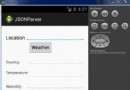 Android 解析 JSON 資料:從元素結構到 JSONObject 取值
JSON 是 JavaScript Object Notation 的縮寫,但它並不依附於任何程式語言,而是一套獨立、通用、易於閱讀的資料交換格式,長期以來都被視為 XM
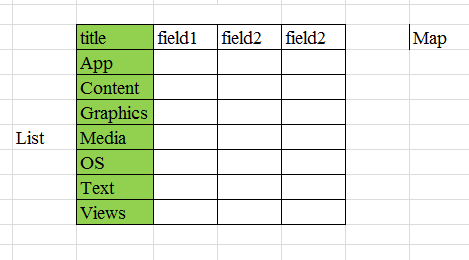 Android ApiDemo 系列二:ListActivity、SimpleAdapter 與 PackageManager
ApiDemo 的主畫面是一個 ListActivity,用來列出大量範例。它以 SimpleAdapter 將資料來源轉換為清單畫面,並透過 PackageManage
 Android 應用本地化實戰:讓 App 依地區顯示對應語言
Android 應用會在各種地區、各種裝置上被執行。為了讓 App 更貼近使用者,文字、數字、檔案等內容應該依裝置的語言環境調整呈現方式。 本章要說明的是如何依不同區域,
 Android 應用本地化:依系統語言切換字串
本地化的核心,是讓應用依裝置語言載入不同資源。Android 會自動選擇符合語系的 values 目錄。 設定方式 在 res 下建立 values-it 等目錄,將 s