

編輯:Android 開發實例
簡訊進來時手機會震動或響聲,狀態列同時出現帶圖示的提示——這就是通知功能。Android 為開發者提供了完整的通知介面,以下透過一個實際案例,說明如何發出與取消通知。
NotificationManager notificationManager = (NotificationManager) getSystemService(NOTIFICATION_SERVICE);
參數依序為圖示、提示文字、發出時間:
Notification notification = new Notification(R.drawable.n, "即興提示!", System.currentTimeMillis());
通知被點擊時要執行什麼,由 PendingIntent 決定。它的特性是可以授權給系統在未來某個不確定的時間代為執行:
Intent intent = new Intent(this, NewActivity.class);
PendingIntent contentIntent = PendingIntent.getActivity(this, 0, intent, 0);
notification.setLatestEventInfo(this, "fengfly.com", "雨楓技術教程網!", contentIntent);
notificationManager.notify(1, notification);
notificationManager.cancel(1);
其中 1 是通知的 id:以相同 id 再次呼叫 notify() 會更新而非新增通知,cancel() 則依 id 撤銷對應的那一則。
新版 Android 有兩件事必須注意。第一,自 Android 8.0 起,通知一定要指定 NotificationChannel,否則通知根本不會顯示;建立頻道時需給定 id、名稱與重要度。第二,setLatestEventInfo() 已被棄用,應改用 Notification.Builder 串接式 API。另外若要搭配震動、鈴聲或 LED,可透過 notification.defaults 與 notification.flags 設定;下載類長時間任務則建議使用前台服務(foreground service)搭配常駐通知,並記得在使用者不再需要時主動取消,避免通知欄堆積。
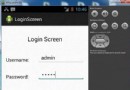 Android 登入畫面實作教學:帳密驗證與錯誤嘗試鎖定
登入畫面通常會要求使用者輸入一組憑證,才能進入某個特定應用,例如 Facebook、微博等服務的授權登入。 本章要介紹如何建立一個登入介面,並處理其中的安全設計與錯誤嘗試
 Android 本地化實作演練:從英文預設值到義大利文翻譯
把寫死的中文或英文字串丟進 App,短期很快,長期很痛。Android 早就提供了答案:所有顯示文字都放進資源檔,再依語言準備對應版本,系統會依裝置設定自動挑選。本章從建
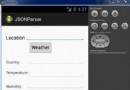 Android JSON 解析實作:用 JSONObject 取得天氣資料
從網路取得 JSON在 Android 應用中,JSON 常用來承載 API 回傳的資料。解析時,通常先取得完整字串,再建立 JSONObject,逐一讀取需要的欄位。解
 Android 多語言支援入門:values 資料夾與 strings.xml 的組織方式
一個上架到 Google Play 的 App,可能同時被德國、日本、巴西的使用者安裝。如果畫面上的字永遠只有英文,對不懂英文的使用者來說,這個 App 等於不存在。本地