

編輯:Android 開發實例
Google 地圖是它的看家本領之一,能提供精確的位置顯示。Android 對應的元件就是 MapView。不過 MapView 不能拿來就用——它要求你具備一組 apiKey,本質上就是把你的簽章身分綁到使用紀錄上。
以下說明取得這組 key 的完整流程(本文不涵蓋 MapView 本身的用法)。
在 Eclipse 中開啟 Android 的 Build 設定:
Windows → Preferences → Android → Build
畫面上會顯示預設 Debug Keystore 的路徑,記下來。
開啟命令列視窗,切換到 A 步驟找到的目錄,執行:
keytool -list -keystore debug.keystore
在輸出結果中找到「憑證指紋(MD5)」那一行(英文環境顯示為 Certificate fingerprint),複製這串字元。
前往 Google 地圖 API 的登記頁面,把剛才的 MD5 指紋與你的 Google 帳號送進去:
https://code.google.com/intl/zh-CN/android/maps-api-signup.html
送出後就會取得一組 apiKey。
在版面檔中設定 MapView 的屬性即可:
android:apiKey="你的apiKey"
這套機制的核心是簽章與 key 的綁定:debug 用的 keystore 每個開發機都不同,正式發布時還必須用 your own release keystore 重新申請一組 key,否則使用者裝置上的地圖會顯示空白。這也是為什麼換電腦開發後地圖突然失效的原因——指紋變了。後來 Google 已將這套機制改為整合在 Google APIs Console 中的 API Key 與 SHA-1 憑證指紋管理,流程概念則完全相同。
 Android 進階:用 BLE 開發搜索 iBeacon 基站
前文講述了 Android 手機與 BLE 終端之間的通信,而最常見的 BLE 終端,莫過於蘋果公司倡導的 iBeacon 基站。iBeacon 技術基於 BLE,其特點
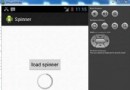 Android 進度提示:Spinner 旋轉載入動畫實作教學
當 App 要連線抓資料,使用者盯著沒有變化的畫面往往會不耐煩。這時候一個小小的旋轉動畫,就能明確傳達「系統正在忙,請稍候」。 Android 的 ProgressBa
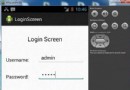 Android 登入頁面範例:三次錯誤即停用按鈕
登入頁面的重點不只是表單,還包括錯誤處理與安全限制。一個基本的 Android 登入畫面,通常會有帳號欄、密碼欄、登入按鈕,以及剩餘嘗試次數。 表單設計 帳號使用一般 E
 動手做「開發者頭條」App(四):用 Design Support Library 重寫首頁
一、前言 上一版首頁做出來之後,拿給身邊的產品經理看,得到的評價是:功能對了,技術還是上一代的寫法。於是花了幾天把 design 包整個翻了一遍,把首頁代碼近乎重寫,順便