

編輯:Android 開發實例
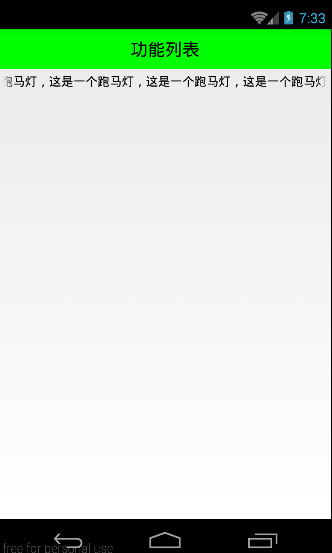
在 Android 中,TextView 要出現跑馬燈效果,通常需要單行顯示、設定 ellipsize 為 marquee,並讓元件取得焦點。若焦點不定時被搶走,文字就可能停止滾動。
為了讓多個地方都能直接使用跑馬燈,可以建立一個自訂 TextView。做法很簡單:新增 FocusTextView 類別,繼承 TextView,並覆寫 isFocused 方法,讓它永遠回傳 true。
這樣一來,只要版面中使用這個自訂元件,文字就能持續滾動,而不需要每個地方都重複設定焦點。
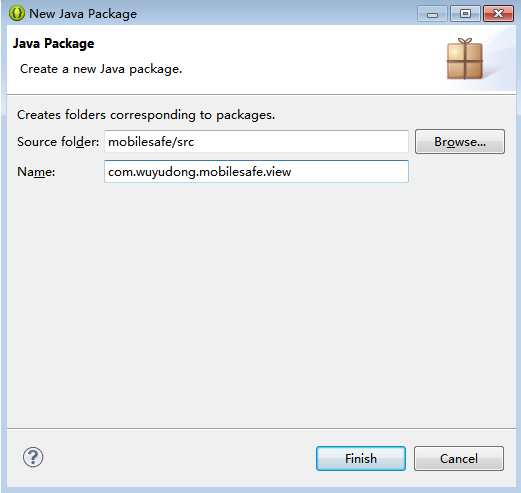
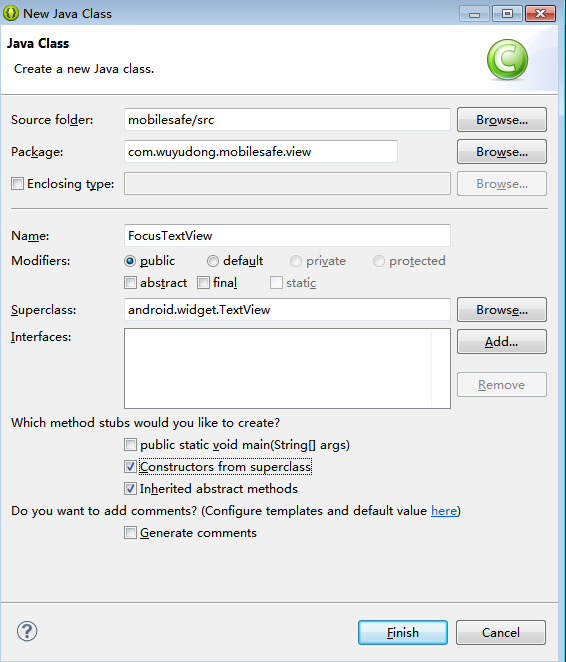
在 XML 中,把原本的 TextView 替換成 com.wuyudong.mobilesafe.view.FocusTextView,並保留 ellipsize、marqueeRepeatLimit、singleLine 等屬性。
自訂控件的標籤就是完整類別路徑,其他屬性使用方式與一般 TextView 相同。完成後,標題列下方的文字就能持續水平滾動。
 Android 啟動畫面實作:進度提示與背景初始化的雙線程設計
大型 App 啟動時往往需要讀設定檔、建立資料庫連線或拉取遠端資源,這段時間若讓使用者盯著空白畫面,感受會非常糟。做一個載入畫面、配上會動的進度提示,是最便宜也最有效的體
 Android 應用本地化:讓 App 說出使用者的語言
同一個 App,可能同時被東京、米蘭、聖保羅的使用者打開。要讓它在不同地區都顯得自然,就不能把文字寫死在程式碼裡,而必須處理語言、數字格式、日期等在地性差異。本章說明 A
 Android MediaPlayer:打造可播放、暫停與快轉的音樂播放器
MediaPlayer 的角色 Android 提供 MediaPlayer 類別,用來控制音訊與影片播放。最簡單的用法是透過靜態 create 方法載入 res/raw
 Android 本地化:讓應用程式適配不同語言環境
Android 應用程式可以在許多不同地區的許多裝置上執行。為了讓應用程式更具互動性,它應該能處理文字、數字、檔案等內容,使其適配應用程式即將使用的語言環境。 本章將說明