編輯:Android開發教程
startActivity()方法可以調用另外的Activity,但這種方法不會給當前的Activity返回一個結果。例如 ,你有一個Activity提示用戶輸入用戶名和密碼,用戶輸入的信息需要被“回傳”給這個輸入信息的 Activity,那就需要使用startActivityForResult()方法。
1. secondactivity.xml中的代碼。
<?xml version="1.0" encoding="utf-8"?>
<LinearLayout xmlns:android="http://schemas.android.com/apk/res/android"
    android:layout_width="fill_parent"
    android:layout_height="fill_parent"
    android:orientation="vertical" >

    <TextView
        android:layout_width="fill_parent"
        android:layout_height="wrap_content"
        android:text="This is the Second Activity!" />

    <TextView
        android:layout_width="fill_parent"
        android:layout_height="wrap_content"
        android:text="Please enter your name" />

    <EditText
        android:id="@+id/txt_username"
        android:layout_width="fill_parent"
        android:layout_height="wrap_content" />

    <Button
        android:id="@+id/btn_OK"
        android:layout_width="fill_parent"
        android:layout_height="wrap_content"
        android:onClick="onClick"
        android:text="OK" />

</LinearLayout>
2. SecondActivity.java中的代碼。
public class

SecondActivity extends Activity {
    @Override
    public void onCreate(Bundle savedInstanceState) {
        super.onCreate(savedInstanceState);
        setContentView(R.layout.secondactivity);
    }

    public void onClick(View view) {
        Intent data = new Intent();

        // ---get the EditText view---
        EditText txt_username = (EditText) findViewById(R.id.txt_username);

        // ---set the data to pass back---
        data.setData(Uri.parse(txt_username.getText().toString()));
        setResult(RESULT_OK, data);

        // ---closes the activity---
        finish();
    }
}
3. UsingIntentActivity.java中的代碼。
public class UsingIntentActivity

extends Activity {
    int request_Code = 1;


    /** Called when the activity is first created. */
    @Override
    public void onCreate(Bundle savedInstanceState) {
        super.onCreate(savedInstanceState);
        setContentView(R.layout.main);
    }


    public void onClick(View view) {
        // startActivity(new Intent("net.horsttnann.SecondActivity"));
        // or
        // startActivity(new Intent(this, SecondActivity.class));


        startActivityForResult(new Intent("net.horsttnann.SecondActivity"),
                request_Code);
    }


    public void onActivityResult(int requestCode, int resultCode, Intent data) {
        if (requestCode == request_Code) {
            if (resultCode == RESULT_OK) {
                Toast.makeText(this, data.getData().toString(),
                        Toast.LENGTH_SHORT).show();
            }
        }
    }
}
 Android美化:點九
一、“點九”是andriod平台的應用軟件開發裡的一種特殊的圖片形式,文件擴展名為:.9.png智能手機中有自動橫屏的功能,同一幅界面會在隨著手機
 Android 系統中 Location Service 的實現與架構
前言定位服務是移動設備上最常用的功能之一,下文以 Android 源碼為基礎,詳細分析了 Android 系統中定 位服務的架構和實現。定位服務是 Android 系統提
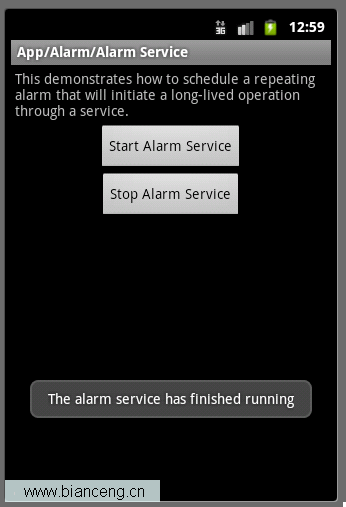 Android ApiDemos示例解析(20) App->Alarm->Alarm Service
Alarm Service和Alarm Controller 例子非常類似,只是Alarm Service是用來Schedule一個Service,而前面的例子是來 Sc
 Android GUI系統之SurfaceFlinger(5) BufferQueue內部原理
1.1 BufferQueue詳解上一小節我們已經看到了BufferQueue,它是SurfaceTextureClient實現本地窗口的關鍵。從邏輯上來推斷,Buffe