編輯:Android開發教程
網上關於這個方面的文章也不少,基本的思路是線程+緩存來解決。下面提出一些優化:
1、采用線程池
2、內存緩存+文件緩存
3、內存緩存中網上很多是采用SoftReference來防止堆溢出,這兒嚴格限制只能使用最大JVM內存的1/4
4、對下載的圖片進行按比例縮放,以減少內存的消耗
具體的代碼裡面說明。先放上內存緩存類的代碼MemoryCache.java:
public class MemoryCache {

    private static final String TAG = "MemoryCache";
    // 放入緩存時是個同步操作
    // LinkedHashMap構造方法的最後一個參數true代表這個map裡的元素將按照最近使用次數由少到多排列,即LRU
    // 這樣的好處是如果要將緩存中的元素替換,則先遍歷出最近最少使用的元素來替換以提高效率
    private Map<String, Bitmap> cache = Collections
            .synchronizedMap(new LinkedHashMap<String, Bitmap>(10, 1.5f, true));
    // 緩存中圖片所占用的字節,初始0,將通過此變量嚴格控制緩存所占用的堆內存
    private long size = 0;// current allocated size
    // 緩存只能占用的最大堆內存
    private long limit = 1000000;// max memory in bytes

    public MemoryCache() {
        // use 25% of available heap size
        setLimit(Runtime.getRuntime().maxMemory() / 4);
    }

    public void setLimit(long new_limit) {
        limit = new_limit;
        Log.i(TAG, "MemoryCache will use up to " + limit / 1024. / 1024. + "MB");
    }

    public Bitmap get(String id) {
        try {
            if (!cache.containsKey(id))
                return null;
            return cache.get(id);
        } catch (NullPointerException ex) {
            return null;
        }
    }

    public void put(String id, Bitmap bitmap) {
        try {
            if (cache.containsKey(id))
                size -= getSizeInBytes(cache.get(id));
            cache.put(id, bitmap);
            size += getSizeInBytes(bitmap);
            checkSize();
        } catch (Throwable th) {
            th.printStackTrace();
        }
    }

    /**
     * 嚴格控制堆內存,如果超過將首先替換最近最少使用的那個圖片緩存
     *
     */
    private void checkSize() {
        Log.i(TAG, "cache size=" + size + " length=" + cache.size());
        if (size > limit) {
            // 先遍歷最近最少使用的元素
            Iterator<Entry<String, Bitmap>> iter = cache.entrySet().iterator();
            while (iter.hasNext()) {
                Entry<String, Bitmap> entry = iter.next();
                size -= getSizeInBytes(entry.getValue());
                iter.remove();
                if (size <= limit)
                    break;
            }
            Log.i(TAG, "Clean cache. New size " + cache.size());
        }
    }

    public void clear() {
        cache.clear();
    }

    /**
     * 圖片占用的內存
     *
     * @param bitmap
     * @return
     */
    long getSizeInBytes(Bitmap bitmap) {
        if (bitmap == null)
            return 0;
        return bitmap.getRowBytes() * bitmap.getHeight();
    }
}
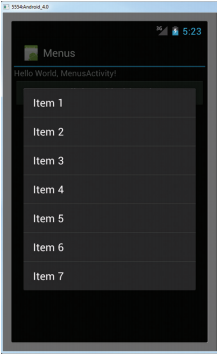 Android開發入門(十五)使用菜單 15.3 上下文菜單
在上一節,我們已經知道了在按MENU鍵的時候,如何顯示選項菜單。但是,除了選項菜單,你也可以顯示 一個上下文菜單。上下文菜單通常是和activity中的組件相關聯的。當用
 Android中升級ADT 22 引發的錯誤
今天心血來潮,又把ADT升級了一下,升級到了ADT 22,悲催的發現項目用不了了(能編譯通過,運行出錯)。錯誤一:(警告)Unable to resolve superc
 Android ApiDemos示例解析(4) App->Activity->Custom Dialog
App->Activity->Custom Dialog 例子使用Activity 來實現自定義對話框。 類CustomDialogActivity本身無任何
 android源碼出現的@字符代表什麼意思
1.背景在android源碼中我們能看到各種以@開頭的字符,他們大多出現在注釋中,如下圖所示但是可不要小看了它們地作用,昨天當我編譯源碼的時候,就在一個“@l