編輯:Android開發教程
1、創建Service類
public class SeasyService extends Service{
	@Override
	public void onCreate() {
		super.onCreate();

		//前台Service
        NotificationCompat.Builder builder = new NotificationCompat.Builder(this);
        Notification notification = builder.build();
        startForeground(999, notification);
	}

	@Override
	public IBinder onBind(Intent arg0) {
		return null;
	}

	@Override
	public void onDestroy() {
		super.onDestroy();

		//停止前台Service
		stopForeground(true);
	}
}
2、創建廣播接收器類
public class BootBroadcastReceiver extends BroadcastReceiver {
	@Override
	public void onReceive(Context context, Intent intent) {
		String action = intent.getAction();

		if("android.intent.action.BOOT_COMPLETED".equals(action)){
			Intent service = new Intent(context, SeasyService.class);
			context.startService(service);
		}
	}
}
3、AndroidManifest.xml配置文件
<?xml version="1.0" encoding="utf-8"?>
<manifest xmlns:android="http://schemas.android.com/apk/res/android"
    package="com.example.androidservice"
    android:versionCode="1"
    android:versionName="1.0" >

    <uses-sdk
        android:minSdkVersion="18"
        android:targetSdkVersion="18" />

	<!-- Permission -->
    <uses-permission android:name="android.permission.RECEIVE_BOOT_COMPLETED"/>

    <application
        android:allowBackup="true"
        android:icon="@drawable/ic_launcher"
        android:label="@string/app_name"
        android:theme="@style/AppTheme" >
        <activity
            android:name="com.example.service.MainActivity"
            android:label="@string/app_name" >
            <intent-filter>
                <action android:name="android.intent.action.MAIN" />
                <category android:name="android.intent.category.LAUNCHER" />
            </intent-filter>
        </activity>

		<!-- Service -->
        <service
            android:name="com.example.service.SeasyService"
            android:enabled="true"
            android:exported="true"
            android:process=":remote">
            <intent-filter>
                <action android:name="com.example.action.SeasyService" />
            </intent-filter>
        </service>

		<!-- BroadcastReceiver -->
        <receiver android:name="com.example.service.BootBroadcastReceiver">
            <intent-filter>
             	<action android:name="android.intent.action.BOOT_COMPLETED"/>
        	</intent-filter>
        </receiver>
    </application>
</manifest>
 Android RoboGuice2使用指南(1) 概述
RoboGuice最近推出了2.0版本。和1.1相比具有:提高了穩定性支持Fragment更簡潔易用但由於RoboGuice2 不完全向下兼容RoboGuice1.1,因
 Android實現帶進度條的WebView
如果不使用系統自帶的TitleBar(即Activity被設置@android:style/Theme.NoTitleBar),那就需要自己來寫進度條了,這裡封裝了一個自
 Android開發入門(九)用戶界面 9.2 重寫onKeyDown()
用戶可以使用兩種級別與你的UI進行交互,一種是activity級別,另一種是view級別。在activity級別, Activity類暴露了一些你可以重寫的方法。有一些常
 Android創建與解析XML(一) 概述
Android 是最常用的智能手機平台,XML 是數據交換的標准媒介,Android 中可以使用標准的XML生成器、解析器、轉換器 API,對 XML 進行解析和轉換。X
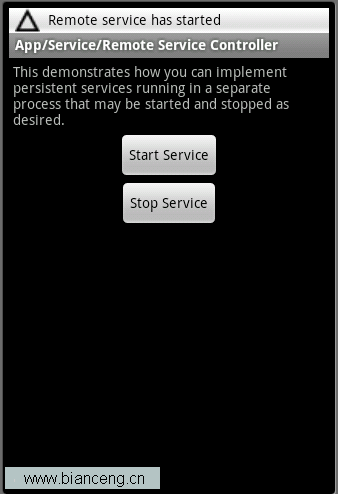 Android ApiDemos示例解析(43):App->Service->Remote Service Controller
Remote Service Controller 和使用Local S