編輯:Android開發教程
以下所有內容都是針對android.support.v7.widget.SearchView,相比於默認的SearchView擁有更多的可配置性。
1. SearchView默認的狀態是一個搜索圖標,點一下才會展開輸入框,如果想默認處於展開狀態,可以調用如下方法:
searchView.setIconifiedByDefault(false);
帶來的副作用是此時的SearchView處於 focus 狀態,軟鍵盤會自動打開,如果不希望SearchView自動獲得焦點,可以調用如下的方法:
searchView.setFocusable(false);
searchView.clearFocus();
setFocusable(false)在初始化SearchView的時候是必須的
2. 獲取SearchView輸入框
SearchView.SearchAutoComplete searchTextArea = (SearchView.SearchAutoComplete) searchView.findViewById(android.support.v7.appcompat.R.id.search_src_text);
之後就可以通過 searchTextArea 對字體、文本等屬性進行修改,比如修改字體大小
searchTextArea.setTextSize(TypedValue.COMPLEX_UNIT_SP, 13);
3. 獲取輸入框底部線條
View v = searchView.findViewById(android.support.v7.appcompat.R.id.search_plate);
如果希望底部線條看不來,可以設置它的背景色和SearchView保持一致,例如:
v.setBackgroundColor(Color.WHITE);
4. 模擬iOS圓角和添加取消按鈕

<LinearLayout
	android:layout_width="match_parent"
    android:layout_height="wrap_content"
    android:background="@color/lightGreyBg">

    <FrameLayout
        android:layout_width="match_parent"
        android:layout_height="30dp"
        android:layout_marginStart="8dp"
        android:layout_marginEnd="8dp"
        android:layout_marginTop="6dp"
        android:layout_marginBottom="6dp">

        <android.support.v7.widget.SearchView
            android:id="@+id/searchView"
            android:layout_width="match_parent"
            android:layout_height="match_parent"
            android:background="@drawable/white_bg_round_radius_4dp"/>

        <TextView
            android:id="@+id/cancelView"
            android:layout_width="45dp"
            android:layout_height="30dp"
            android:text="取消"
            android:textColor="@color/colorPrimary"
            android:textSize="@dimen/font_size_common"
            android:layout_gravity="end"
            android:gravity="center"
            android:visibility="gone"/>
    </FrameLayout>

</LinearLayout>
再根據輸入框是否處於編輯狀態動態修改SearchView的margin和取消按鈕的可見性
FrameLayout.LayoutParams rightMargin = new FrameLayout.LayoutParams(
        FrameLayout.LayoutParams.MATCH_PARENT, FrameLayout.LayoutParams.MATCH_PARENT);
rightMargin.setMarginEnd((int) DisplayUtils.dp2px(this, 45));

FrameLayout.LayoutParams zeroMargin = new FrameLayout.LayoutParams(
        FrameLayout.LayoutParams.MATCH_PARENT, FrameLayout.LayoutParams.MATCH_PARENT);
zeroMargin.setMarginEnd(0);

searchView.setOnQueryTextFocusChangeListener((view, hasFocus) -> {
    if (hasFocus) {
        searchView.setLayoutParams(rightMargin);
        cancelView.setVisibility(View.VISIBLE);
    } else {
        searchView.setLayoutParams(zeroMargin);
        cancelView.setVisibility(View.GONE);
    }
});
同時可以對取消按鈕添加監聽,通過如下示例恢復SearchView的原始狀態
searchTextArea.setText("");
searchView.clearFocus();
5. 添加搜索下拉框,同時添加透明蒙版的效果

在SearchView下添加顯示區域
<FrameLayout
    android:layout_width="match_parent"
    android:layout_height="match_parent">

    <!-- 蒙版 -->
    <View
        android:layout_width="match_parent"
        android:layout_height="match_parent"
        android:background="#80323232"
        />

    <ListView
        android:id="@+id/matchListView"
        android:layout_width="match_parent"
        android:layout_height="wrap_content"
        android:divider="@null"
        android:background="@android:color/white"/>

</FrameLayout>
實現SearchView.OnQueryTextListener,在兩個方法中動態更新ListView內容
 Android的資源(resource)簡介
Android的應用程序(app)資源存儲在項目層次中的res文件夾下;資源的類型包括值(value),Drawable,顏色(color),布局(layout), 動畫
 Android簡明開發教程十:數據綁定Data Binding
前面提到AndroidGraphics2DTutorial說過它是ListActivity派生出來的。ListActivity中顯示的是ListView,ListView
 Android簡明開發教程二:安裝開發環境
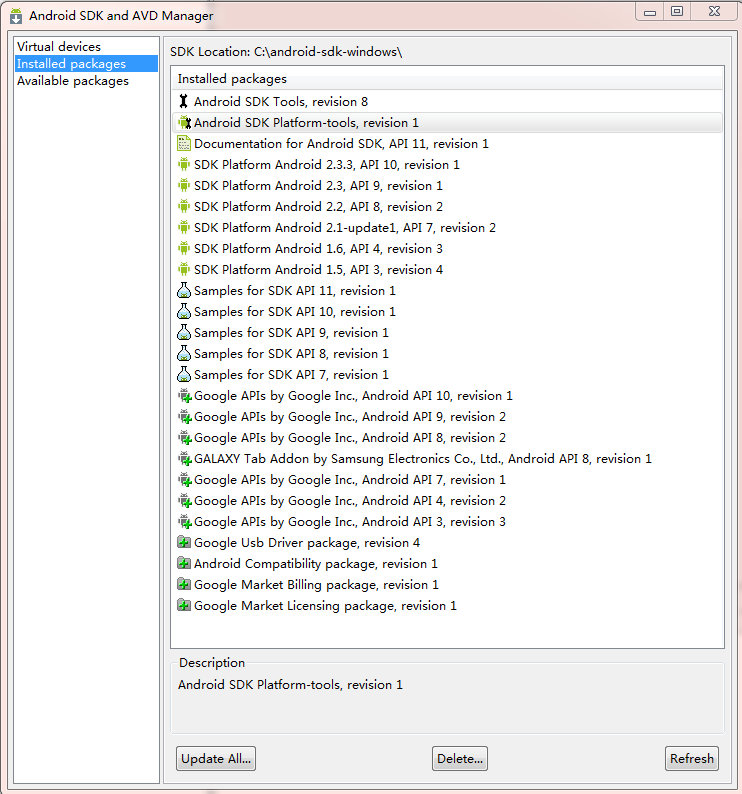
前面Android簡明開發教程一:概述簡要的介紹了Android平台,本篇說明如何安裝搭建Android開發環境。Android開發支 持Windows (Windows
 Android簡明開發教程六:用戶界面設計
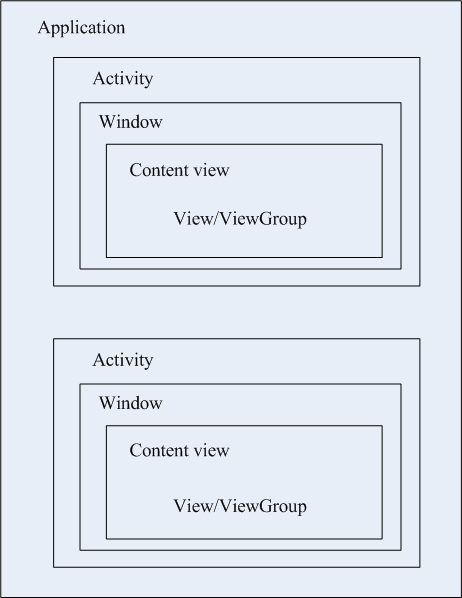
Activity是Android應用用戶界面的基本組成部件。但Activity本身並不提供用戶界面(User Interface)。從程序結構層次上 來說,一個Andro