

編輯:初階開發
Activity、Service、Broadcast Receiver 這三大基本組件,都是通過一種稱為 intent 的消息來激活的。Intent 消息傳遞是一種組件間的運行時綁定機制——它延遲了組件之間的關聯時機,讓 Activity 不必在編譯期認識另一個 Activity。
Context.startActivity() 或 Activity.startActivityForResult() 傳入 intent 來啟動 Activity;用 Activity.setResult() 攜帶 intent 返回結果。Context.startService() 以啟動 Service 或向運行中的 Service 傳消息;傳給 Context.bindService() 則用於綁定。sendBroadcast()、sendOrderedBroadcast()、sendStickyBroadcast() 等方法,它會被投递给匹配的廣播接收者。這三種情況下,Android 系統都會自行尋找合適的組件來響應 intent,三者互不干擾。
它是目標組件的完整類名與 manifest 中 package 的組合,例如類名 com.example.project.app.FreneticActivity 搭配包名 com.example.project。組件名稱是可選的:設定了就直達指定類的實例;不設定,則由系統依據其他信息挑選目標。可通過 setComponent()、setClass()、setClassName() 設置,用 getComponent() 讀取。
一個描述要執行動作的字符串。常見的有:
ACTION_CALL(Activity):發起一個電話呼叫。ACTION_EDIT(Activity):把數據顯示給用戶編輯。ACTION_MAIN(Activity):作為任務的第一個 Activity 啟動,不傳參數也不期望返回值。ACTION_SYNC(Activity):將設備數據與服務器同步。ACTION_BATTERY_LOW(廣播):電量不足警告。ACTION_HEADSET_PLUG(廣播):耳機插入或拔出。ACTION_SCREEN_ON(廣播):屏幕被點亮。ACTION_TIMEZONE_CHANGED(廣播):時區設置改變。你也可以自定義 action,但應包含應用的包名以免與他人衝突,例如 com.example.project.SHOW_COLOR。action 很大程度上決定了 intent 其他部分的結構,就像方法名決定了它接受哪些參數一樣,因此命名要盡量貼切。讀寫用 getAction() 與 setAction()。
需要操作的數據的 URI 及其 MIME 類型。例如 action 為 ACTION_EDIT 時,data 是待編輯數據的 URI;ACTION_CALL 時是 tel: 開頭的號碼;ACTION_VIEW 時則可能是 http: 網絡地址。
匹配時,除了 URI,數據類型同樣重要——一個顯示圖片的程序不應該被用來處理聲音文件。數據類型常常可以從 URI 推斷,尤其是 content: 開頭、指向 content provider 的那種,但也可以顯式聲明。setData() 設置 URI,setType() 指定 MIME 類型,setDataAndType() 同時設置兩者。
一個描述組件種類的字符串,一個 intent 可以帶任意多個 category:
CATEGORY_BROWSABLE:目標 Activity 可以由瀏覽器顯示,比如圖片或郵件。CATEGORY_GADGET:該 Activity 可以被嵌入到另一個裝載小工具的 Activity 中。CATEGORY_HOME:顯示主屏幕,即按下 Home 鍵看到的界面。CATEGORY_LAUNCHER:可作為任務的首個 Activity,並列在應用列表中。CATEGORY_PREFERENCE:該 Activity 是一個選項面板。對應方法為 addCategory()、removeCategory() 與 getCategories()。
鍵值對形式的補充數據。比如 ACTION_TIMEZONE_CHANGED 帶一個 time-zone 說明新時區,ACTION_HEADSET_PLUG 帶一個 state 指示耳機是插入還是拔出。讀寫方法與 Bundle 幾乎一致,也可以直接用 putExtras() 和 getExtras() 整體操作。
各類標誌位,多數用來指示系統如何啟動一個 Activity(比如它屬於哪個任務)以及啟動後如何處理(比如是否出現在最近任務列表中)。
系統把顯式 intent 直接交給指定類;對於隱式 intent,則拿它的內容去和各組件的 intent filter 做比較,從中選出唯一能接受它的組件。沒有任何 intent filter 的組件只能接收顯式 intent;有 filter 的組件則兩者都能接。
比較時只考慮三個屬性:action、data、category,extras 與 flags 不參與解析。
intent filter 的名字很形象:它濾掉不想接受的 intent,留下想接受的。一個組件可以有多個 filter,每個對應它能做的一件事。例如記事本的 NoteEditor 有兩個 filter:一個用於打開並編輯某條特定記錄,另一個用於新建空記錄。
需要特別注意的是,intent filter 並非安全機制。一個應用可以讓組件接受隱式 intent,卻無法阻止其他程序用自定義數據加上顯式組件名來調用它。
<intent-filter . . . >
    <action android:name="com.example.project.SHOW_CURRENT" />
    <action android:name="com.example.project.SHOW_RECENT" />
    <action android:name="com.example.project.SHOW_PENDING" />
    . . .
</intent-filter>
一個 intent 只能指定一個 action,而 filter 可以列多個。filter 的 action 列表不能為空,否則它會阻止所有 intent。匹配規則是:intent 的 action 必須與 filter 中某一項相同才算通過;若 intent 不指定 action 而 filter 的列表非空,也視為通過。
注意:代碼中使用的常量與 manifest 中的字符串並不相同,例如 CATEGORY_BROWSABLE 對應 XML 裡的 android.intent.category.BROWSABLE。
intent 要通過 category 測試,它攜帶的每一個 category 都必須能在 filter 中找到匹配項。理論上不帶 category 的 intent 可以通過任何 category 測試,但有一個重要例外:Android 把所有傳給 startActivity() 的隱式 intent 都視為至少包含 android.intent.category.DEFAULT。因此想接收隱式 intent 的 Activity,必須在自己的 filter 中加上 DEFAULT(ACTION_MAIN + LAUNCHER 的組合除外)。
<intent-filter . . . >
    <data android:mimeType="video/mpeg" android:scheme="http" . . . />
    <data android:mimeType="audio/mpeg" android:scheme="http" . . . />
    . . .
</intent-filter>
每個 <data> 元素指定一個 URI 與一個數據類型。URI 的結構為 scheme://host:port/path,例如:
content://com.example.project:200/folder/subfolder/etc
其中 scheme 為 content,host 為 com.example.project,port 為 200,path 為 folder/subfolder/etc。host 與 port 合稱 authority;host 未指定時 port 被忽略。這些屬性都非必須,但並不獨立:authority 要有意義必須先有 scheme,path 要有意義則必須同時有 scheme 與 authority。
比較時只比對 filter 中實際定義了的部分。例如 filter 只寫了 scheme,那麼所有含該 scheme 的 URI 都能通過;path 支持通配符做部分匹配。type 屬性在 filter 中比在 URI 中更常見,intent 與 filter 雙方都可以用 * 作為子類型通配,如 text/*、audio/*。
data 測試的四條規則:
mailto:、tel: 這樣不含實際數據的 URI。content: / file: 而 filter 未指定 URI)的 filter。規則四說明了組件通常可以從文件或 content provider 取數據,因此它們的 filter 往往只寫數據類型而不寫 scheme。由於大部分可用數據都由 content provider 提供,這種寫法最為常見:
<data android:mimeType="image/*" />
另一種常見配置是 filter 帶 scheme 加類型,用於從網絡獲取數據:
<data android:scheme="http" android:type="video/*" />
還有一類 Activity 不需要引用任何特定數據就能啟動,它們的 filter 使用 android.intent.action.MAIN;若希望在應用列表中顯示,還必須加上 android.intent.category.LAUNCHER:
<intent-filter . . . >
    <action android:name="android.intent.action.MAIN" />
    <category android:name="android.intent.category.LAUNCHER" />
</intent-filter>
intent 與 filter 的匹配不只為了啟動組件,也用於查詢設備上的組件信息。系統的應用列表就是這樣來的:它查找所有 action 為 MAIN、category 為 LAUNCHER 的 filter 所在的 Activity,然後展示這些 Activity 的圖標與標題;同理,它靠 android.intent.category.HOME 定位主屏幕程序。
應用自己也能這麼做。PackageManager 提供了一組 query...() 方法查找接受特定 intent 的所有組件,以及一系列 resolve...() 方法決定最佳響應者。例如 queryIntentActivities() 返回能執行傳入 intent 的 Activity 列表,另有 queryIntentServices() 與 queryIntentBroadcastReceivers()。
記事本示例允許用戶瀏覽筆記列表、查看、編輯、刪除與新增。它定義了三個 Activity 與一個管理數據的 content provider。
<manifest xmlns:android="https://schemas.android.com/apk/res/android"
    package="com.example.android.notepad">
    <application android:icon="@drawable/app_notes"
        android:label="@string/app_name" >

        <provider android:name="NotePadProvider"
            android:authorities="com.google.provider.NotePad" />

        <activity android:name="NotesList" android:label="@string/title_notes_list">
            <intent-filter>
                <action android:name="android.intent.action.MAIN" />
                <category android:name="android.intent.category.LAUNCHER" />
            </intent-filter>
            <intent-filter>
                <action android:name="android.intent.action.VIEW" />
                <action android:name="android.intent.action.EDIT" />
                <action android:name="android.intent.action.PICK" />
                <category android:name="android.intent.category.DEFAULT" />
                <data android:mimeType="vnd.android.cursor.dir/vnd.google.note" />
            </intent-filter>
            <intent-filter>
                <action android:name="android.intent.action.GET_CONTENT" />
                <category android:name="android.intent.category.DEFAULT" />
                <data android:mimeType="vnd.android.cursor.item/vnd.google.note" />
            </intent-filter>
        </activity>

        <activity android:name="NoteEditor"
            android:theme="@android:style/Theme.Light"
            android:label="@string/title_note" >
            <intent-filter android:label="@string/resolve_edit">
                <action android:name="android.intent.action.VIEW" />
                <action android:name="android.intent.action.EDIT" />
                <action android:name="com.android.notepad.action.EDIT_NOTE" />
                <category android:name="android.intent.category.DEFAULT" />
                <data android:mimeType="vnd.android.cursor.item/vnd.google.note" />
            </intent-filter>
            <intent-filter>
                <action android:name="android.intent.action.INSERT" />
                <category android:name="android.intent.category.DEFAULT" />
                <data android:mimeType="vnd.android.cursor.dir/vnd.google.note" />
            </intent-filter>
        </activity>

        <activity android:name="TitleEditor"
            android:label="@string/title_edit_title"
            android:theme="@android:style/Theme.Dialog">
            <intent-filter android:label="@string/resolve_title">
                <action android:name="com.android.notepad.action.EDIT_TITLE" />
                <category android:name="android.intent.category.DEFAULT" />
                <category android:name="android.intent.category.ALTERNATIVE" />
                <category android:name="android.intent.category.SELECTED_ALTERNATIVE" />
                <data android:mimeType="vnd.android.cursor.item/vnd.google.note" />
            </intent-filter>
        </activity>

    </application>
</manifest>
第一個 filter(MAIN + LAUNCHER)聲明它是應用的主入口:MAIN 表示不需要任何附加信息的啟動點,LAUNCHER 表示它該出現在應用列表中。
第二個 filter 聲明它可以對「一個筆記目錄」做三件事:VIEW 瀏覽、EDIT 編輯、PICK 挑選某一條。MIME 類型 vnd.android.cursor.dir/vnd.google.note 中的 dir 表示這是「一組」數據的 Cursor,來源是持有記事本數據的 content provider。這裡必須提供 DEFAULT category,因為 startActivity() 系列方法默認給隱式 intent 附加了 DEFAULT。
第三個 filter 使用 GET_CONTENT,描述該 Activity 能在不知道目錄的情況下返回用戶選中的一條筆記。它與 PICK 相似,都返回選中項的 URI;區別在於調用方指定的是想要的數據類型,而非數據所在的目錄。這裡的 vnd.android.cursor.item/vnd.google.note 中的 item 表示單個條目。
因此 NotesList 可以接受:MAIN(直接啟動)、MAIN + LAUNCHER(從應用列表啟動)、VIEW / PICK 搭配 content://com.google.provider.NotePad/notes(瀏覽或挑選列表項)、以及 GET_CONTENT 搭配上述 item 類型(返回一條筆記)。
第一個 filter 用 VIEW / EDIT / 自定義的 EDIT_NOTE 三種 action,指向某一條特定筆記的 URI(vnd.android.cursor.item/vnd.google.note),這個 URI 通常正是 NotesList 的 PICK 或 GET_CONTENT 所返回的。
第二個 filter 用 INSERT action,搭配目錄級別的 vnd.android.cursor.dir/vnd.google.note,用於創建一條新筆記並插入到已有目錄中。
於是可以接受:VIEW / EDIT 搭配 .../notes/ID(顯示或編輯指定筆記,保存後更新 provider),以及 INSERT 搭配 .../notes(新建空筆記,保存後把 URI 返回調用方)。
最後一個 Activity 允許用戶單獨編輯筆記的標題。它本可以直接指定組件名調起,但這裡用來演示如何在已有數據上提供「另一種操作」(類似 Windows 的「打開方式 → 選擇程序」):
它必須作用於一個特定筆記(類型為 vnd.android.cursor.item/vnd.google.note),與 VIEW、EDIT 一樣;不同的是它只顯示並修改標題,而非正文。
除了 DEFAULT,這個 filter 還支持 ALTERNATIVE 與 SELECTED_ALTERNATIVE 兩個 category,標誌著該 Activity 可以在選項菜單中呈現給用戶(就像 LAUNCHER 標誌它出現在應用列表中)。filter 還通過 android:label="@string/resolve_title" 提供了顯示標簽,用來控制用戶在菜單中看到的文字。
最終它接受形如 com.android.notepad.action.EDIT_TITLE 搭配 content://com.google.provider.NotePad/notes/ID 的 intent。
把這三個 Activity 放在一起看,不難發現 Android 的組件設計哲學:用 action 表達「做什麼」,用 MIME 類型表達「對什麼做」,用 category 表達「在哪裡做」,三者組合出清晰而靈活的組件能力描述。
 Android 介面開發實戰:從 MVC 視角到登入畫面的完整實作
這篇文章不打算嚴格地逐點介紹 Android 的某個技術主題,比較接近我接觸 Android UI 開發至今的一些心得與個人理解。內容會牽涉到 Java、Android
 Android APK 軟體漢化教學(二):從 arsc 到 classes.dex
本文承接上一篇,說明 APK 漢化的完整流程,分成四個部分:resources.arsc、XML 檔、classes.dex,以及最後的簽名。全程使用 androidRe
 Android 開發講義(二):DDMS 模擬簡訊、Layout 的服務觀與繼承/委託抉擇
八、如何從 DDMS 發送簡訊給應用程式 切換到 DDMS 路徑一:在 Eclipse 的 Android 程式編輯畫面,點擊右上角的 DDMS 按鈕,再從清單中選取即可
 Android 美觀 ListView 表格:水平捲動與自訂底色
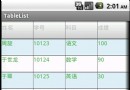
用 ListView 做出表格效果這個範例以 ListView 呈現多欄資料,並加入水平捲動與自訂底色,讓列表更像表格。核心做法是將 ListView 放進 Horizo