

編輯:初階開發
以下幾段都是開發中反覆會用到的小片段,直接收藏即可。
Bitmap buffer = Bitmap.createBitmap(width, height, Bitmap.Config.ARGB_4444);
buffer.eraseColor(Color.TRANSPARENT);
Intent intent = new Intent(Intent.ACTION_SENDTO,
        Uri.fromParts("mailto", "test@test.com", null));
intent.setFlags(Intent.FLAG_ACTIVITY_NEW_TASK);
context.startActivity(intent);
WindowManager.LayoutParams lp = getWindow().getAttributes();
lp.screenBrightness = 100 / 100.0f;
getWindow().setAttributes(lp);
screenBrightness 取 0.0f 到 1.0f,設為負值則沿用系統自動亮度。
Filter filter = myAdapter.getFilter();
filter.filter(mySearchText);
setOnScrollListener(new OnScrollListener() {
    public void onScroll(AbsListView view, int firstVisibleItem,
            int visibleItemCount, int totalItemCount) {
        // 可在此處理滾動過程
    }

    public void onScrollStateChanged(AbsListView view, int scrollState) {
        if (scrollState == 0) {
            Log.i("a", "scrolling stopped...");
        }
    }
});
Bitmap bmp = getImageBitmap(jpg);
String path = getFilesDir().getAbsolutePath() + "/test.png";
File file = new File(path);
FileOutputStream fos = new FileOutputStream(file);
bmp.compress(CompressFormat.PNG, 100, fos);
fos.close();

Intent intent = new Intent();
intent.setAction(android.content.Intent.ACTION_VIEW);
intent.setDataAndType(Uri.fromFile(new File(path)), "image/png");
startActivity(intent);
實務提醒:以 ACTION_VIEW 開啟檔案時,若目標機型為 Android 7.0 以上,直接傳 file:// URI 會觸發 FileUriExposedException,需改用 FileProvider 產生 content:// URI 並於 Intent 中加上 FLAG_GRANT_READ_URI_PERMISSION。
 Android IPC 框架分析:Binder、Service 與 Service Manager
宏觀角度 在 Android 中,Activity 與 Service 可能託管於不同行程。不同行程之間若要交換資料,就屬於 IPC。Binder 是 Android 為
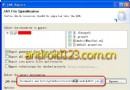 在 Android 專案中引入第三方 JAR 包的兩種做法
Android 平台完全可以使用第三方的外部 JAR 函式庫。在 Eclipse 開發環境中,最快只要三步就能把第三方 jar 掛進來: 做法一:Add Externa
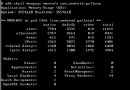 Android 記憶體與 OOM:Bitmap 為何是最大兇手
寫 Android 的人大概都遇過 OutOfMemoryError,而引發它的場景十之八九和圖片有關: ERROR/androidRuntime(16350): jav
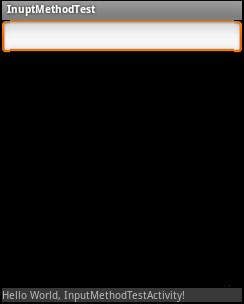 Android 軟鍵盤彈出時的版面縮放行為與監聽技巧
Android 是為觸控螢幕設計的系統,點擊輸入框時會自動彈出軟鍵盤。但鍵盤一出現,可用高度就變少了——系統該如何處理這段被壓縮的空間?我們能不能自行控制?這是本文想釐清