

編輯:進階開發
先在 Ruby 上把流程跑通之後,接著把同樣的功能搬到 Android 應用裡。做法是把檔案讀進位元組陣列、編碼成 Base64 字串,再當成表單參數 POST 到伺服器端。
import org.apache.http.HttpResponse;
import org.apache.http.NameValuePair;
import org.apache.http.client.entity.UrlEncodedFormEntity;
import org.apache.http.client.methods.HttpPost;
import org.apache.http.impl.client.DefaultHttpClient;
import org.apache.http.message.BasicNameValuePair;
import org.apache.http.protocol.HTTP;

import android.util.Base64;
import android.util.Log;

/**
 * TODO: 檔案長度應該用 long 而不是 int,否則大檔案會出問題。
 *
 * @param fileName 要上傳的檔案路徑
 * @param url 接收端網址
 * @return 是否成功
 */
public static boolean httpPostBase64(String fileName, String url) {
    try {
        File file = new File(fileName);
        FileInputStream in = new FileInputStream(file);

        byte[] buffer = new byte[(int) file.length() + 100];
        int length = in.read(buffer);

        String data = Base64.encodeToString(buffer, 0, length, Base64.DEFAULT);

        HttpPost httpRequest = new HttpPost(url);

        /* NameValuePair 負責封裝請求參數 */
        List<NameValuePair> params = new LinkedList<NameValuePair>();
        params.add(new BasicNameValuePair("data", data));

        /* 把參數掛到請求物件上 */
        httpRequest.setEntity(new UrlEncodedFormEntity(params, HTTP.UTF_8));

        /* 送出並等待回應 */
        HttpResponse httpResponse = new DefaultHttpClient().execute(httpRequest);

        /* 狀態碼不是 200 就視為失敗 */
        if (httpResponse.getStatusLine().getStatusCode() != 200) {
            Log.d("Code", httpResponse.getStatusLine().toString());
            return false;
        }
    } catch (Exception e) {
        for (StackTraceElement s : e.getStackTrace()) {
            Log.d("Exception", s.toString());
        }
        Log.d("Exception", e.getLocalizedMessage());
        return false;
    }
    return true;
}
幾個實務上值得留意的點。首先是那個 (int) file.length():檔案大小是 long,硬轉成 int 在超過 2GB 時會溢位,實作時應該改用別的方式配置緩衝區,或乾脆分段讀取。其次,一次把整個檔案讀進記憶體並不適合大檔,Android 的每個行程堆積空間有限,比較穩妥的做法是邊讀邊寫到串流。最後,Base64 會讓資料量增加約三分之一,加上表單編碼後又會再脹一些,伺服器端的請求大小限制也要一併檢查。
另外,Apache HttpClient 在較新的 Android 版本中已被標記為 deprecated。若是新專案,改用 HttpURLConnection 或 OkHttp 會更合適,而 Base64 編碼的部分則可以直接沿用 android.util.Base64,邏輯完全不需要調整。
 Android 開源平台全解析:從 OHA 到 Dalvik 的技術骨架
Android 這個名字本意是「機器人」,正式身分是 Google 於 2007 年 11 月 5 日公布的、以 Linux 為基礎的開源智慧手機作業系統。 平台由作業系
 Android 原始碼結構(4):external 與 Java 套件該去哪找
Android 的擴充專案收在 external 資料夾中,是一些改寫過、適應 Android 系統的開源專案。有些在主機上執行,有些在目標裝置上執行。因為數量太多就不逐
 Android 應用到底需不需要手動退出?一篇談清楚進程、任務與返回鍵
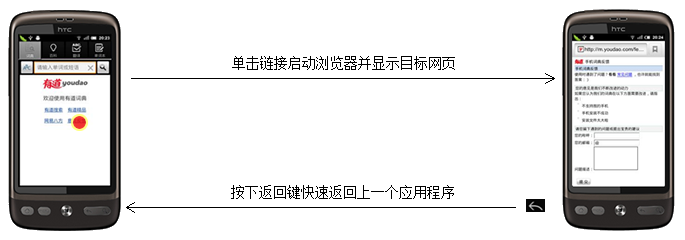
這個問題被問過很多次,答案始終是:不需要。但既然疑惑這麼普遍,還是把原因完整寫下來比較好。 先看系統怎麼管理應用 Android 裡有兩個容易混淆的概念。進程(Pro
 深入認識Android手機系統:從「機器人」到T-Mobile G1
Android手機系統最關鍵的一個特點,是它的應用框架與GUI庫都用Java實作。用最廣泛被採用的開發語言,等於把入門門檻壓到最低,這也讓它在效能與普及度上比同期其他作業