

編輯:進階開發
在 Android 中,應用程式可以將資料以私有檔案的形式儲存在自己的專用空間裡。透過 openFileInput() 與 openFileOutput(),讀寫這類檔案變得相當容易。以下提供一組可直接參考的讀寫函數。
public String ReadSettings(Context context) {
    FileInputStream fIn = null;
    InputStreamReader isr = null;
    char[] inputBuffer = new char[255];
    String data = null;
    try {
        fIn = openFileInput("lee.txt");
        isr = new InputStreamReader(fIn);
        isr.read(inputBuffer);
        data = new String(inputBuffer);
        Toast.makeText(context, "Settings read", Toast.LENGTH_SHORT).show();
    } catch (Exception e) {
        e.printStackTrace();
        Toast.makeText(context, "Settings not read", Toast.LENGTH_SHORT).show();
    } finally {
        try {
            isr.close();
            fIn.close();
        } catch (IOException e) {
            e.printStackTrace();
        }
    }
    return data;
}
public void WriteSettings(String data) {
    FileOutputStream fOut = null;
    OutputStreamWriter osw = null;
    try {
        fOut = openFileOutput("lee.txt", MODE_PRIVATE);
        osw = new OutputStreamWriter(fOut);
        osw.write(data);
        osw.flush();
    } catch (Exception e) {
        e.printStackTrace();
    } finally {
        try {
            osw.close();
            fOut.close();
        } catch (IOException e) {
            e.printStackTrace();
        }
    }
}
openFileInput() 開啟檔案輸入流,並用 InputStreamReader 讀入字元。openFileOutput("lee.txt", MODE_PRIVATE) 開啟輸出流,MODE_PRIVATE 表示檔案僅供本應用存取。這組函數結構清楚、可直接套用,適合用在儲存應用的小型設定資料。實際使用時,可依資料量調整緩衝區大小,並補上更完善的例外處理。
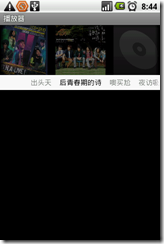 在 Android 開發中用 Gallery 實作「多級聯動」
先前我們介紹過如何在 Android 中讓 Service 動態更新 UI。做 UI 時常會需要圖庫相簿那樣的元件,而 Gallery 正是 Android 上一個開源、
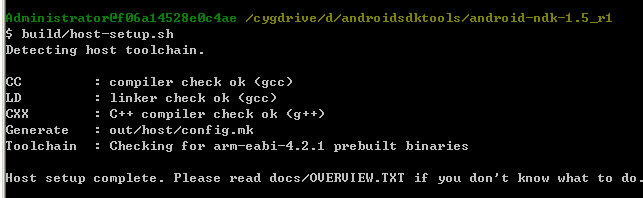 NDK 入門專案實戰(一)
目標:利用 NDK 生成 SO 函式庫,透過 SO 函式庫進行 JNI 呼叫,在 Android sdcard 建立檔案並寫入資料。 工具:NDK 1.5 R1、Andr
 Android 建立 sdcard 模擬記憶卡完整圖解
Android 的應用方式相當靈活,在模擬器中做適當設定就能滿足許多特定的功能需求,例如需要外部儲存空間的相機、錄音或檔案讀寫測試。本文說明如何建立並啟用 sdcard
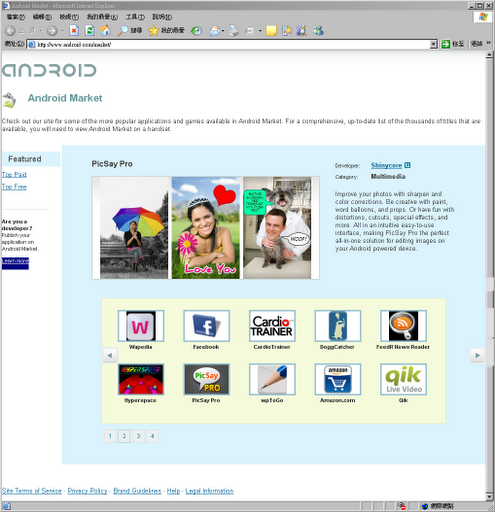 圖解 Android 應用程式提交與發布到 Android Market 全流程
當時 Android Market 尚未向所有國家的開發者開放,但 Google 已承諾會逐步擴大範圍。本文整理自一位台灣地區開發者的實操作流程,從註冊帳號、簽章到上架一