

編輯:進階開發
在模擬器上寫 Android 久了,多半都會累積一套自己的速查筆記。以下整理幾個最常用控制項的 XML 寫法,方便實作時直接抄。
<Button android:id="@+id/jump"
    android:layout_width="fill_parent"
    android:layout_height="wrap_content"
    android:text="button to"
/><TextView android:id="@+id/result"
android:layout_width="fill_parent"
android:layout_height="wrap_content"
android:text=""
/><EditText android:id="@+id/height"
android:layout_width="fill_parent"
android:layout_height="wrap_content"
android:numeric="integer"
android:text=""
/>android:numeric="integer" 會限制只能輸入整數並自動帶出數字鍵盤;若需要其他輸入型別,可改用 android:inputType,例如 textPassword、phone、textEmailAddress 等。
<EditText android:id="@+id/text1"
    android:layout_width="200sp"
    android:layout_height="24sp"
    android:text="Text1"
    android:singleLine="True"
/>

<EditText android:id="@+id/text3"
    android:layout_width="180px"
    android:layout_height="80px"
    android:text="Text3"
    android:singleLine="False"
/>
singleLine="True" 強制單行輸入,False 則允許換行成多行。要留意的是,上面範例混用了 sp 與 px:sp 會隨使用者設定的字級縮放,適合文字;px 則是實體像素,在不同解析度的裝置上會呈現不同大小。一般建議改用 dip,讓版面在各尺寸螢幕上保持一致。
android:id="@+id/xxx":宣告 ID,之後可用 findViewById 取得該控制項。android:layout_width / layout_height:fill_parent、wrap_content 或明確數值。android:text:顯示文字,正式專案中建議改用 @string/... 抽到 strings.xml,方便日後多語系維護。 值得投入嗎?Android 的 Google 束縛與 Gmail 紅利
Android 大概是最能代表 Google 開發速度的產品。在與微軟、諾基亞等巨頭的拉鋸中,它展現出相當的競爭韌性。 如果你只是單純想換機嚐鮮,而新機恰好搭載 Andr
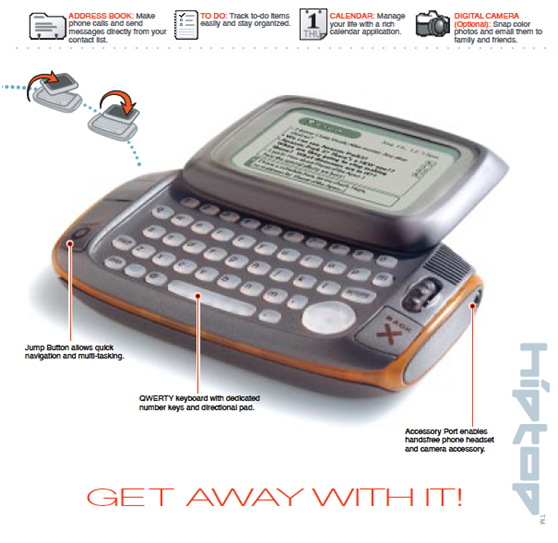 Sidekick 的故事:從 Danger 到 Android(3)沃茲加入,Hiptop 登上 T-Mobile
2001 年底,沃茲加入 蘋果共同創辦人 Steve Wozniak 加入 Danger 董事會,被視為這家公司起飛的標誌。當年的新聞稿引述他的話:「Danger 蘊含著
 Root Tools 工具誕生 讓 Android 開發者更省力
Stericson 與 Kastro 是兩位頗具知名度的軟體研發者,他們的作品 MetaMorph 一直很受開發者歡迎。近日 Stericson 又推出了一款新工具 Ro
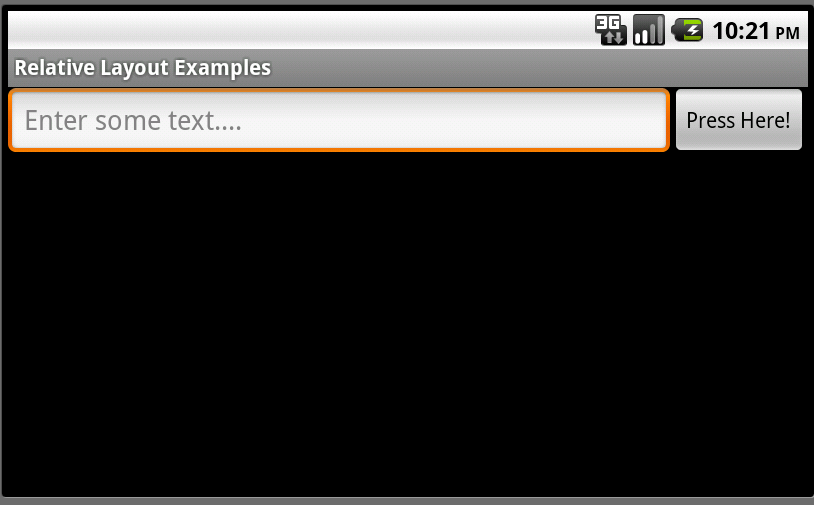 Android 使用者介面設計:相對布局 RelativeLayout(上)
理解布局,對於打造優秀的 Android 應用至關重要。在這篇教學中,你將完整認識相對布局(RelativeLayout)——它能把介面控制項相對於其他控制項或父布局來組