

編輯:關於 Android 程式設計
用 Android Studio 打包時,輸出的檔案預設就叫 app-release.apk(已簽名)或 app-debug.apk(測試版)。當專案要交付給多個客戶或需要區分版本時,這個名字實在不夠用。
要改預設檔名,可以打開 build.gradle(module: app),在 android 區塊中加入以下片段:
android.applicationVariants.all { variant -> variant.outputs.each { output -> def outputFile = output.outputFile if (outputFile != null && outputFile.name.endsWith('.apk')) { //這裡修改apk文件名 def fileName = outputFile.name.replace("app", "你想要的名字") output.outputFile = new File(outputFile.parent, fileName) } } }
把「你想要的名字」替換成實際名稱即可。寫完直接點工具列的 Build - Build APK,或使用簽名打包,輸出的檔名就會變成你設定的樣子。
效果如下:
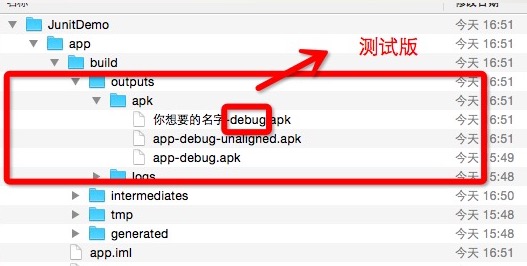
當然,如果只是臨時要改名,最偷工減料的方式就是直接在檔案總管裡右鍵重新命名:
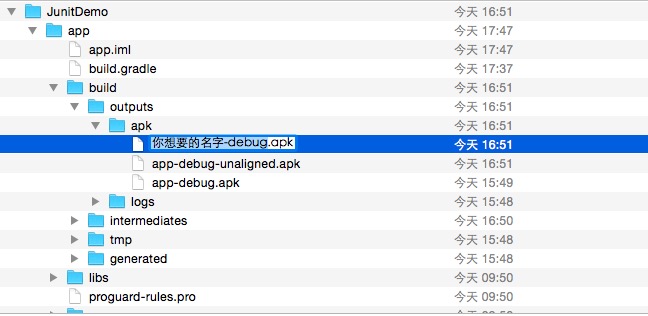
不過正式專案還是建議用 gradle 配置處理,這樣每次打包都會自動套用命名規則,不必手動改。若想更進一步,也可以在檔名中帶入 versionName 或時間戳,方便後續追蹤是哪一次建置的產物。
 ActionBar、Tabs、Fragment、ViewPager 實現標籤頁切換並快取頁面
今天來談談如何用 ActionBar、Tabs、Fragment 與 ViewPager 實現標籤頁切換並快取頁面。關於它們的介紹網上不勝枚舉,這裡只講實作中容易踩到的幾
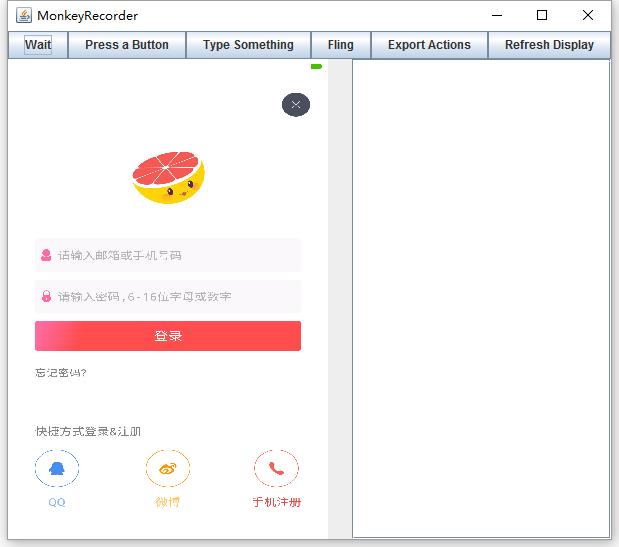 monkeyrunner 腳本錄制實例:從錄製、回放到自訂腳本執行
monkeyrunner 可用於 Android 測試腳本錄製與回放。透過 monkey_recorder.py 可錄製操作流程,再由 monkey_playback.p
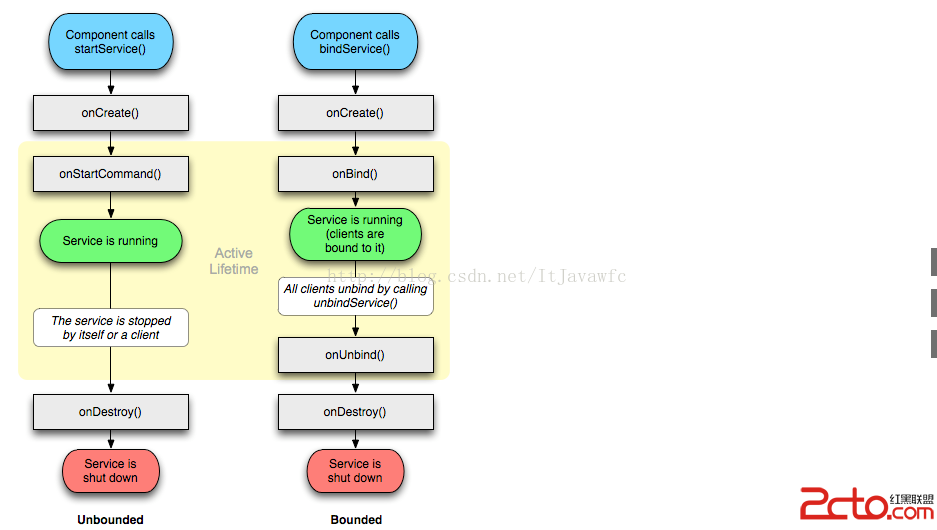 Android Service 深入學習:生命週期、綁定與跨進程溝通
在 Android 中,Service 與 Activity 同為四大元件之一。若說 Activity 負責與使用者互動,那麼 Service 更像是在背景中持續工作的角
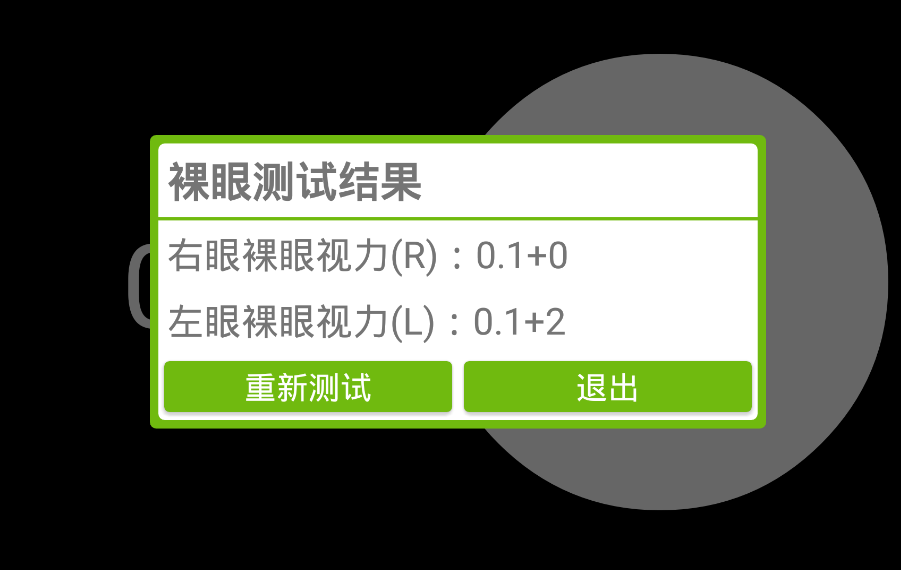 Android 做出圓角邊框對話框的方法
前言 設計稿給了一個圓角邊框的對話框,查了網上不少寫法都大同小異。這裡提供另一個思路——用 layer-list 把「邊框色塊」與「內容色塊」疊起來,藉由內縮的 padd