

編輯:關於 Android 程式設計
今天剛好需要一個九宮格,順手做個簡單的 GridView demo 記錄一下。
第一步是版面:主檔放一個設為三欄的 GridView。
<?xml version="1.0" encoding="utf-8"?> <LinearLayout xmlns:android="https://schemas.android.com/apk/res/android" android:layout_width="match_parent" android:layout_height="match_parent" android:background="#fff" android:orientation="vertical" > <LinearLayout android:layout_width="match_parent" android:layout_height="wrap_content" android:orientation="horizontal" > <GridView android:id="@+id/gridView" android:layout_width="match_parent" android:layout_height="wrap_content" android:numColumns="3" android:background="#fff"></GridView> </LinearLayout> </LinearLayout>
再来是单项的版面,一个 ImageView 配一个 TextView:
<?xml version="1.0" encoding="utf-8"?> <LinearLayout xmlns:android="https://schemas.android.com/apk/res/android" android:layout_width="match_parent" android:layout_height="match_parent" android:padding="10dp" android:layout_gravity="center" android:background="#fff" android:orientation="vertical" > <ImageView android:id="@+id/iv" android:layout_width="wrap_content" android:layout_height="wrap_content" /> <TextView android:id="@+id/tv" android:paddingTop="10dp" android:layout_width="wrap_content" android:layout_height="wrap_content" android:textColor="#000" android:text="管線" /> </LinearLayout>
接著準備資料,用 HashMap 把圖與文配成一對:
/** * 准備顯示的數據 */ public void initData() { // 生成動態數組,並且轉入數據 ,暫時就這樣來處理 lstImageItem = new ArrayList<HashMap<String, Object>>(); for (int i = 0; i < 3; i++) { HashMap<String, Object> map = new HashMap<String, Object>(); map.put("ItemImage", R.drawable.osg);// 添加圖像資源的ID map.put("ItemText", "各種管線" + String.valueOf(i));// 按序號做ItemText lstImageItem.add(map); } }
最後綁上 SimpleAdapter:
gv = (GridView) view.findViewById(R.id.gridView); SimpleAdapter adapter = new SimpleAdapter(this, lstImageItem, R.layout.gridview_item, new String[] { "ItemImage", "ItemText" }, new int[] { R.id.iv, R.id.tv }); gv.setAdapter(adapter);
這裡的關鍵是 SimpleAdapter 最後兩個陣列必須等長且順序對應:前一個是 Map 的鍵名,後一個是目標 view 的 id,對錯就會拿到空白格。
實際效果:
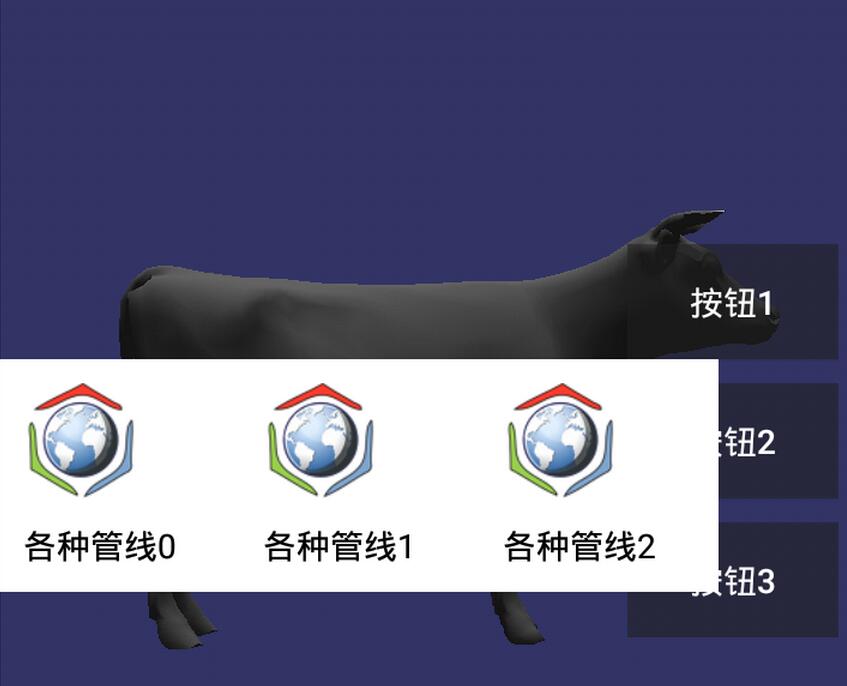
如果每格要顯示大量圖片,記得在 getView 層級改用自定義 Adapter 並加上圖片快取,SimpleAdapter 在這種場景下效能會吃緊。
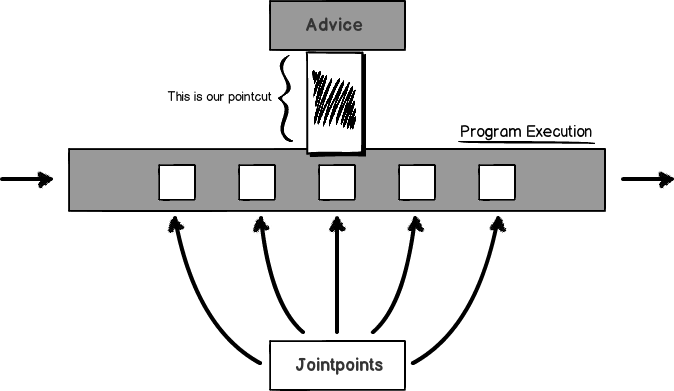 Android 中的 AOP 面嚮切面編程:用 AspectJ 實作方法效能監控
面嚮切面編程(AOP,Aspect-oriented programming)的核心思想,是把程式邏輯拆解成一個個「關注點」(concerns,即功能內聚的區域)。在 A
 Gallery 相冊與 Adapter 及縮放動畫入門
Gallery 的基本特性Gallery 是 Android 內建的橫向捲動控制項,常用來展示圖片。它需要 Adapter 提供資料,並可由使用者滑動切換項目。Adapt
 Android RatingBar 與屬性動畫製作男女比例圖
RatingBar 本身是打分元件,但透過 isIndicator 屬性可把它變成只讀的指示器。再搭配自訂 progressDrawable 與屬性動畫,就能做出類似 Q
 CoordinatorLayout.Behavior 自訂效果實作詳解
先看一張效果圖,要達成的目標便一目了然: 實作思路 1. 首先自訂一個 View,包含頭部與列表。 2. 為自訂 View 加上註解,也就是預設使用自訂的 Behav